
AI becomes risky when nobody has said where its authority stops. A tool that only drafts an email is different from a tool that recommends a pastoral response, changes a customer record, approves a refund, scores a lead, schedules a staff member or sends a message on behalf of the organization.
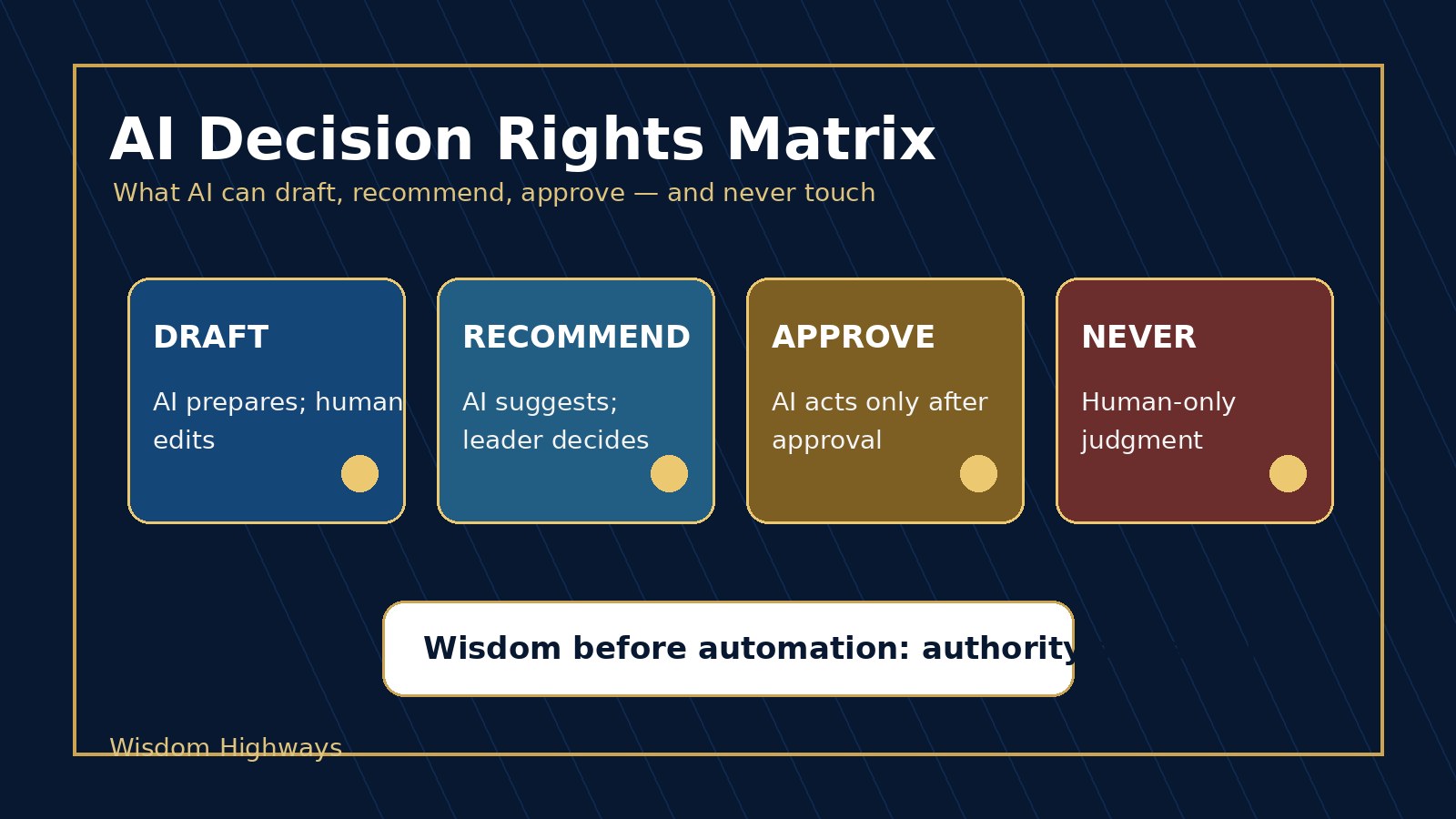
Many churches, nonprofits and SMEs do not need a complicated AI policy before they take the next wise step. They need a plain-language AI decision rights matrix: a simple map of what AI may draft, what it may recommend, what requires human approval and what should never be delegated to automation.
The goal is not fear. The goal is clarity. When leaders define decision rights before automation scales, AI can support the mission without quietly replacing judgment, accountability or care.
What an AI decision rights matrix means
An AI decision rights matrix is a leadership tool that defines the level of authority an AI system has in a workflow. It answers four practical questions:
- Can AI draft something for a person to review?
- Can AI recommend an action while a person decides?
- Can AI act after approval inside a controlled workflow?
- Is this decision human-only because it involves trust, care, safety, doctrine, money, employment, privacy or reputation?
This connects directly with the Wisdom Highways principle of wisdom before automation. The question is not only, “Can the tool do it?” The better question is, “Should this decision be delegated, assisted, approved or protected?”
Why decision rights matter now
AI tools are moving from content assistance into operational action. They can summarize conversations, classify messages, route requests, write responses, update databases, trigger workflows, score opportunities and connect with other applications. That can save time. It can also create confusion when authority is undefined.
NIST’s AI Risk Management Framework points leaders toward governing, mapping, measuring and managing AI risk across the system lifecycle. The European Commission’s AI Act overview reflects a wider governance direction toward risk-based AI rules, human oversight, transparency and accountability. OECD and UNESCO both emphasize human-centred, accountable and transparent AI. OWASP’s LLM risk guidance warns that excessive agency can become dangerous when AI systems are allowed to take actions beyond appropriate boundaries.
For a smaller organization, the practical lesson is simple: do not wait until AI has already made a sensitive decision before deciding who had the right to make it.
The four-level AI decision rights matrix
Use these four levels to classify every AI-assisted workflow. The language is intentionally simple enough for pastors, founders, administrators, operations leaders, volunteers and team managers to use together.
Level 1: AI may draft
At this level, AI creates a first version of something, but a person reviews, edits and takes responsibility before anything is sent, published or acted on.
- Drafting a meeting agenda from approved notes.
- Creating a first version of a social post for review.
- Turning sermon notes, training notes or meeting notes into a summary.
- Suggesting alternative wording for a customer email.
This is often the safest starting point for churches, nonprofits and SMEs. It reclaims time while keeping human judgment in the final position. Pair this level with an AI output review checklist.
Level 2: AI may recommend
At this level, AI analyzes information and recommends a next step, but a person makes the decision. The recommendation must be explainable enough for a responsible leader to accept, adjust or reject it.
- Suggesting which support messages are urgent.
- Recommending follow-up categories for leads or donors.
- Flagging duplicate records or incomplete forms.
- Suggesting which workflow bottleneck should be reviewed first.
Recommendation workflows need more governance than drafting workflows because people can begin to rubber-stamp the system. Use an AI escalation policy and an AI accountability matrix so the team knows who decides.
Level 3: AI may act after human approval
At this level, AI or automation can take an action only after a person approves the specific step or after leaders have pre-approved a narrow rule. This is useful for controlled workflows where speed matters but accountability still belongs to a human owner.
- Sending a templated reminder after a staff member approves it.
- Updating a CRM field after a manager confirms the classification.
- Scheduling approved content into a calendar.
- Triggering a routine internal task from an approved form.
This level should have clear acceptance criteria, audit trail and rollback path. Connect it with an AI approval workflow, an AI audit trail and a rollback plan.
Level 4: Human-only decisions
Some decisions should not be delegated to AI, even if AI can assist with preparation. These decisions require pastoral wisdom, executive judgment, relational discernment, legal review, financial accountability, doctrinal sensitivity or human compassion.
- Pastoral care, counseling, discipline or sensitive spiritual guidance.
- Hiring, firing, compensation or performance decisions.
- Final approval of public statements in a crisis.
- Major financial commitments, refunds, grants or donor-sensitive decisions.
- Decisions involving children, vulnerable people, private data or serious reputational risk.
AI may help organize information for these decisions, but it should not become the decision-maker. This is where human-in-the-loop AI becomes a leadership boundary, not a technical slogan.
A simple decision-rights table leaders can copy
| Workflow | AI role | Human owner | Approval needed? | Never automate boundary |
|---|---|---|---|---|
| Weekly newsletter draft | Draft | Communications lead | Yes, before publishing | Doctrinal claims, sensitive pastoral details |
| New inquiry triage | Recommend category | Admin or sales owner | Yes, before high-stakes response | Final qualification, promises, pricing exceptions |
| Donor or customer follow-up | Draft response | Relationship owner | Yes | Private data, emotional care, legal/financial commitments |
| Operations task routing | Act after approved rule | Operations manager | Rule approval and periodic review | Emergency, safety or conflict situations |
| Pastoral care note | Summarize only if permitted | Pastor or ministry leader | Always | Counsel, discipline, confidential spiritual judgment |
Church, nonprofit and SME examples
Church example: A church uses AI to draft a welcome email for first-time visitors. That can be Level 1 if a team member reviews it. But if a message involves bereavement, counseling, discipline or family crisis, it moves to human-only leadership. The AI may help summarize approved notes, but the shepherding decision stays with a trusted person.
Nonprofit example: A nonprofit uses AI to classify incoming support requests by urgency. That may be Level 2 if staff review the recommendation. If the request involves vulnerable people, safeguarding, legal obligations or beneficiary risk, the escalation policy should override automation.
SME example: A business uses AI to recommend which leads need follow-up. That may be useful. But final pricing promises, contract terms, refunds, complaints and employment issues should remain under human ownership with a documented approval trail.
How to build your AI decision rights matrix in one hour
- List your top ten AI-assisted workflows. Include content, admin, customer service, ministry operations, finance, HR and data workflows.
- Choose one decision level for each workflow. Draft, recommend, act after approval or human-only.
- Name the human owner. Every workflow needs a person accountable for the decision boundary.
- Write the approval rule. Decide what must be reviewed before sending, publishing, updating or triggering another workflow.
- Define the never-automate line. Identify privacy, care, finance, doctrine, legal, employment and reputation boundaries.
- Add escalation triggers. Decide when the workflow must stop and ask a person.
- Store it in your source of truth. Link the matrix to your policies, prompt library, tool inventory and owner register.
- Review it monthly at first. Decision rights should change only through leadership review, not tool enthusiasm.
If you already have an AI source of truth map, add this matrix to it. If you do not, this article can become one of the first pages in your AI governance folder.
Common mistakes to avoid
- Using “human review” as vague comfort. Name who reviews, when they review and what they must check.
- Letting low-risk pilots become high-risk habits. A tool that began as a drafting assistant may later become an unofficial decision engine.
- Approving tools without approving boundaries. Tool approval is not the same as workflow authority.
- Ignoring volunteers and assistants. Decision rights matter most where people are trying to be helpful without formal technical training.
- Failing to record exceptions. If someone overrides the matrix, log why and review whether the policy needs to change.
Wisdom Highways perspective: authority should remain visible
AI can accelerate work, but acceleration without authority boundaries creates drift. In a wisdom-led organization, people should know who is responsible for a decision, what the tool is allowed to do and where human judgment must intervene.
This protects more than compliance. It protects trust. A church member, donor, customer, staff member or client should not be quietly handed over to a machine at the very point where human care, accountability or discernment is needed most.
That is why a decision rights matrix is not bureaucracy. It is a practical expression of leadership.
Next step
If your organization is using AI but has not clearly defined what AI may draft, recommend, approve or never touch, start with a readiness check before scaling more workflows.
Related Wisdom Highways resources
- Human-in-the-loop AI
- AI accountability matrix
- AI escalation policy
- AI output review checklist
- AI approval workflow
- AI exception log
- AI risk register template
- AI source of truth map
- AI governance checklist
Freshness note: Prepared on October 11, 2026. Review this decision-rights framework whenever your AI tools gain new integrations, permissions, autonomous actions or access to more sensitive data.
Keep learning with Wisdom Highways. Follow our WhatsApp Channel for practical AI tips, time-saving ideas, product updates and selected offers.
Follow WH Premium AI Vault on WhatsApp