
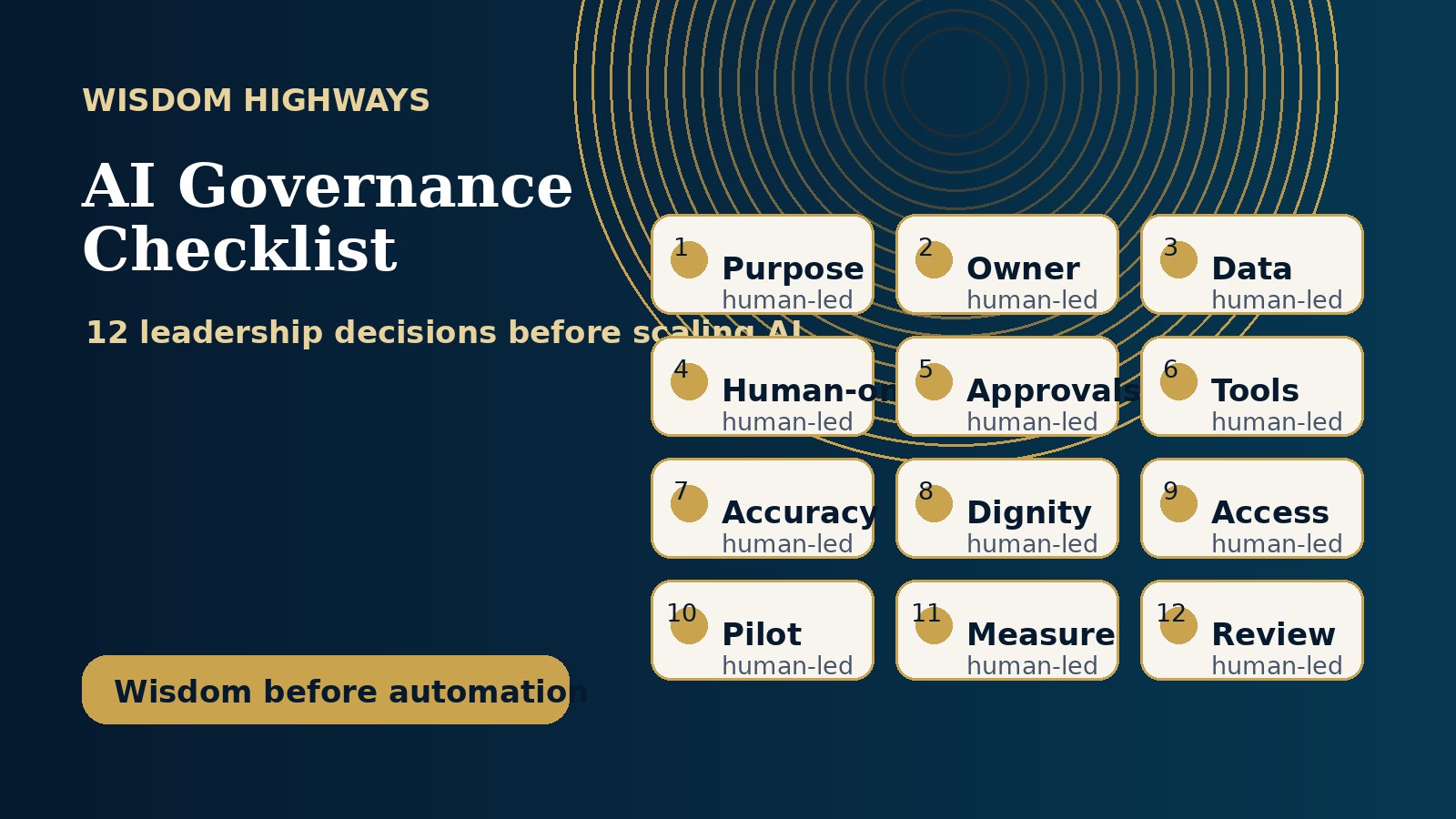
AI governance can sound like a boardroom phrase for large corporations. But the churches, ministries, small businesses and purpose-driven organizations adopting AI today need governance just as much — not because they are trying to become bureaucratic, but because they are responsible for people, data, trust and mission.
A leader may not need a 90-page AI policy before using helpful tools. But every responsible leader does need clear answers to a few simple questions: What may AI be used for? What information must never be entered into tools? Who approves public messages? What remains human? How will we measure whether AI is serving the mission rather than distracting from it?
Why smaller organizations need AI governance now
Many leaders are already using AI informally. A pastor asks a tool to help summarize notes. A ministry volunteer drafts a caption. A sales assistant uses AI to write follow-up messages. A business owner uploads a customer spreadsheet to “save time.” None of these moments may feel like a major technology decision, but together they create real operational and reputational risk.
For a church or faith-based organization, the risk is not only technical. A poorly governed AI workflow can flatten pastoral sensitivity, misuse personal information, create doctrinal confusion, or make a human-facing ministry feel automated at the wrong moments. For an SME or nonprofit, the risks include client confidentiality, inconsistent brand voice, inaccurate public information, weak approvals and dependence on tools nobody has properly reviewed.
Global guidance points in the same direction. The NIST AI Risk Management Framework emphasizes mapping, measuring and managing AI risks. The OECD AI Principles highlight human-centred values, robustness, transparency and accountability. UNESCO’s Recommendation on the Ethics of Artificial Intelligence addresses human oversight and ethical use, while data-protection regulators such as the UK ICO provide practical guidance on AI and data protection. Smaller organizations do not need to copy enterprise language, but they should translate these themes into simple working decisions.
The Wisdom Highways AI governance checklist
Use the following checklist before your team scales AI beyond individual experiments. It is intentionally practical. You can begin with a one-page version, then mature it as your systems grow.
1. Define the mission purpose for using AI
Do not start with, “Which tool should we use?” Start with, “What mission-serving problem are we trying to solve?” AI may help your organization reclaim time, improve follow-up, repurpose teaching, organize information, reduce administrative overload or strengthen consistency. But if the purpose is vague, every new tool will look like progress.
Decision to document: AI will be used to support clearly named outcomes, not to replace human responsibility, spiritual discernment, customer care or leadership judgment.
2. Name the human owner
Every AI-assisted workflow needs a human owner. If AI drafts a response, who checks it? If automation sends a reminder, who owns the relationship? If a tool summarizes meeting notes, who verifies accuracy? Without ownership, AI becomes a convenient place to hide responsibility.
Decision to document: each AI use case must have a named person or role accountable for quality, accuracy, approval and escalation.
3. Classify data before anyone uploads it
Many AI mistakes begin with data. Teams paste sensitive details into public tools because the tool feels like a private assistant. Create simple data categories: public information, internal information, confidential information, pastoral/client-sensitive information, financial information and children or vulnerable-person information.
Decision to document: what information may be used freely, what requires approval, and what must never be entered into non-approved AI tools.
4. Decide which tasks AI may assist — and which it must not own
AI can be useful for drafting, summarizing, categorizing, formatting, brainstorming, turning long material into outlines and preparing first-pass communication. But some decisions should remain clearly human: pastoral counsel, doctrine-sensitive teaching, hiring decisions, financial commitments, legal interpretation, medical guidance, conflict handling and final public positioning.
Decision to document: an “approved AI assistance list” and a “human-only decision list.”
Unsure where your organization is ready for AI?
Before scaling tools, identify your readiness gaps across workflows, data, leadership, governance and implementation. Start with the Wisdom Highways AI & Systems Readiness Assessment.
Take the AI & Systems Readiness Assessment5. Set approval rules for public content
AI-generated content can sound confident even when it is wrong, generic or misaligned. Churches and purpose-driven brands should be especially careful with public messages, theological wording, sensitive testimonies, claims, promises and quotations. Use AI to prepare drafts; do not let it become the final publisher.
Decision to document: who approves website copy, captions, sermons/devotionals, ads, email broadcasts, client messages and public teaching before release.
6. Create a tool approval pathway
Teams often adopt AI tools one at a time until nobody knows where information is going. A simple approval pathway protects the organization. Before a tool is used with meaningful work, ask: Who owns the account? What data does it receive? Does it train on our inputs? Can we remove access? What happens if a staff member leaves? Is there a paid plan with better privacy controls?
Decision to document: approved tools, approved use cases, account ownership, access rules and review dates.
7. Require human review for accuracy
AI can produce useful drafts, but it can also produce inaccurate details, unsupported claims and wrong assumptions. Review is not a sign of distrust; it is part of responsible leadership. If a statement affects doctrine, finances, compliance, reputation, clients, donors, members or vulnerable people, verify it before it is used.
Decision to document: what requires fact-checking, source-checking or senior approval before use.
8. Protect tone, dignity and human care
An AI-assisted reply may be grammatically correct and still feel cold. A church visitor, grieving family, confused customer or struggling team member should not feel processed by a machine. Governance should protect the moments where empathy, prayer, listening, wisdom and relationship matter more than speed.
Decision to document: situations where AI may prepare notes or options, but a human must personally respond.
9. Add security and access controls
Small teams sometimes share one login because it feels easier. That creates avoidable risk. Wherever possible, use named accounts, strong passwords, multi-factor authentication, appropriate permissions and an offboarding process. If AI connects to email, CRM, documents or messaging platforms, access control becomes even more important.
Decision to document: who has access to which tools, how access is approved, and how it is removed.
10. Start with one governed pilot
Governance should not freeze progress. Choose one low-risk, high-frequency workflow and improve it carefully. For a church, this might be visitor follow-up preparation, event reminders or sermon-to-content repurposing. For an SME, it might be lead follow-up, FAQ drafting, meeting summaries or internal task routing.
Decision to document: the pilot workflow, expected benefit, data boundaries, human owner, approval points and measurement period.
11. Measure usefulness, not novelty
Do not measure AI by excitement alone. Measure whether it reduces repeated work, improves response speed, protects quality, increases consistency, strengthens follow-up, frees leadership time or reduces avoidable errors. If a tool creates more confusion than value, pause it.
Decision to document: the small set of outcomes that prove the AI workflow is worth keeping.
12. Review the policy as your use grows
Your first governance document can be simple. But it should not remain static. Review it when you add new tools, connect AI to sensitive systems, expand to a new team, publish with AI assistance, or automate actions that affect people.
Decision to document: a review rhythm and a person responsible for keeping the guidance current.
What this looks like in practice
In a church office, governance may be as simple as agreeing that AI can help turn approved sermon notes into first-draft social captions, but a ministry leader must review every public post before it is scheduled. Visitor information is not pasted into public tools. Prayer requests are handled with human sensitivity. The team gains speed, but the people remain seen.
In a small business, governance may mean AI can draft follow-up emails from non-sensitive form details, summarize meeting notes and prepare FAQ responses. But contract language, pricing commitments, customer complaints and private client data require human approval and approved systems. The business becomes more consistent without becoming careless.
In a nonprofit or mission-driven organization, governance may protect donor trust, beneficiary dignity and internal accountability. AI can support reporting, content repurposing and administrative coordination, while the organization keeps clear boundaries around personal stories, photographs, consent, vulnerable groups and public claims.
A simple one-page AI governance starter policy
- Purpose: We use AI to support mission-serving work, reclaim time and improve consistency under human leadership.
- Ownership: Every AI-assisted workflow has a named human owner.
- Data: Confidential, pastoral, client, children/vulnerable-person, financial and sensitive personal data may not be entered into non-approved tools.
- Human-only decisions: AI does not make final pastoral, doctrinal, legal, medical, financial, hiring, disciplinary or public-reputation decisions.
- Public content: AI-assisted public content requires human review before publishing.
- Tools: Only approved tools may be used for organizational work.
- Review: The policy is reviewed as tools, workflows and risks change.
Common mistakes to avoid
- Letting everyone experiment with sensitive data. Curiosity is good; uncontrolled data sharing is not.
- Using AI for public teaching without review. Drafts can help, but final responsibility remains human.
- Confusing automation with accountability. A faster workflow still needs clear ownership.
- Buying tools before mapping workflows. Governance works best when it is connected to real processes.
- Ignoring offboarding. When people leave, access should not remain open.
How this connects to your AI roadmap
If you have already read the Wisdom Highways guide on building an AI automation roadmap, think of governance as the guardrail that keeps the roadmap safe. Readiness asks whether your organization is prepared. The roadmap shows what to do next. Governance clarifies who is responsible, what is allowed and where human wisdom must remain central.
For deeper preparation, see how to know if your organization is ready for AI automation, why wisdom matters more than tools, and the difference between AI and automation.
Wisdom before automation
The goal is not to make your church, business or organization afraid of AI. The goal is to help you use it with clarity. Wise governance gives good people permission to innovate responsibly. It protects trust. It reduces confusion. It helps systems serve mission and people instead of quietly reshaping them.
Sources and further reading
- NIST AI Risk Management Framework
- OECD AI Principles
- UNESCO Recommendation on the Ethics of Artificial Intelligence
- UK ICO guidance on AI and data protection
Freshness note: This article was prepared in September 2026. AI tools, data-protection expectations and organizational policies continue to change, so review your governance decisions regularly.
Keep learning with Wisdom Highways. Follow our WhatsApp Channel for practical AI tips, time-saving ideas, product updates and selected offers.
Follow WH Premium AI Vault on WhatsApp