
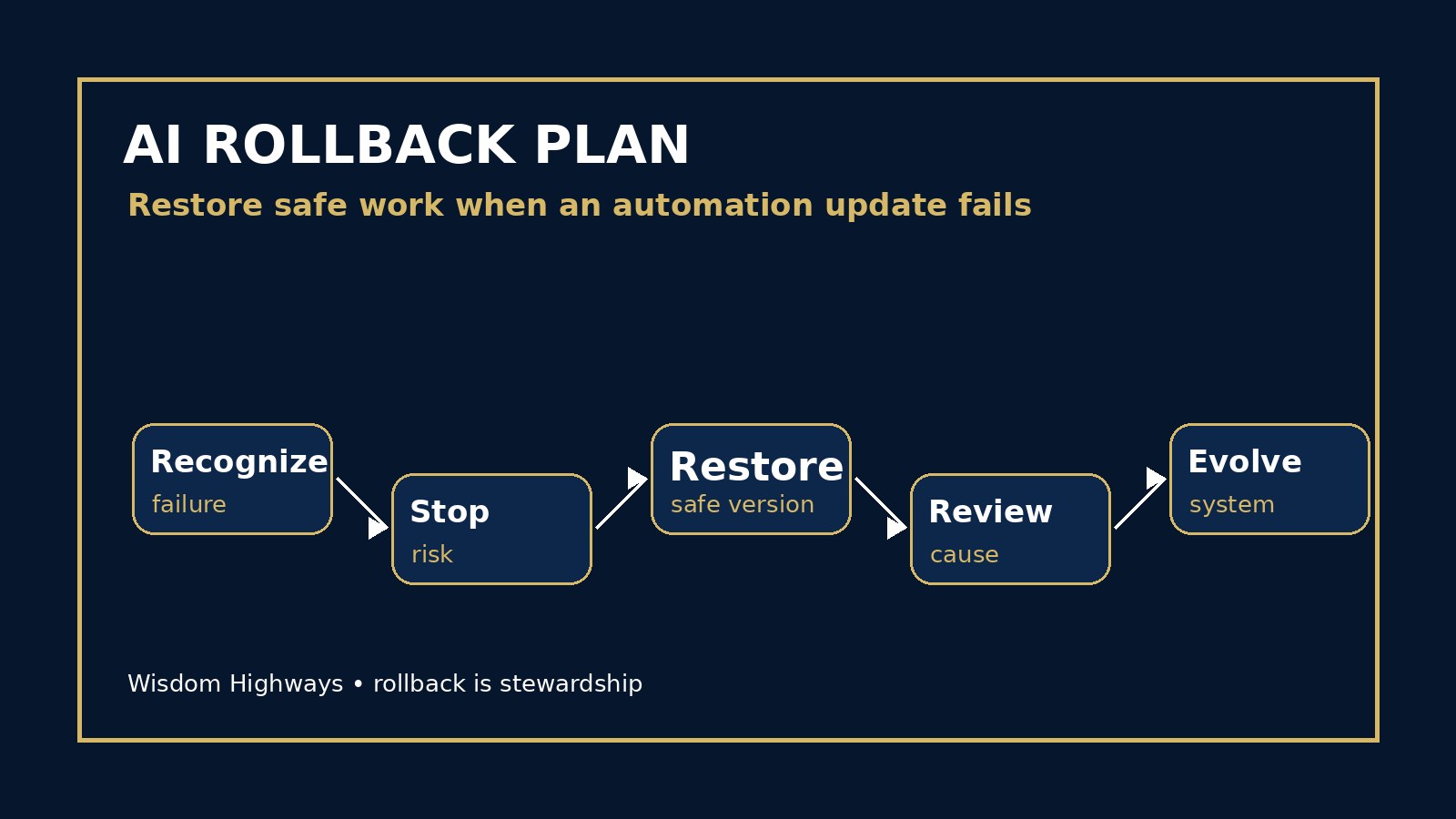
AI Rollback Plan: What Leaders Should Do When an Automation Update Fails
Freshness note: prepared 2026-10-03; source links and live internal links were checked during this publication-window rescue pass.
The moment an automation fails is not the best moment to invent a recovery plan. When an AI workflow sends the wrong message, changes a record, misclassifies a request, produces unsafe output or suddenly stops working after an update, leaders need a calm way to restore safe work without panic.
An AI rollback plan defines how your team returns to the last known safe process when an AI-assisted workflow, prompt, agent, integration or automation change creates unacceptable risk. It is not a sign that AI has failed. It is a sign that leadership is mature enough to protect people while improving systems.
For Wisdom Highways, this sits inside the wider principle of wisdom before automation: systems should reclaim time and strengthen mission, but they must never become so brittle that one bad update damages trust.
What is an AI rollback plan?
An AI rollback plan is a practical recovery playbook. It names what should happen when a change to an AI tool or automation must be reversed, paused or replaced with a safer manual process. It answers: What do we restore, who decides, how fast do we act, and how do we prevent the same failure again?
Technology teams have long used rollback procedures for software releases. AI makes the discipline more important for ordinary organizations because prompts, data connections, model settings, permissions and automations can change behavior in ways non-technical teams do not immediately notice. NIST, OECD, OWASP, UK public-sector guidance and resilience resources all point toward the same operational lesson: manage risk across the lifecycle, monitor changes, keep accountable humans involved and prepare for recovery before disruption occurs.
Why pastors, nonprofits and SMEs need this before scaling
A large enterprise may have release managers, compliance teams and technical incident processes. A church office, mission organization, school, clinic, local business or growing SME often has a smaller team where one person changes a prompt, connects a tool or updates an automation and everyone else discovers the problem later.
In ministry, a failed update could affect pastoral-care messages, volunteer communication, safeguarding workflows or member follow-up. In a nonprofit, it could affect donor data, grant reporting, beneficiary communication or volunteer coordination. In an SME, it could affect customer replies, invoices, proposals, bookings, inventory or service promises.
The goal is not fear. The goal is continuity with wisdom. If the AI layer becomes unsafe, confusing or unreliable, the organization should still know how to serve people today.
The WH RESTORE framework
Use the RESTORE framework when building your rollback plan: Recognize, Escalate, Stop, Transfer, Operate manually, Review, Evolve.
1. Recognize the failure signal
Define the signals that mean a workflow may need rollback. Examples include repeated inaccurate outputs, wrong recipients, tone problems, missing approvals, unauthorized data exposure, broken integrations, unexpected costs, customer complaints, staff confusion or a sharp increase in exceptions.
This connects directly to your AI exception handling policy. Exceptions show where automation needs attention; rollback defines when the safest next move is to return to a prior version or manual process.
2. Escalate to the named owner
A rollback decision should not be left to whoever notices the problem first. Name the owner in advance: operations lead, ministry administrator, communications lead, data-protection owner, finance manager, client-success lead or founder. The owner decides whether to pause, rollback, notify affected people or continue with restrictions.
Use your AI audit trail to record who made the decision, what changed, what risk was observed and what action was taken.
3. Stop the unsafe automation
When the risk is high enough, stop the workflow before investigating every detail. Disable the automation, pause scheduled sends, disconnect the risky action, turn off the agent capability, remove the prompt from active use or temporarily block the integration. The purpose is not blame. The purpose is containment.
Do not keep a broken workflow running because it saves time. Time saved by a harmful system is not real productivity.
4. Transfer work to the safe fallback
Your rollback plan should identify the fallback method before it is needed. This may be a previous prompt version, a prior workflow configuration, a spreadsheet queue, a manual approval inbox, a phone-call process, a non-AI email template or a simple checklist staff can follow until the tool is repaired.
A fallback does not need to be elegant. It needs to be safe, understandable and available.
5. Operate manually with clear limits
When the system is rolled back, tell the team what manual process is now active and what limits apply. For example: do not send automated donor messages; do not approve AI-generated proposals; do not use the chatbot for pastoral-care cases; do not update customer records from AI summaries until review is restored.
Manual operation should be temporary but respected. If leaders quietly force staff to keep using an unsafe tool, the organization teaches people that speed matters more than trust.
6. Review what changed
After containment, compare the failed version with the last known safe version. Did the prompt change? Did the tool update? Did a permission expand? Did the data source change? Did a staff member bypass the approval workflow? Did a vendor feature behave differently? Did the acceptance criteria miss a real-world condition?
This is where your AI evaluation checklist and AI acceptance criteria become practical. A tool should not return to production just because it appears to work once. It should meet the agreed standard again.
7. Evolve the system before re-launch
Once the cause is understood, improve the workflow. Add a review point, tighten permissions, rewrite the prompt, update the knowledge base, improve monitoring, add a test case, train staff or decide that this use case should stay human-led.
If the failed tool should not return, use a decommissioning plan rather than quietly abandoning it and leaving hidden access, data or subscriptions behind.
What belongs in a one-page rollback plan?
- Covered workflows: list the AI tools, automations, agents, prompts and integrations included.
- Failure triggers: define the signals that require pause, rollback or leadership review.
- Rollback owner: name the person or role authorized to make the call.
- Last known safe version: store approved prompts, settings, templates and workflow diagrams.
- Fallback process: explain how the work continues manually or with a safer tool.
- Communication rule: say who must be informed internally and when affected people may need a correction.
- Return-to-service criteria: define what must be tested before the workflow restarts.
Examples across ministry, nonprofit and business
Church/ministry example: A follow-up automation begins sending insensitive messages to members whose pastoral-care records include sensitive notes. Rollback action: pause automated sends, move follow-up to a reviewed manual queue, restrict data fields available to the tool and require pastoral approval before relaunch.
Nonprofit example: A donor segmentation prompt starts creating appeals that feel overly personal. Rollback action: return to the approved generic donor communication template, review segmentation rules and create a human-review gate for sensitive personalization.
SME example: An AI proposal assistant begins inserting outdated pricing after a knowledge-base update. Rollback action: disable proposal automation, restore the prior pricing source, manually review pending proposals and test the updated assistant against sample clients before allowing use again.
Common mistakes to avoid
- No version history: the team cannot tell what changed because prompts and settings were never saved.
- No owner: everyone sees the problem but nobody has authority to pause the workflow.
- Silent fixes: someone corrects the tool without recording the risk or notifying affected staff.
- Returning too quickly: the workflow restarts after one successful test instead of meeting acceptance criteria.
- Blaming people: staff hide failures because the culture punishes reporting instead of learning.
- No manual fallback: the organization becomes dependent on a workflow it cannot safely pause.
How to prepare before your next update
- List the three AI-assisted workflows that would cause the most disruption if they failed.
- Save the current approved prompt, workflow settings, data source and owner for each one.
- Define the signal that requires rollback rather than ordinary troubleshooting.
- Create a simple manual fallback for each workflow.
- Test one rollback in a low-risk setting so the team understands the process.
- Add rollback review to your AI governance review cadence.
How rollback protects time reclamation
Time Reclamation is not merely doing things faster. It is recovering time for the work that matters: people, mission, service, leadership, thought, prayer, creativity and stewardship. A system that saves time on Monday but creates confusion, rework and mistrust by Friday has not reclaimed time; it has borrowed time from the future.
A rollback plan protects Time Reclamation because it gives the team confidence to improve systems without becoming trapped by them. The organization can experiment, learn and automate wisely because it knows how to return to safety when something goes wrong.
Leader checklist
- Do we know the last safe version of our most important AI workflows?
- Can a non-technical leader pause the workflow if trust is at risk?
- Do staff know the manual fallback?
- Are prompts, permissions and data sources versioned?
- Do we have return-to-service criteria?
- Are rollback decisions recorded without turning the workplace into surveillance?
- Do repeated rollbacks trigger deeper redesign or decommissioning?
Wisdom Highways perspective: wise automation includes the humility to reverse course. Rollback is not weakness; it is stewardship. When systems serve people, leaders must be able to pause, restore and improve them without losing the mission.
Related resources
- AI Exception Handling Policy
- AI Decommissioning Plan
- AI Incident Response Plan
- AI Acceptance Criteria
Sources and further reading
- NIST AI Risk Management Framework — governance, mapping, measuring and managing AI risk across the lifecycle.
- NIST Generative AI Profile AI 600-1 — generative AI risk management, overreliance, harmful output and monitoring considerations.
- OECD AI Principles — human-centred, transparent, robust, safe and accountable AI expectations.
- OWASP Top 10 for LLM Applications — LLM application failure modes, insecure outputs, excessive agency and supply-chain risks.
- UK Government Generative AI Framework — assurance, monitoring, accountability and operational controls for generative AI use.
- NIST Cybersecurity Framework — identify, protect, detect, respond and recover framing for operational resilience and recovery planning.
- Google People-First Content Guidance — quality standard for useful, people-first public content.
Keep learning with Wisdom Highways. Follow our WhatsApp Channel for practical AI tips, time-saving ideas, product updates and selected offers.
Follow WH Premium AI Vault on WhatsApp