
AI Governance · Audit Trails · Decision Records
AI Audit Trail: What Leaders Should Record When AI Supports Decisions
Freshness note: prepared September 21, 2026 for pastors, nonprofit leaders, SME owners and purpose-driven executives who want useful AI adoption without losing accountability, trust or institutional memory.
If AI helps your team make a decision, the organization should be able to explain what happened later. Not every AI-assisted task needs a legal-grade record. But when AI touches donor communication, pastoral follow-up, staff decisions, client advice, financial workflows, public messaging or automated actions, leaders need more than a vague memory that “the tool suggested it.” They need an audit trail.
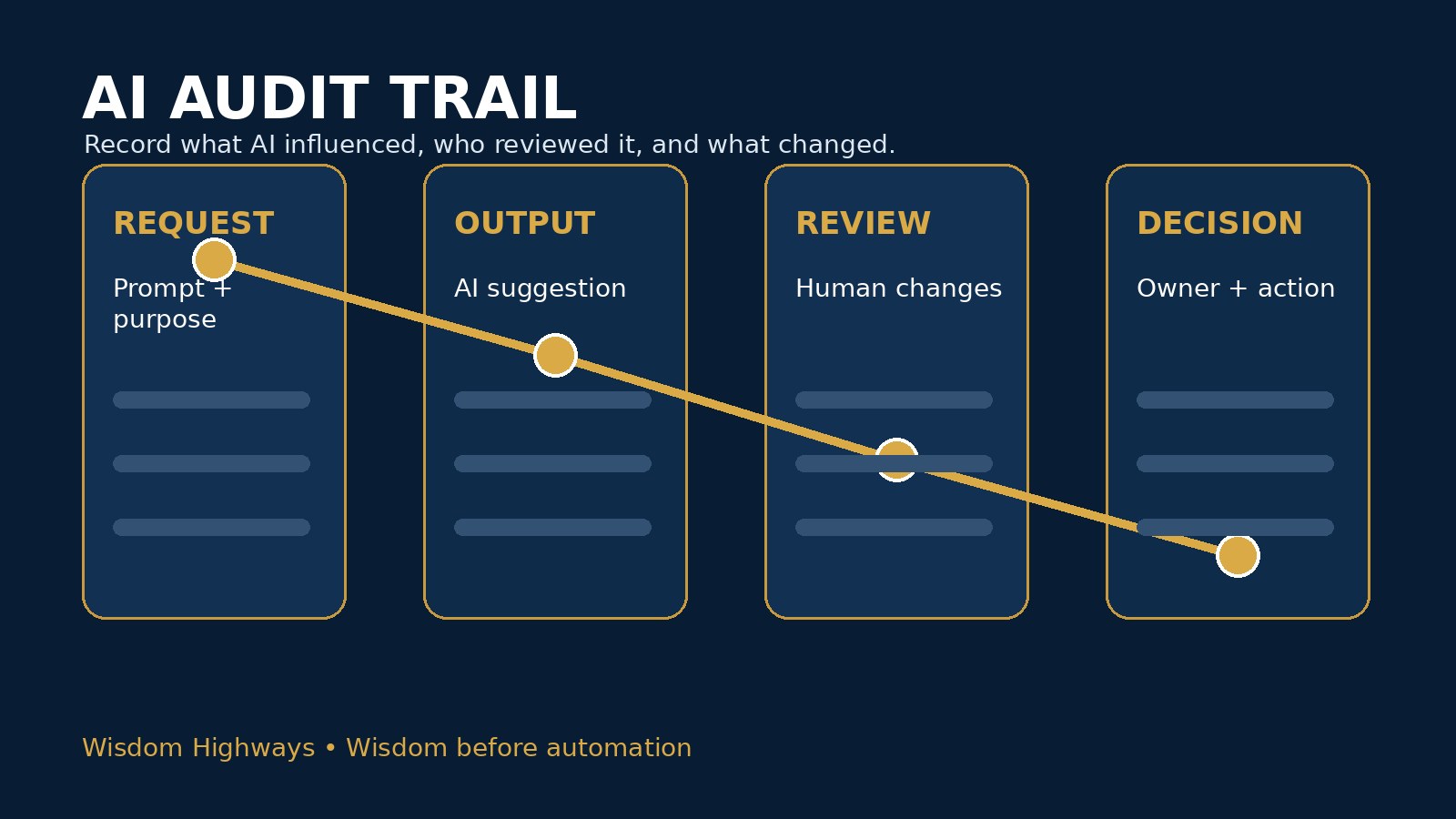
An AI audit trail is a simple record of the important facts around an AI-assisted workflow: what was requested, which tool was used, what information went in, what output came out, who reviewed it, what changed, who approved it and what final action was taken. For a church, nonprofit or small business, this can begin as a one-page table or a shared spreadsheet. The point is not paperwork. The point is wisdom, learning and trust.
Without an audit trail, AI decisions become difficult to review. A leader cannot tell whether a mistake came from bad data, an unclear prompt, weak review, a vendor setting, rushed approval or a human assumption. With an audit trail, the organization can learn from experience instead of arguing from memory.
What is an AI audit trail?
An AI audit trail is the documented path from AI request to human decision. It records the moments that matter enough for future review. In a small organization, the trail may include a short log entry, a saved prompt, a copy of the AI output, reviewer notes and the final approved version. In a more mature system, it may connect to your AI accountability matrix, exception log, approval workflow and risk register.
The audit trail answers seven practical questions:
- What was the AI asked to do?
- Which tool, model, automation or integration was used?
- What information was provided to the tool?
- What output, recommendation or action did the tool produce?
- Who reviewed the output before it affected people?
- What changes were made by humans?
- Who approved the final decision, message or action?
That is enough for many teams to begin. You are not trying to document every keystroke. You are trying to preserve the evidence needed for accountability, improvement and trust.
Why leaders need audit trails before AI scales
AI adoption often begins informally. One person drafts an email. Another summarizes meeting notes. A third connects a chatbot to a website form. At first, the risk feels small because the workflow is manual and visible. But when AI starts influencing repeated decisions, scoring, routing, summaries, approvals or client-facing communication, the organization needs a memory of how those decisions were made.
The NIST AI Risk Management Framework encourages organizations to govern, map, measure and manage AI risks across the lifecycle. An audit trail supports that rhythm because it gives leaders something concrete to review. The OECD AI Principles emphasize transparency, robustness, safety and accountability. UNESCO’s Recommendation on the Ethics of Artificial Intelligence also points toward human oversight and responsibility. These global principles become practical only when organizations can see what actually happened in their own workflows.
In Wisdom Highways language, the audit trail helps wisdom remain visible after speed has done its work. It protects Time Reclamation from becoming hidden confusion.
The minimum AI audit trail template
Start with a template simple enough that busy people will actually use it. For most churches, nonprofits and SMEs, the first version can be a table with these fields:
| Field | What to record | Why it matters |
|---|---|---|
| Date and workflow | When the AI-assisted task happened and which process it supported | Creates a reviewable timeline |
| Purpose | The reason AI was used | Shows whether the use served mission or merely convenience |
| Tool used | Platform, chatbot, plugin, agent or automation | Helps track vendor and system risk |
| Data category | Public, internal, confidential, pastoral, client, donor, HR, finance or children’s data | Protects privacy and sensitivity boundaries |
| Prompt/request summary | A short description or saved prompt where appropriate | Explains what the tool was asked to do |
| Output summary | The recommendation, draft, score, summary or action suggested by AI | Shows the AI influence |
| Human reviewer | Name or role of the person who checked the output | Keeps human oversight explicit |
| Changes made | Corrections, rejected claims, tone edits, data removals or policy adjustments | Turns review into learning |
| Final decision owner | The human who approved the final action | Connects to accountability |
| Follow-up needed | Training, policy update, risk-register entry or exception-log entry | Prevents lessons from disappearing |
This is intentionally lightweight. If the record is too complex, people will avoid it. If it is too thin, leaders cannot learn from it. The right template is the smallest record that can still answer the important questions later.
What should be logged every time?
Not every AI use needs the same level of documentation. A leader asking AI to brainstorm generic meeting themes may not need a formal log. But recurring or sensitive workflows should have consistent records. Log the following when AI affects people, money, ministry, reputation, compliance or external communication:
- Decision influence: AI shaped a recommendation, score, priority, eligibility judgment, pastoral follow-up, donor segment or client response.
- Sensitive data exposure: the workflow involved member information, prayer requests, donor records, client files, HR notes, finance data or children’s/minor-related information.
- Public communication: AI helped draft content that represents the organization externally.
- Automation action: AI or an agent triggered emails, tasks, CRM updates, calendar actions, routing or approvals.
- Exception or near miss: a team member overrode policy, spotted an inaccuracy, removed sensitive content or escalated a concern.
- Vendor or model change: a tool setting, integration, permission or product behavior changed in a way that could affect outputs.
The OWASP Top 10 for Large Language Model Applications highlights risks such as sensitive information disclosure, insecure output handling, excessive agency and supply-chain vulnerabilities. Those risks become harder to diagnose when nobody records the context of use. An audit trail gives leaders a practical way to connect technical risk with operational reality.
Church example: sermon research, pastoral care and member trust
A church uses AI to summarize public commentary notes, produce first-draft discussion questions and organize sermon-research material. That use may be low risk if the sources are public and a pastor reviews the output. The audit trail can be brief: tool used, source category, prompt summary, reviewer and final use.
But the same church should use stronger documentation if AI supports pastoral follow-up. Suppose a team member asks AI to draft a message to someone who requested prayer. The record should show that confidential details were not pasted into the tool, that a pastor reviewed the tone, that the final message was human-approved and that any sensitivity concerns were escalated. AI may help with structure, but care still belongs to shepherds and trusted leaders.
Nonprofit example: beneficiary stories and donor communication
A nonprofit uses AI to help draft donor updates from approved programme notes. The audit trail records the approved source notes, the AI-assisted draft, the staff reviewer, consent checks and edits that removed identifying details. If a beneficiary story is sensitive, the record should show that consent and dignity were reviewed before publication.
This does not slow mission. It protects it. Donor communication gains efficiency without weakening trust with the people the organization exists to serve.
SME example: sales, support and operational decisions
A small business uses AI to summarize support tickets and recommend follow-up priorities. The audit trail records the workflow, allowed data categories, the tool, the suggested priority and the manager who approved the final response pattern. If AI recommends a refund, discount, delivery promise or service-level exception outside policy, the exception is recorded for review.
Over time, the business can see whether AI is saving time, creating rework, improving consistency or producing risky suggestions. The audit trail becomes a leadership dashboard, not just a defensive file.
How to keep records without creating bureaucracy
Leaders often resist audit trails because they imagine a heavy compliance system. Start smaller. The goal is not to punish responsible experimentation. The goal is to make learning visible.
- Begin with the five highest-risk AI workflows. Do not try to log everything on day one.
- Use roles, not only names. Record “operations lead” or “associate pastor” where appropriate so the process survives staffing changes.
- Save summaries, not private data. Avoid turning the audit log itself into a privacy risk.
- Link to the final approved artifact. Keep the record useful without copying unnecessary sensitive content.
- Review the log monthly. Look for repeated corrections, unclear prompts, weak review points and policy gaps.
- Connect exceptions to improvement. A near miss should trigger training or process refinement, not only blame.
- Retire logs that no longer help. Good governance is living, not cluttered.
The CISA Secure by Design mindset is useful here: safer systems are designed intentionally, not patched only after failures. An AI audit trail is part of designing the workflow so leaders can catch problems early and improve deliberately.
Where the audit trail connects to your AI governance stack
The audit trail should not sit alone. It works best as part of a simple governance stack:
- AI policy defines what is allowed and prohibited.
- Access control defines who may use which tools.
- Approval workflow defines how new uses are reviewed before launch.
- Accountability matrix defines who owns each decision.
- Exception log captures overrides, near misses and lessons.
- Risk register tracks what could go wrong and how to reduce it.
Together, these tools make AI governance practical for real organizations that do not have large compliance teams. They turn leadership wisdom into repeatable operating habits.
Five mistakes to avoid
- Logging only failures. If you record only incidents, you miss patterns in ordinary decisions.
- Saving too much sensitive information. The audit trail should prove that review happened without becoming a new privacy liability.
- Confusing AI output with final truth. The record should make human review and final approval visible.
- Ignoring informal tools. Shadow AI creates audit gaps because staff may use tools outside approved systems.
- Never reviewing the log. A record that nobody studies becomes archive clutter instead of wisdom.
The Wisdom Highways audit-trail test
Before scaling an AI workflow, ask:
- If someone questions this decision three months from now, can we explain how it happened?
- Can we show what AI influenced and what a human changed?
- Can we identify whether sensitive data entered the tool?
- Can we name the reviewer and final decision owner?
- Can we learn from the record without exposing private people or confidential details?
If the answer is no, the workflow may not yet be ready for scale. The issue may not be the tool. The issue may be that the organization has not built enough memory around the tool.
The Wisdom Highways perspective: record enough to preserve trust
AI can help leaders move faster. But trust requires more than speed. Trust requires explainability, human judgment, correction, accountability and institutional memory. An audit trail gives leaders a way to say, “We know what happened. We know who reviewed it. We know what changed. We know what we learned.”
That is wisdom before automation. The goal is not to make small teams act like large bureaucracies. The goal is to help churches, nonprofits and businesses reclaim time while protecting the people, mission and reputation entrusted to them.
Related Wisdom Highways insights
- AI Accountability Matrix: Who Owns Decisions When Your Team Uses AI?
- AI Exception Log: How Leaders Should Track Overrides, Near Misses and Risk Decisions
- AI Approval Workflow: A Simple Sign-Off Process Before Your Team Launches New Tools
- AI Access Control Checklist: Who Should Be Allowed to Use Which Tools?
- AI Risk Register Template: Track What Could Go Wrong Before You Automate
- Human-in-the-Loop AI: What Leaders Should Review Before Automation Goes Live
Sources and further reading
- NIST AI Risk Management Framework — governance, mapping, measuring and managing AI risks.
- OECD AI Principles — human-centred values, transparency, robustness, security and accountability.
- UNESCO Recommendation on the Ethics of Artificial Intelligence — international ethics guidance including oversight and responsibility.
- European Commission AI regulatory framework overview — risk-based regulatory direction and documentation expectations.
- OWASP Top 10 for Large Language Model Applications — LLM risks that benefit from logging, review and escalation.
- CISA Secure by Design — preventative risk-reduction mindset useful for safer AI-enabled systems.
Keep learning with Wisdom Highways. Follow our WhatsApp Channel for practical AI tips, time-saving ideas, product updates and selected offers.
Follow WH Premium AI Vault on WhatsApp