
AI Governance • Risk Register • Leadership Systems
AI Risk Register Template: A Simple Way to Track What Could Go Wrong Before You Automate
If your team is using AI but nobody is tracking risk in one place, your governance is probably living in scattered conversations.
That is dangerous for churches, nonprofits and small businesses—not because AI should be feared, but because small teams often move fast with limited oversight. A volunteer tries an AI writing tool. A manager connects a chatbot. A staff member uploads notes for summarization. A vendor promises automation. Everyone is trying to save time, but the risks are not being named, owned or reviewed.
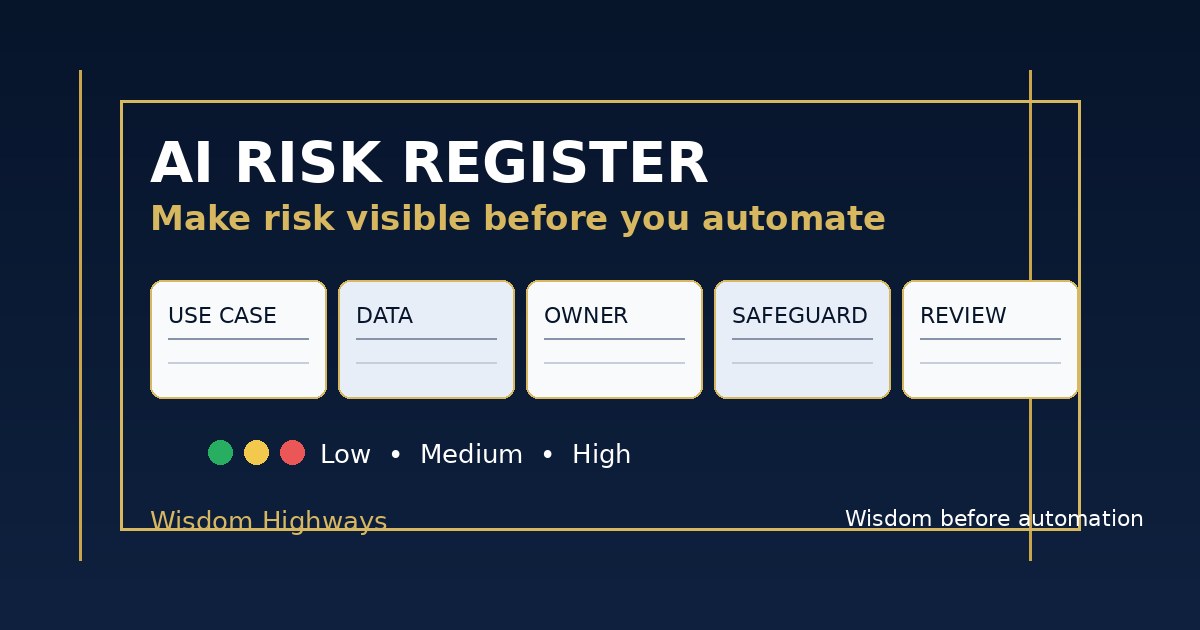
An AI risk register solves a simple leadership problem: it gives your organization one practical place to list AI use cases, the things that could go wrong, the people responsible, the controls in place, and the next review decision.
Not sure whether your organization is ready to govern AI? Take the AI & Systems Readiness Assessment before scaling new tools or automations.
What is an AI risk register?
An AI risk register is a living table that helps leaders track AI-related risks before, during and after implementation. It does not need to be complicated. For many purpose-driven organizations, a spreadsheet is enough at the beginning.
The value is not the document itself. The value is the leadership conversation it forces:
What are we using AI for, what could go wrong, who owns the decision, what safeguards are in place, and when will we review it again?
This discipline is consistent with respected global AI governance thinking. The NIST AI Risk Management Framework encourages organizations to govern, map, measure and manage AI risks in context. The OECD AI Principles emphasize human-centered values, transparency, robustness, safety and accountability. The EU AI Act summary reflects the global movement toward risk-based AI oversight, even for organizations outside Europe that serve international audiences or use global tools.
Wisdom Highways translates that into plain leadership practice: do not wait until a mistake becomes public before you create a place to manage it.
Why small teams need this more than they think
Large organizations may have legal, security, compliance and data teams. Churches, nonprofits and SMEs often do not. That means one enthusiastic person can introduce a tool that affects privacy, accuracy, trust, theology, donor confidence, customer experience or brand reputation before leadership has seen the full picture.
The risk register is not bureaucracy. It is protection against invisible drift. It helps leaders notice when AI use has moved from “helpful drafting” into “decision support,” from “internal note” into “public communication,” or from “safe sample data” into “private people data.”
The Wisdom Highways principle
At Wisdom Highways, we do not treat governance as fear. We treat it as stewardship:
Wisdom names the risk. Ownership carries the responsibility. Systems make the review repeatable. People remain accountable.
A risk register helps an organization remain bold and careful at the same time.
The simple AI risk register template
Start with these columns. Add more only when the team has the habit of using the register.
1. AI use case
Describe the workflow in plain language. Avoid tool-first wording. Write “drafting first responses to website enquiries” instead of “using Tool X.” This keeps attention on the work, not the software.
2. Owner
Name the person responsible for the workflow. If nobody owns it, the risk is already too high. Ownership does not mean that person does every task; it means someone is accountable for quality, review and escalation.
3. Audience affected
Identify who could be affected: staff, volunteers, church members, customers, donors, beneficiaries, vendors, students, leaders or the public. Risk increases when AI touches vulnerable people, confidential relationships or public promises.
4. Data involved
Classify the information being used. A simple green/yellow/red model works well:
- Green: public, approved or non-sensitive information.
- Yellow: internal information that requires permission, minimization or anonymization.
- Red: confidential, pastoral, safeguarding, HR, legal, financial, medical, donor, password, private client or personally sensitive information.
5. What could go wrong?
Write risks in normal language. Examples:
- AI may invent a detail in a public answer.
- A team member may paste confidential information into an external tool.
- A chatbot may respond with the wrong tone during a sensitive moment.
- An automated workflow may send a message before a human approves it.
- A vendor may retain data in a way the organization has not reviewed.
- The tool may save time for one team but create correction work for another.
6. Impact if it happens
Use simple ratings: low, medium or high. High impact does not always mean the tool is forbidden. It means stronger controls and senior review are needed before scaling.
7. Likelihood
Again, use low, medium or high. A risk that is medium impact but highly likely deserves attention. A risk that is high impact but unlikely may still require a stop condition.
8. Safeguards already in place
List the controls: human review, approved prompts, red-data rules, vendor checks, role-based access, sample data, supervisor approval, output testing, audit logs, disclaimers, escalation rules or limited pilot scope.
9. Next action
Every row should lead somewhere: approve for pilot, require policy, anonymize data, get vendor answers, add human review, pause the tool, train the team, move to a safer workflow or retire the use case.
10. Review date
AI risk changes as tools, teams and workflows change. A register without review dates becomes an archive. Set a short review cycle for pilots and higher-risk use cases.
Example: church visitor follow-up
A church wants to use AI to draft first-time visitor follow-up messages. The register may show:
- Use case: Draft welcome emails after Sunday service.
- Owner: Connections pastor or administrator.
- Data: Visitor name, contact details, visit notes and next-step interest.
- Risk: AI may create an overly familiar tone, mention a detail that should not be included, or send without pastoral review.
- Safeguard: Approved welcome template, no sensitive notes pasted into AI, human approval before sending, opt-out language retained.
- Next action: Pilot with anonymized examples first; review after two weeks.
This is not anti-technology. It is pastoral care expressed through operational discipline.
Example: nonprofit grant reporting
A nonprofit wants AI to summarize programme updates for funder reports. The register may show:
- Use case: Draft report summaries from approved programme notes.
- Data: Programme outputs, anonymized beneficiary stories and public project descriptions.
- Risk: AI may overstate impact, imply unverified outcomes or include identifiable beneficiary details.
- Safeguard: Human fact-checking, source notes retained, no invented statistics, anonymization before AI use.
- Next action: Create a reporting prompt that requires “evidence supplied only” wording.
This protects both truth and trust. Funders do not need polished exaggeration; they need reliable reporting.
Example: SME customer support
A small business wants AI to classify customer support messages and suggest draft replies. The register may show:
- Use case: Categorize enquiries and draft first responses.
- Data: Customer messages, order context and product information.
- Risk: AI may promise refunds, timelines or technical outcomes the business cannot honor.
- Safeguard: AI can draft but not send; refund or complaint messages require human approval; approved policy snippets only.
- Next action: Test with 50 historical messages rewritten without private data.
The business may still save time, but not by giving away accountability.
How often should leaders review the register?
For a new AI pilot, review weekly or biweekly until the workflow stabilizes. For approved lower-risk workflows, monthly or quarterly may be enough. For anything touching sensitive data, public communication, pastoral care, donor trust, customer promises, HR, finance or legal matters, review more frequently and involve senior leadership.
A practical rhythm is:
- Before pilot: create the first row and approve boundaries.
- During pilot: update incidents, surprises and review burden.
- After pilot: decide stop, strengthen or scale.
- After scaling: review whenever the tool, workflow, owner, policy or data type changes.
Common mistakes to avoid
- Listing tools instead of workflows. Governance must follow the work, not the brand name of the software.
- Making the register too complex. If the template is too heavy, small teams will stop using it.
- Ignoring “helpful” low-level AI use. The biggest risk may begin as a convenience habit.
- Leaving ownership vague. “The team” is not an owner.
- Recording risks but never deciding actions. A register should lead to decisions, not just documentation.
- Treating governance as IT’s problem only. AI affects operations, communication, trust, people and mission.
A one-page starter version
If your organization needs the shortest possible version, start with these eight questions:
- What AI-assisted workflow are we using or considering?
- Who owns it?
- Who could be affected?
- What data does it touch?
- What could go wrong?
- How serious would that be?
- What safeguard is already in place?
- What is the next decision and review date?
That is enough to begin. The goal is not perfect documentation. The goal is repeatable wisdom.
Related Wisdom Highways resources
- AI Policy Template for Churches, Nonprofits and Small Businesses
- AI Data Privacy Checklist
- Human-in-the-Loop AI Review
- AI Pilot Program Checklist
- AI Governance Checklist
Before you scale AI, make risk visible.
If your organization is experimenting with AI but has not yet clarified ownership, data boundaries, human review and implementation readiness, start with the AI & Systems Readiness Assessment. It will help you see where governance, workflow clarity and time-reclamation opportunities need attention before automation expands.
Freshness note: Prepared in September 2026. Review this guidance as AI tools, privacy expectations, sector rules and internal policies change.
Keep learning with Wisdom Highways. Follow our WhatsApp Channel for practical AI tips, time-saving ideas, product updates and selected offers.
Follow WH Premium AI Vault on WhatsApp