
AI Escalation Policy: When Your Team Should Stop and Ask a Human
Freshness note: Prepared for publication on 1 October 2026. Review this policy whenever your AI tools, team roles, privacy obligations or ministry/business workflows change.
AI can speed up useful work. It can draft, summarize, classify, compare and remind. But speed becomes dangerous when a team member treats an AI suggestion as authority in a moment that actually requires wisdom, pastoral care, privacy judgement or leadership accountability.
That is why every church, nonprofit and small business using AI needs a simple escalation policy. Not a heavy legal manual. Not a fear-based ban. A practical rule of thumb that tells the team: when should I continue, when should I review, and when must I stop and ask a human?
At Wisdom Highways, our position is simple: systems serve mission and people. Wisdom before automation is not a slogan here; it is the operating rule. Automation should reclaim time, reduce unnecessary repetition and improve stewardship — but it should never remove human responsibility from decisions that affect trust, dignity, safety, money, doctrine, employment or confidential information.
What is an AI escalation policy?
An AI escalation policy is a short operating standard that defines when staff, volunteers or contractors must pause AI-assisted work and involve a responsible human leader before taking action. It connects daily AI use to accountability, privacy, risk management and mission alignment.
The policy should answer five questions:
- What situations are safe for routine AI assistance?
- What situations require human review before use?
- What situations require immediate escalation to a leader?
- Who owns the final decision?
- What evidence should be recorded afterward?
This topic is becoming more important as AI moves from experimentation into routine operations. The NIST AI Risk Management Framework emphasizes governance, measurement and management of AI risks across the lifecycle. The OECD AI Principles also stress human-centred values, transparency, robustness and accountability. For Wisdom Highways readers, the practical takeaway is not complicated: the more sensitive the work, the clearer the escalation rule must be.
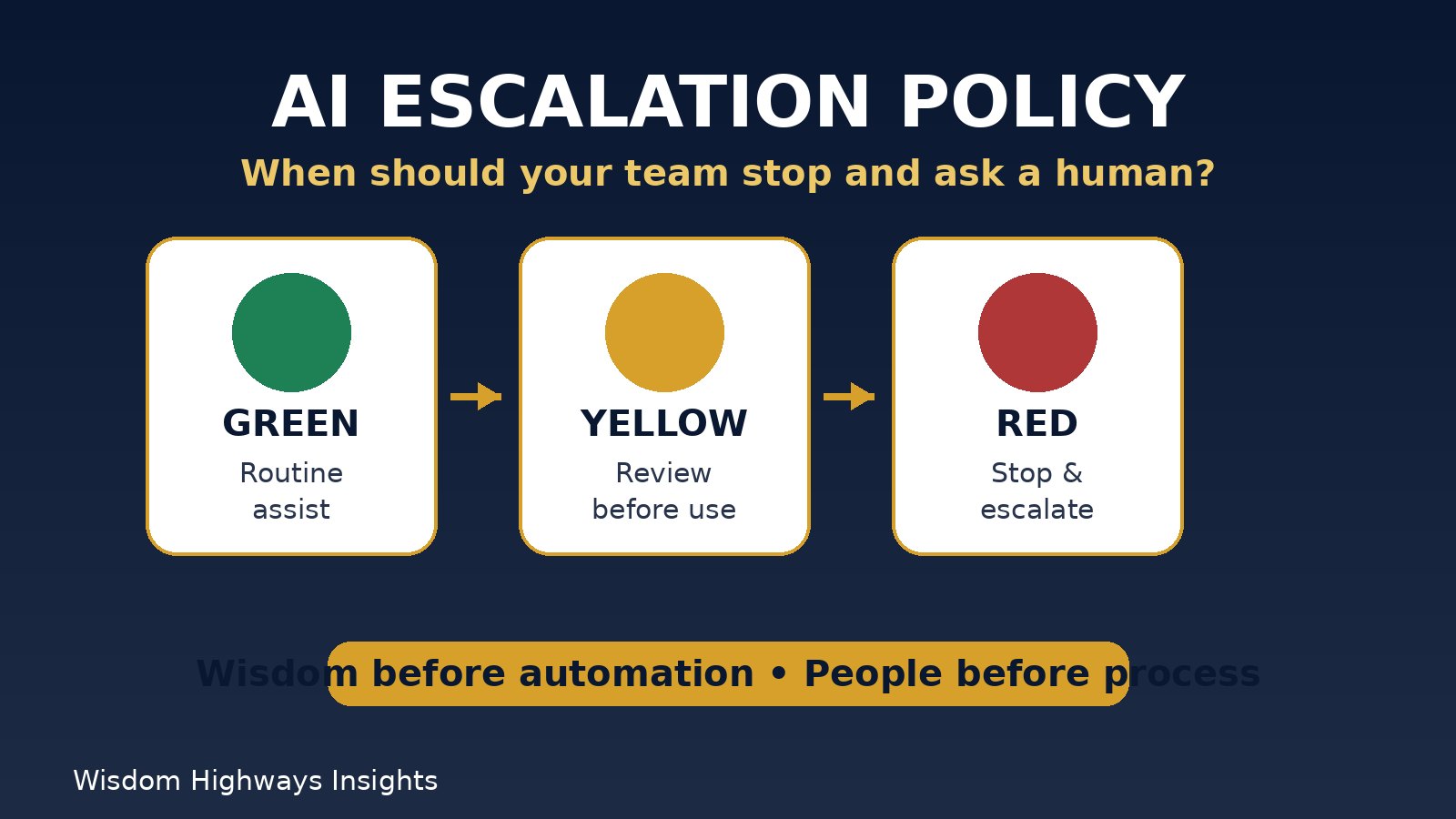
The Wisdom Highways stoplight framework
Use a stoplight model so non-technical people can remember the standard under pressure.
Green: routine assistance
Green tasks are low-risk, reversible and not confidential. Examples include brainstorming sermon series titles, outlining a staff meeting agenda, rewriting a public announcement for clarity, summarizing non-sensitive public information or generating checklist ideas for an internal planning session.
Even here, a person should review the output. Green does not mean “copy and paste without thinking.” It means the task is unlikely to harm someone if the output is imperfect.
Yellow: human review required before use
Yellow tasks involve judgement, external communication, people, money or reputational risk. Examples include a donor email, HR communication, client proposal, ministry counselling follow-up, volunteer correction, public statement, financial summary, policy draft or operational recommendation.
In yellow situations, the user may use AI to prepare a draft, but a named human must review accuracy, tone, context and implications before the work is sent or acted on. This connects naturally to your AI Output Review Checklist and Human-in-the-Loop AI practice.
Red: stop and escalate
Red situations require the team member to stop and ask the responsible leader before continuing. These include:
- Confidential pastoral, counselling, HR, medical, legal or financial information.
- Any decision that could affect someone’s employment, membership, care, access, discipline or support.
- Unclear copyright, consent or data-privacy questions.
- AI output that recommends a high-impact decision.
- Potentially false, biased, manipulative or reputationally sensitive content.
- Any moment where the user feels pressure to hide that AI was used.
The European Commission’s AI Act overview reflects a risk-based approach to AI governance, and the UK Government’s generative AI framework points toward responsible use, governance and assurance. Leaders do not need to copy government frameworks word-for-word, but they should learn the principle: higher-impact use requires stronger human control.
Ministry example: when pastoral care must not become automated care
A church administrator receives a long message from a member describing grief, financial stress and family conflict. The administrator is tempted to paste the message into an AI tool and ask for a response.
That is a red situation. The message may contain private spiritual, emotional and family information. A better process is:
- Do not paste the full message into a public AI tool.
- Notify the responsible pastor or care leader.
- If help is needed, ask AI only for a generic response structure without personal details.
- Let a human leader write or approve the actual response.
- Record the escalation according to the church’s care and confidentiality practice.
This protects people from becoming data points and protects the church from careless automation. Wisdom comes before convenience.
SME example: when an AI recommendation affects a customer or employee
A small business owner uses AI to summarize customer complaints and suggest refunds, account restrictions or staff discipline. The tool may sound confident, but it does not know the full context, relationship history, local law, policy commitments or reputational implications.
This is at least yellow, and often red. AI may help organize facts, identify questions and prepare a review memo. But a responsible human should own the final decision and record the basis for it. Connect the process to your AI Accountability Matrix and AI Audit Trail so responsibility does not disappear inside the tool.
A practical AI escalation policy template
Leaders can adapt the following policy language:
Our AI escalation rule: Team members may use approved AI tools for low-risk drafting, summarizing, brainstorming and workflow support. Any AI-assisted work involving confidential information, pastoral care, employment, money, legal/regulatory matters, public reputation, safety, sensitive personal data or high-impact decisions must be reviewed by the responsible human leader before action is taken. If the team member is unsure, they must pause and escalate rather than proceed alone.
Then add a short table to make it operational:
| Situation | Risk level | Required action | Owner |
|---|---|---|---|
| Public, low-risk brainstorming | Green | Review before use | Task owner |
| External email, proposal or policy draft | Yellow | Human review before sending | Manager/ministry lead |
| Private care, HR, donor, legal, financial or safety matter | Red | Stop and escalate | Responsible senior leader |
| Possible AI error, bias, false claim or reputational risk | Red | Stop, verify and record | Responsible senior leader |
Seven questions your team should ask before escalating
- Is personal, confidential or sensitive information involved?
- Could this affect a person’s care, job, money, access or reputation?
- Would we be uncomfortable explaining how this output was produced?
- Is the AI making a recommendation rather than merely helping organize information?
- Could the output be inaccurate, biased, outdated or misleading?
- Does this require pastoral, legal, financial, HR or executive judgement?
- Do we have a clear owner for the final decision?
If the answer to any of these is yes, slow down. Escalation is not bureaucracy. It is protection for the mission, the people and the leader.
Common mistakes to avoid
- Making the policy too technical. Staff and volunteers need language they can remember.
- Creating rules without owners. Every escalation path needs a named role, not “someone in leadership.”
- Treating AI like a junior staff member. AI does not carry moral responsibility; people do.
- Recording too little. If a sensitive AI-supported decision is made, keep a simple audit trail.
- Recording too much sensitive data. Logs should prove governance without spreading private details unnecessarily.
- Ignoring known AI risks. The OWASP Top 10 for Large Language Model Applications highlights practical risks such as prompt injection, sensitive information disclosure and overreliance on AI outputs; non-technical teams need simple escalation rules because these risks often appear inside ordinary workflows.
How to implement this in one week
- Day 1: list current AI uses. Start with your AI tool inventory if available.
- Day 2: classify each use as green, yellow or red.
- Day 3: assign escalation owners for ministry, operations, finance, communications and HR/client issues.
- Day 4: train staff with three real scenarios from your organization.
- Day 5: connect escalations to your AI Incident Response Plan and AI Risk Register.
- Day 6: add the rule to onboarding and team documentation.
- Day 7: schedule a review using your AI Governance Review Cadence.
Final thought: escalation protects trust
The goal is not to make people afraid of AI. The goal is to make AI use mature enough for real responsibility. A strong escalation policy gives your team permission to pause. It tells them that wisdom is not delay; wisdom is leadership.
If your organization is using AI but has not yet defined what must be reviewed, who owns decisions and when staff should escalate, start there before adding more tools.
Related resources
Keep learning with Wisdom Highways. Follow our WhatsApp Channel for practical AI tips, time-saving ideas, product updates and selected offers.
Follow WH Premium AI Vault on WhatsApp