
AI Exception Handling Policy: What Your Team Should Do When Automation Meets Edge Cases
Freshness note: prepared 2026-10-03; source links and live internal links were checked during editorial preparation.
The dangerous moment in automation is often not the normal case. It is the exception: the unusual request, the missing field, the sensitive pastoral note, the customer who does not fit the script, the donor record with conflicting details, the client situation that needs discernment, or the AI answer that sounds confident but feels slightly wrong.
An AI exception handling policy tells your team what to do when automation reaches the edge of its wisdom. It prevents staff from forcing every situation through a workflow just because the tool is available. For Wisdom Highways, this is a leadership issue before it is a technical issue: systems should serve people, not trap people inside rigid processes.
What is AI exception handling?
AI exception handling is the set of rules that tells a person or system when to pause, route, review, escalate, correct, document or decline an AI-assisted action. It answers a practical question: When should automation stop and human judgment take over?
Traditional software teams have long planned for errors and edge cases. AI makes this more important because the output can be fluent, plausible and still wrong. NIST, OECD, OWASP, public-sector AI guidance and data-protection guidance all point toward the same leadership discipline: define accountability, manage risk, protect people, preserve human oversight and avoid overreliance.
Why leaders should care before the workflow scales
When a small workflow handles five tasks per week, exceptions may feel manageable. When it handles five hundred, unclear exception handling becomes a trust problem. A chatbot can misread a vulnerable person. A CRM automation can send the wrong message. An AI summary can omit context. A staff member can paste private information into a tool because nobody explained the boundary.
For pastors and ministry teams, exceptions often involve people, care, doctrine, confidentiality and timing. For nonprofits, they may involve donor trust, vulnerable communities, grants, volunteers and safeguarding. For SMEs, they may involve client commitments, pricing, contracts, service quality, employee data and reputation.
The goal is not to make teams afraid of AI. The goal is to help them recognize the moment when wisdom is required.
The WH PAUSE framework
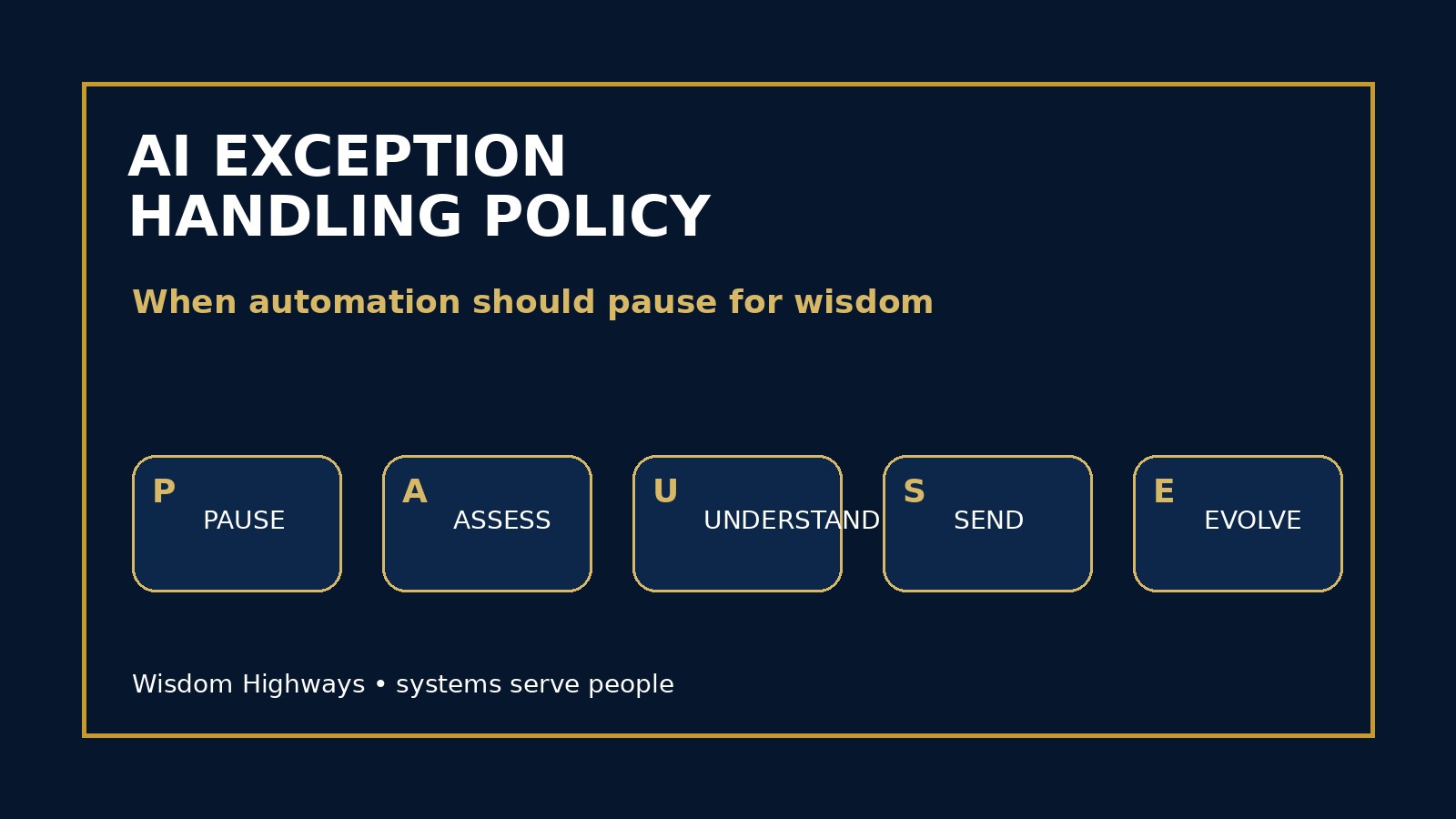
Use the PAUSE framework for simple AI exception handling: Pause, Assess, Understand, Send to owner, Evolve the system.
1. Pause the action
If an AI-assisted workflow touches a high-risk situation, do not push it forward automatically. Pause the send, approval, recommendation, classification, payment, public response or data transfer until a responsible person reviews it.
Examples: a pastoral-care message includes sensitive details; a sales proposal includes a price the team did not approve; a donor email references a private circumstance; a chatbot gives advice outside its scope; an AI assistant recommends deleting records or changing access permissions.
2. Assess the risk
Ask what could go wrong if this output or action proceeds. Is a person vulnerable? Is confidential information involved? Is money involved? Is the message public? Could the decision affect employment, care, access, reputation or legal obligations? Could the AI be responding to manipulated input?
This step connects directly to your AI risk register and AI evaluation checklist. Exception handling should not depend on one person’s mood; it should be tied to known risk categories.
3. Understand the cause
Some exceptions happen because the data is incomplete. Others happen because the prompt is weak, the policy is missing, the tool is not designed for the use case, the vendor has limitations, the team skipped review, or the situation genuinely requires human discernment.
Do not treat every exception as a bug. Some exceptions are signals that the work should remain human. In ministry, a grieving family does not need a perfect automation first; they need presence, care and wise communication. In business, a strategic client issue may need relationship judgment rather than a generated template.
4. Send it to the right owner
An exception should have a destination. If nobody owns the exception, the workflow has only created a new kind of confusion. Define owners by severity and subject: pastoral care, operations, finance, data protection, communications, client success, HR or senior leadership.
This is where an AI escalation policy becomes practical. Exception handling says what should pause; escalation says who should decide.
5. Evolve the system
After the exception is resolved, improve the workflow. Add a rule, clarify a boundary, update acceptance criteria, improve the prompt, strengthen human review, retrain the team, document a new example or remove the automation from that use case.
If the same exception keeps appearing, the system is speaking. Listen before scaling.
Common exception triggers to define
- Sensitive data: personal, pastoral, donor, client, employee, health, financial or confidential information appears in the input or output.
- High-impact decisions: employment, eligibility, finance, care, safeguarding, access, contracts or commitments are affected.
- Low confidence: the AI output lacks sources, contradicts known facts, changes tone, or includes uncertain claims.
- Public communication: the output will be posted, emailed broadly, sent to a client, donor, member or partner.
- Unusual request: the situation falls outside the normal workflow, policy or approved use case.
- Tool boundary: the AI asks for permissions, data, integrations or actions it should not control.
- Human discomfort: a responsible person senses that something is technically possible but not wise.
Examples for pastors, nonprofits and SMEs
Church/ministry example: An AI tool drafts a reply to a member asking for prayer and help with a sensitive family matter. Exception rule: pastoral-care content involving personal pain, safeguarding, crisis language or confidential details must be routed to a human leader before any response is sent.
Nonprofit example: An AI-assisted donor workflow suggests a highly personalized appeal based on giving history and inferred circumstances. Exception rule: donor communications using sensitive segmentation must be reviewed by a responsible human and avoid manipulative personalization.
SME example: An AI assistant prepares a client proposal but pulls in an outdated service scope. Exception rule: pricing, scope, legal commitments and delivery promises cannot be finalized by AI without owner or manager approval.
Signs automation should not continue yet
- The case involves a person in distress, conflict or vulnerability.
- The output depends on missing, disputed or outdated information.
- The action would create a promise, approval, denial, charge, refund or public commitment.
- The workflow cannot explain why it made a recommendation.
- The reviewer would be embarrassed to explain the decision to the affected person.
How to write a two-page policy
- Name covered workflows: list AI tools, automations, chatbots, content workflows, CRM tasks and decision-support use cases.
- Define exception triggers: use the seven triggers above and add your own industry-specific examples.
- Create severity levels: low, moderate and high-impact exceptions.
- Assign owners: specify who reviews each exception type.
- Set time expectations: urgent pastoral, client or security matters should not sit in a generic inbox.
- Define documentation: record the tool, prompt or input, output, reviewer, decision and improvement needed.
- Set return-to-automation rules: say what must change before the workflow resumes.
What not to automate through an exception
Some cases should not be forced back into automation just because a workaround exists. Be especially careful with pastoral counseling, safeguarding, crisis communication, disciplinary issues, employment decisions, legal commitments, sensitive personal data, financial approvals and public claims that could harm trust.
This does not mean AI has no role. It may help prepare notes, organize questions, summarize policy or draft a checklist. But the final act should belong to accountable human leadership.
How this connects to existing governance
Exception handling is not separate from your broader AI governance. It sits between your human-in-the-loop review points, AI acceptance criteria, usage log and governance review cadence.
If you already launched AI workflows, use your next post-implementation review to ask: What exceptions have appeared? Which ones were handled well? Which ones confused the team? Which exceptions should become permanent human-review rules?
Leader checklist
- List three situations where your current AI workflow should stop.
- Name the person who owns each exception type.
- Add a visible pause rule to every high-value workflow.
- Train staff and volunteers not to hide exceptions.
- Review sensitive-data boundaries before connecting tools.
- Document exceptions without turning the workplace into surveillance.
- Improve the workflow after every repeated exception.
Wisdom Highways perspective: exceptional cases reveal whether a system is truly wise. Automation is valuable when it reclaims time for people, strengthens mission and protects trust. It becomes dangerous when it turns unusual human situations into mechanical outputs.
Related resources
Sources and further reading
- NIST AI Risk Management Framework — risk governance, mapping, measurement and management before AI is relied on.
- NIST Generative AI Profile AI 600-1 — generative AI risk profile, overreliance and human oversight concerns.
- OECD AI Principles — human-centred, accountable, robust and transparent AI principles.
- OWASP Top 10 for LLM Applications — practical LLM failure modes including overreliance and unsafe tool interactions.
- UK Government Generative AI Framework — assurance, governance and accountable public-sector AI usage.
- ICO Guidance on AI and Data Protection — data-protection responsibilities where automated or AI-assisted processing touches personal information.
- Google People-First Content Guidance — helpful, people-first quality standard for public content.
Keep learning with Wisdom Highways. Follow our WhatsApp Channel for practical AI tips, time-saving ideas, product updates and selected offers.
Follow WH Premium AI Vault on WhatsApp