
AI Readiness & Responsible Governance
AI Usage Log Template: What Leaders Should Track Without Turning Work Into Surveillance
Responsible AI adoption needs memory. Not gossip. Not micromanagement. A simple AI usage log helps leaders see what tools are being used, what risks are appearing, what decisions were reviewed and what the team is learning.
Updated September 2026. This article is educational and operational, not legal, privacy, cybersecurity, employment or HR advice. Adapt it with qualified advisers for your country, sector and staff policies.
Why an AI usage log matters
Many churches, nonprofits and small businesses begin AI adoption with enthusiasm but no record of what is actually happening. One person uses an AI writing tool for newsletters. Another summarizes meetings. A volunteer experiments with image generation. A manager pastes customer information into an assistant because the deadline is close. After a few months, leaders may not know which tools are in use, which data has been shared, which outputs are being trusted, or which workflows need stronger review.
An AI usage log is a simple operating habit that makes responsible adoption visible. It is not meant to shame people for trying new tools. It is a light record that helps leaders spot training needs, data-risk patterns, repeated quality issues, useful wins and decisions that deserve an audit trail.
Wisdom Highways teaches wisdom before automation. A wise log protects people, mission and trust while keeping the process practical enough for busy teams to use.
Search intent: what leaders really want from this topic
Someone searching for an AI usage log template usually does not want a complex compliance system. They want to know what to track, who should fill it in, how often to review it, and how to avoid creating fear. They may also be trying to connect AI policy, tool inventory, data classification and output review into one usable rhythm.
This guide gives a leader-friendly template for pastors, ministry administrators, nonprofit executives, SME owners and operations teams that need enough visibility to govern AI without turning daily work into surveillance.
First: separate a usage log from surveillance
A healthy AI usage log records work-related AI use so the organization can learn and govern responsibly. Surveillance tries to watch every move, punish experimentation and make people afraid to report mistakes. The difference is leadership intent and data minimisation.
| Healthy AI usage log | Unhealthy surveillance pattern |
|---|---|
| Tracks tool, purpose, data category, reviewer and outcome. | Tracks every prompt to judge individual workers. |
| Focuses on risk patterns, training needs and process improvement. | Focuses on blame, suspicion and hidden scoring. |
| Collects the minimum information needed to govern. | Stores sensitive prompt content unnecessarily. |
| Is explained clearly before teams use it. | Appears suddenly with no trust-building or policy context. |
| Protects confidential and pastoral information. | Copies sensitive content into yet another spreadsheet. |
For many organizations, the log should not contain full prompts or full outputs. It should usually record categories, links to approved internal records where necessary, and the review decision. If sensitive information was involved, record the incident carefully without spreading the sensitive content further.
The WH AI usage log template
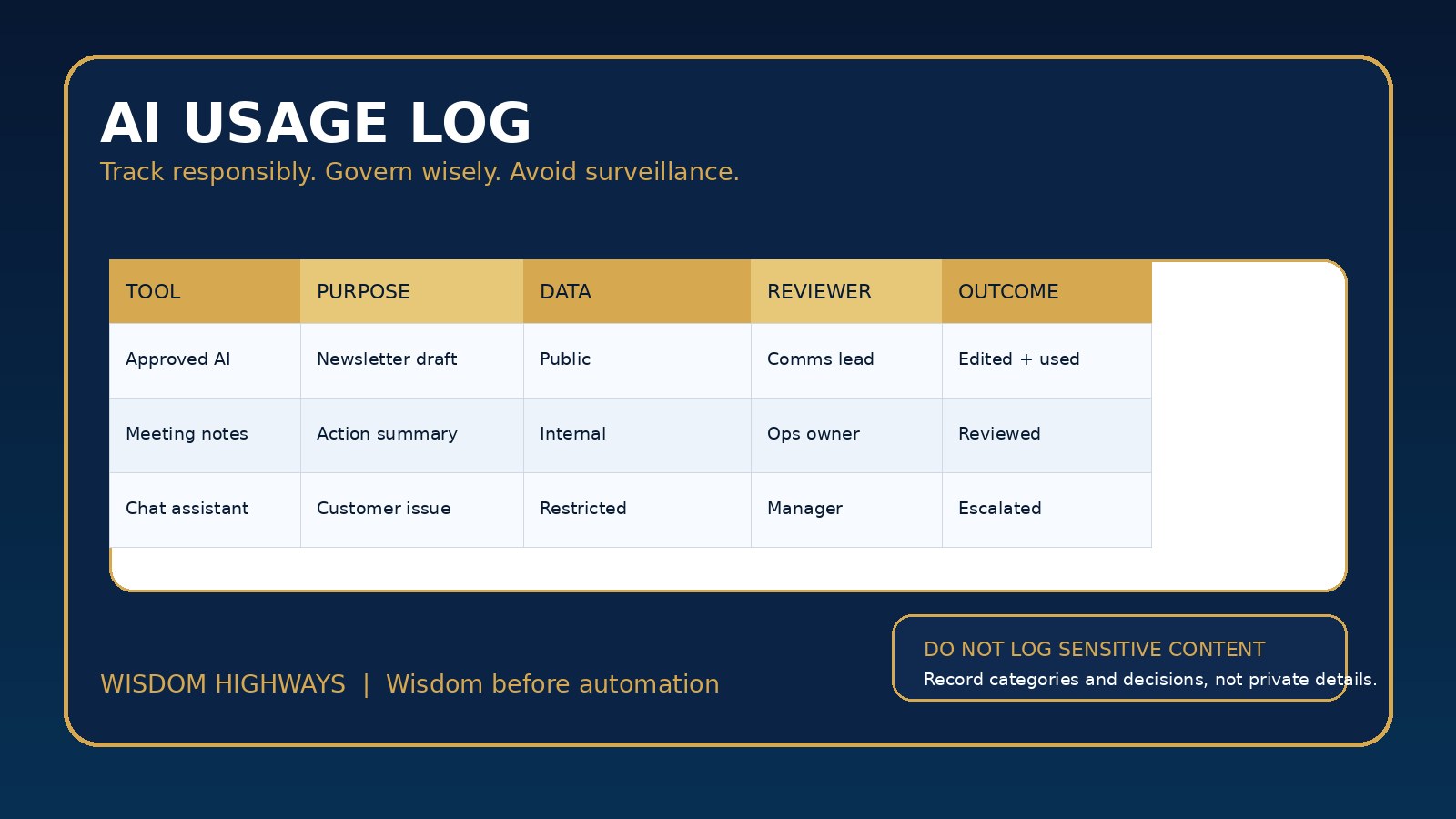
Start with a simple table your team can actually maintain. The fields below are enough for most early-stage AI governance without becoming a burden.
| Field | What to record | Why it matters |
|---|---|---|
| Date | When the AI use happened or was reviewed. | Supports trend review and follow-up. |
| Team or role | Department, ministry area or function, not necessarily a named individual unless needed. | Shows where support is needed without over-personalizing. |
| Tool used | Name of AI tool, vendor or approved internal workflow. | Connects usage to your tool inventory and vendor review. |
| Purpose | Newsletter draft, sermon research support, customer reply, data summary, meeting notes, automation test. | Shows whether AI is serving mission-critical work or low-risk productivity. |
| Data category | Public, internal, restricted or never-paste. | Connects usage to your data classification rule. |
| Human reviewer | Who checked the output before it influenced a decision or went public. | Protects accountability and quality. |
| Outcome | Used, edited, rejected, escalated, incident logged or added to training. | Teaches the organization what actually worked. |
| Learning note | One sentence about risk, time saved, quality concern or policy gap. | Turns scattered experiments into institutional learning. |
What not to put in the log
The most common mistake is turning the log into a new place where sensitive information spreads. Avoid collecting data you do not need.
- Do not paste pastoral-care details, counselling notes, donor records, child or vulnerable-person information, HR issues, passwords, API keys or private customer data into the log.
- Do not store full AI prompts or outputs by default if a category and outcome are enough.
- Do not use the log to create hidden employee productivity rankings.
- Do not allow unrestricted access to the log if it contains risk notes, client context or staff matters.
- Do not keep the log forever without a retention decision.
Where a full record is required for legal, privacy, cybersecurity or governance reasons, store it in the right protected system and link to it appropriately. Keep the AI usage log lean.
Examples for churches, nonprofits and SMEs
Church or ministry: The communications team uses AI to draft a Sunday announcement summary from already public information. The log records the tool, purpose, public data category, reviewer and final outcome. No private pastoral notes are copied into the log.
Nonprofit: A fundraiser uses an approved AI assistant to improve a donor newsletter draft. The log records the use case, confirms that no individual donor records were pasted, names the human reviewer and notes that future training should include anonymized examples only.
SME: A customer-support lead uses AI to summarize repeated complaints. The log records that customer-identifying details were removed before analysis, the output was reviewed by a manager, and one issue was escalated into a process-improvement task.
How often should leaders review the log?
A usage log only helps if someone reviews it. For a small team, a monthly review may be enough. For a fast-moving organization adopting multiple tools, weekly review during the first 30 to 60 days may be wiser.
- Weekly during pilots: Look for risky data categories, repeated tool confusion, quality failures and training needs.
- Monthly after stabilization: Review useful wins, recurring risks, policy gaps, vendor questions and possible automation candidates.
- Quarterly at leadership level: Ask whether AI use is improving time, quality, trust and mission alignment.
The log should feed your governance review cadence, not become a forgotten spreadsheet.
Seven-day implementation plan
- Day 1: Decide the purpose of the log: learning, risk visibility and responsible improvement.
- Day 2: Choose the minimum fields: date, team, tool, purpose, data category, reviewer, outcome and learning note.
- Day 3: Define what should never be pasted into the log.
- Day 4: Connect the log to your AI tool inventory and data classification model.
- Day 5: Explain to staff that the log is not a punishment tool.
- Day 6: Run three sample entries from real but safe scenarios.
- Day 7: Schedule the first review and assign an owner.
Common mistakes to avoid
- Making the log so detailed that nobody uses it.
- Collecting full prompts and outputs when categories would be safer.
- Reviewing the log only after something goes wrong.
- Failing to connect the log to policy, training and vendor decisions.
- Letting the log become a private leadership weapon instead of a transparent governance habit.
- Ignoring positive uses; responsible AI governance should capture value as well as risk.
Leadership checklist before you launch the log
- Have we explained why the log exists?
- Have we limited fields to what we truly need?
- Have we told people what not to paste into the log?
- Does the log connect to our approved AI tools and data categories?
- Who reviews it, and how often?
- What happens when an entry shows an incident, policy gap or training need?
- How will we use the log to improve work, not just police it?
Evidence and governance anchors
The sources below support the article’s cautious approach to accountability, data minimisation, AI risk governance, cybersecurity governance and human-centred adoption. They are reference points, not replacements for local professional advice.
- NIST AI Risk Management Framework — supports governing, mapping, measuring and managing AI risk across the AI lifecycle.
- OECD AI Principles — anchors transparent, accountable, robust and human-centred AI use.
- UK ICO accountability principle — supports records, responsibilities and evidence of responsible data practice.
- UK ICO data minimisation principle — supports collecting only what is necessary when logging AI use.
- NIST Cybersecurity Framework — reinforces identify, protect, detect, respond and improve disciplines for organizational technology risk.
- CISA Secure by Design — reinforces reducing technology risk by design rather than pushing all responsibility to end users.
Related Wisdom Highways resources
Start with a log people can trust
The best AI usage log is not the biggest one. It is the one your team understands, trusts and uses. Record enough to govern wisely. Avoid collecting sensitive details that create new risk. Review the pattern, strengthen the system and keep people at the centre.
Keep learning with Wisdom Highways. Follow our WhatsApp Channel for practical AI tips, time-saving ideas, product updates and selected offers.
Follow WH Premium AI Vault on WhatsApp