
AI Readiness · Governance · Leadership Systems
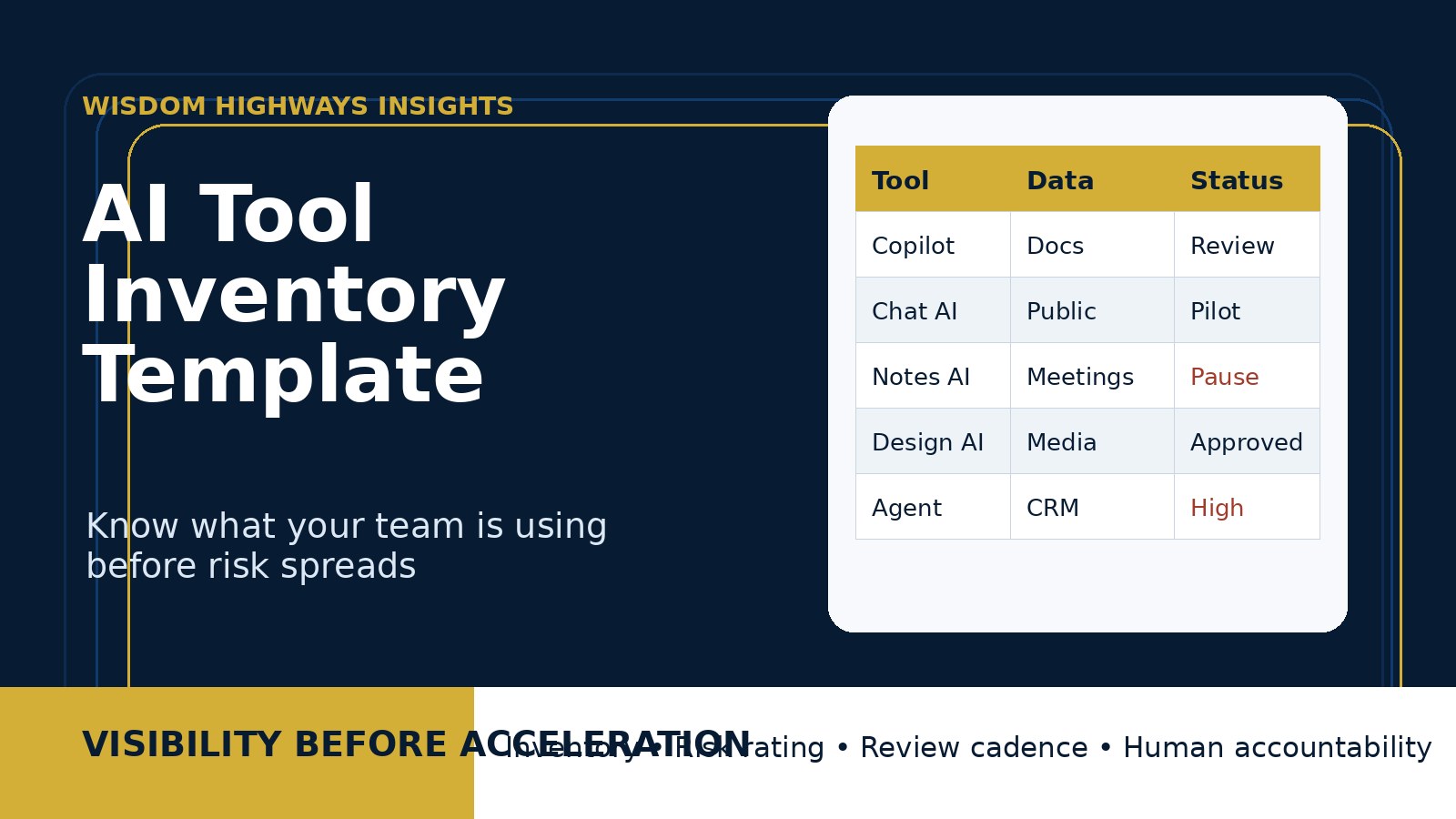
AI Tool Inventory Template: Know What Your Team Is Using Before Risk Spreads
Freshness note: prepared September 2026 for leaders reviewing AI tool usage, shadow AI, staff access, data protection and governance readiness.
Most leaders do not have an AI problem first. They have a visibility problem. A staff member tries a free AI writing tool. A volunteer uses a meeting summarizer. A department tests a design generator. Someone connects an AI assistant to documents, email, customer notes or ministry records. None of this may begin with bad intentions. But when the organization cannot see which tools are being used, who has access, what data is entering them and what outputs are influencing decisions, risk spreads quietly.
An AI tool inventory is a simple leadership discipline: one place to record the AI tools, copilots, agents, automations and AI-enabled platforms currently touching the work. It does not need to be complicated. It does need to be honest, practical and regularly updated.
For churches, nonprofits, schools, SMEs and purpose-driven organizations, this is one of the quickest ways to move from AI excitement to AI readiness. Before you write a sophisticated policy, buy a bigger platform or automate a sensitive workflow, first answer a basic question: what are we already using?
What is an AI tool inventory?
An AI tool inventory is a living register of every AI-enabled tool your organization approves, pilots, reviews, restricts or discovers in actual use. It should include obvious tools such as ChatGPT, Claude, Gemini, Microsoft Copilot and Canva AI. It should also include less obvious AI features embedded inside existing products: CRM suggestions, email drafting, meeting transcription, search assistants, design generators, analytics assistants, helpdesk bots and workflow automation platforms.
The purpose is not bureaucracy. The purpose is wise stewardship. Leaders cannot govern tools they cannot see. They cannot protect people, data, doctrine, brand reputation or customer trust if AI activity is scattered across private accounts, browser extensions and disconnected subscriptions.
Wisdom Highways frames the inventory as a mission-visibility tool. It helps leaders see where AI is helping, where it is risky, where staff need training and where systems need clearer boundaries.
Why leaders need this before risk spreads
AI adoption often moves faster than formal approval. Microsoft’s Work Trend Index has described AI at work as already present while organizations still wrestle with leadership, training and governance. NIST’s AI Risk Management Framework encourages organizations to govern, map, measure and manage AI risks. Those verbs begin with awareness. If you do not know which tools exist in the environment, you cannot map how they affect privacy, quality, bias, security, accountability or mission fit.
For smaller organizations, the risk is not only technical. It is operational and relational. A church may use AI to draft counselling resources without proper pastoral review. A nonprofit may paste beneficiary details into a public tool. A business may allow a sales assistant to summarize client communications without checking data-retention terms. A school or training ministry may use AI-generated lesson content without reviewing accuracy, worldview alignment or attribution. The inventory brings these hidden realities into the light without shaming responsible experimentation.
The Wisdom Highways AI tool inventory template
Use the following fields as a practical starting point. A spreadsheet, Notion table, Airtable base, SharePoint list or simple database is enough. The key is that one accountable owner keeps it current.
1. Tool name and vendor
Record the name of the tool, vendor, website and whether the tool is a standalone AI product or an AI feature inside a product you already use. This prevents confusion when teams describe tools casually. “The AI in our email platform” is not enough for review.
2. Tool category
Classify the tool by purpose: writing, research, image generation, video, meeting notes, customer service, data analysis, coding, automation, CRM, finance, HR, ministry administration, teaching support or leadership planning. Category helps leaders spot concentration risk. If five departments are using five different AI note-taking tools, consolidation may reduce cost and exposure.
3. Owner and users
Identify the internal owner, team, users and whether volunteers, contractors or external partners have access. For churches and nonprofits, this matters because volunteers often move quickly and may not receive the same training as paid staff. For SMEs, the owner field keeps subscriptions and accountability from disappearing when employees change roles.
4. Use case and business or ministry purpose
Describe what the tool is actually used for. Avoid vague labels like “productivity.” Write the real workflow: “drafts weekly newsletter options,” “summarizes board meeting transcripts,” “creates first draft social captions,” “answers internal policy questions,” or “extracts common themes from customer support requests.” This helps leaders judge whether the tool serves mission or merely adds novelty.
5. Data entered into the tool
Record the types of data users may enter: public content, internal documents, financial data, personal data, client records, donor information, prayer requests, counselling notes, children’s ministry records, employee data, passwords, API keys, medical information, legal documents or intellectual property. This field should be very clear. Many AI problems begin when people paste sensitive data into tools without understanding where it goes.
6. Output reviewed by whom?
AI output should not automatically become organizational truth. Record who reviews the output before it affects public communication, client advice, pastoral care, financial decisions, HR decisions, teaching, strategy or operations. Human review is not a decoration. It is a governance control.
7. Access level and integrations
Note whether the tool is used through public accounts, paid team accounts, single sign-on, API keys, browser extensions, file uploads or direct integrations with email, cloud storage, CRM, accounting, website forms or messaging platforms. A tool that only drafts generic copy has a different risk profile from one connected to your inbox or database.
8. Approval status
Use simple status labels: Approved, Pilot, Needs Review, Restricted, Retired or Prohibited. These labels make the inventory actionable. Without status, the list becomes a museum. With status, leaders can decide what to keep, pause, train, replace or remove.
9. Risk rating
Use a simple Low / Medium / High scale based on data sensitivity, decision impact, integrations, public visibility and mission sensitivity. A sermon brainstorming tool using public Bible-study themes may be low or medium risk. An AI assistant connected to counselling notes, HR documents or client financial data is high risk and deserves stronger review.
10. Review date and next action
Every inventory row should have a review date and next action. AI tools change quickly. Pricing, data policies, model behavior, feature sets and integration permissions can shift. A tool approved last year may need a new review after a major update.
A simple scoring method for prioritizing reviews
If your inventory becomes long, do not panic. Prioritize. Use this five-question scorecard. Give each question 0, 1 or 2 points:
- Data sensitivity: does the tool touch personal, confidential, pastoral, financial, legal, health, children’s, donor or client data?
- Decision impact: could the output influence a significant decision, public statement, pastoral guidance, customer response or financial action?
- Integration depth: is the tool connected to email, cloud files, CRM, payment systems, website forms, APIs or databases?
- Public exposure: could the output be published, sent to customers, preached, advertised or shared externally?
- Human review weakness: is review inconsistent, informal or unclear?
Scores of 0–3 can usually be monitored with basic guidance. Scores of 4–6 deserve owner review and staff training. Scores of 7–10 should be reviewed before further use and may need restrictions, stronger permissions or alternative tools.
Examples for pastors, nonprofits and SMEs
Church or ministry example
A ministry team uses an AI meeting summarizer for leadership calls, a design tool for youth flyers and a chatbot to draft volunteer emails. The inventory reveals that meeting transcripts sometimes include pastoral-care details. The leader keeps the design tool approved, moves the summarizer to “Needs Review,” trains staff not to include sensitive details in recorded calls and requires human review for all volunteer communication.
Nonprofit example
A nonprofit uses AI to draft grant reports, summarize program feedback and generate donor update emails. The inventory shows that beneficiary stories could accidentally include identifiable personal details. The next action becomes clear: create a redaction step before using AI and review privacy guidance before expanding usage.
Small-business example
A consulting firm discovers that staff are using three paid AI tools plus two browser extensions. One extension has broad page-reading permissions. The inventory helps the owner remove the risky extension, approve the best team tool, create shared prompts and reduce unnecessary subscriptions.
Common mistakes to avoid
- Only listing “official” tools. The real value is finding what people are actually using.
- Treating all AI as equal. A public brainstorming tool and an integrated customer-data assistant do not carry the same risk.
- Shaming staff for experimentation. People are often trying to save time. Invite disclosure before enforcing discipline.
- Forgetting embedded AI features. Many tools now include AI quietly inside existing platforms.
- Creating a register nobody owns. Assign a living owner and a review rhythm.
- Ignoring volunteers and contractors. They may touch sensitive systems without the same oversight as employees.
How to run the first inventory meeting
- Set the tone: “We are not hunting mistakes. We are building trust and clarity.”
- Ask every team to list tools: include free tools, trials, browser extensions, plugins, AI features and automation platforms.
- Capture use cases: what job is each tool doing?
- Identify sensitive data: what must never be pasted, uploaded or connected?
- Mark approval status: approved, pilot, needs review, restricted or retired.
- Choose top-three risks: do not try to fix everything in one meeting.
- Assign next actions: owner, deadline, decision needed and training needed.
How often should the inventory be updated?
For most churches, nonprofits and SMEs, update the inventory monthly during early AI adoption, then quarterly once usage stabilizes. Also update it immediately after major software purchases, new integrations, incidents, staff changes, policy updates or vendor changes. This connects naturally with an AI governance review cadence after tools go live.
How this connects with your AI policy and training
An inventory is not a replacement for policy. It feeds the policy. Once you know which tools people use, you can write clearer rules for data privacy, human review, approved use cases, procurement and incident response. It also feeds training. Staff training becomes practical when you can teach from real tools and real workflows rather than abstract warnings.
If your team has not yet set boundaries, review the AI policy template, the AI data privacy checklist, and the AI staff training plan. The inventory tells you where those guardrails must be applied first.
Wisdom Highways perspective: visibility before acceleration
Speed without visibility is not wisdom. AI can help leaders reclaim time, improve service and reduce repetitive work. But automation should serve mission, people and stewardship. The first question is not “How fast can we deploy?” It is “Can we see clearly enough to lead responsibly?”
That is why Wisdom Highways recommends an AI tool inventory as an early readiness step. It turns scattered usage into leadership visibility. It helps pastors protect trust, nonprofits protect beneficiaries, and business owners protect customers and teams. It also helps leaders say yes with confidence because they know what has been reviewed, what needs training and what should wait.
Quick checklist: your first AI tool inventory
- List every AI-enabled tool, feature, extension, agent and automation currently in use.
- Identify the owner, users and team for each tool.
- Document the exact use case in plain language.
- Record what data is entered, uploaded or connected.
- Mark whether outputs require human review.
- Check integrations, permissions and account type.
- Assign approval status and risk rating.
- Set a review date and next action.
- Use the highest-risk rows to guide policy, training and vendor review.
Supporting sources and further reading
- NIST AI Risk Management Framework — governance, mapping, measuring and managing AI risk.
- NIST Generative AI Profile — risk considerations specific to generative AI systems.
- UK ICO artificial intelligence guidance — data protection considerations for AI.
- CISA Secure by Design resources — useful security mindset for software and technology choices.
- Microsoft Work Trend Index: AI at work — adoption and leadership context.
Related Wisdom Highways insights
Keep learning with Wisdom Highways. Follow our WhatsApp Channel for practical AI tips, time-saving ideas, product updates and selected offers.
Follow WH Premium AI Vault on WhatsApp