
AI Readiness & Benefits Realization
AI Benefits Realization Register: How Leaders Can Prove Value After Launch
AI can look successful on launch day and still fail to create lasting value. A benefits realization register helps leaders track whether a tool is actually reclaiming time, improving quality, strengthening service and protecting trust after the announcement is over.
Updated September 2026. This article is educational and operational, not legal, privacy, cybersecurity, employment or financial advice. Adapt the register for your sector, country, policies and professional obligations.
Why AI value must be tracked after launch
Many organizations treat AI value as a promise: a vendor demo, a pilot result, a projected saving or a leader’s intuition that the team should become more efficient. But responsible leaders cannot govern by hope. They need evidence that the new workflow is doing what it was meant to do.
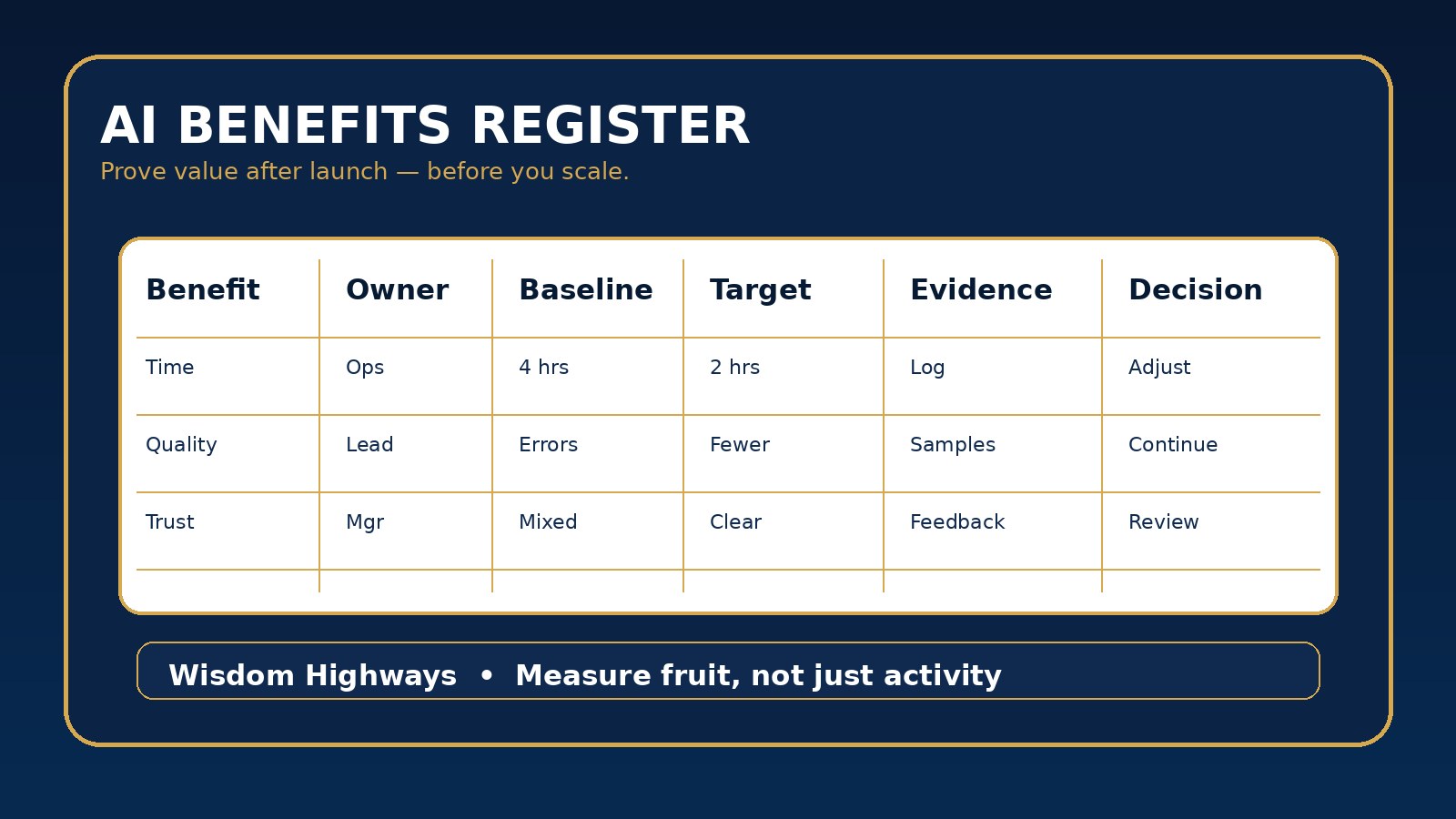
An AI benefits realization register is a simple leadership tool for that evidence. It records the intended benefit, owner, baseline, target, review rhythm, evidence, risk notes and decision. It gives pastors, nonprofit executives, SME owners and operations leaders one place to answer a practical question: is this system producing wise value, or just activity?
Wisdom Highways teaches wisdom before automation. A benefit is not real because a tool was purchased. It becomes real when people experience measurable improvement without hidden damage to trust, quality, security or mission.
Search intent: what leaders are trying to solve
Someone searching for an AI benefits realization register is usually beyond general curiosity. They may already have AI projects running and need a structured way to prove value to leaders, boards, donors, staff or clients. They may also be trying to stop scattered AI experiments from becoming unmeasured technology drift.
This guide gives a practical register that non-technical leaders can use immediately. It is not a complex enterprise scorecard. It is a disciplined conversation tool for deciding what to continue, adjust, pause or scale.
The WH benefits realization frame
Do not track only money or speed. AI value should be reviewed across seven areas so leaders see both benefit and burden.
| Register field | Question it answers | Example evidence |
|---|---|---|
| Benefit statement | What improvement did we expect? | Short outcome sentence tied to a real workflow. |
| Baseline | What was happening before AI? | Previous task time, error rate, delay, complaint pattern or staff workload. |
| Target | What would make this worth keeping? | Net hours reclaimed, faster response, fewer errors or better consistency. |
| Owner | Who is accountable for evidence? | Named leader, not “the team”. |
| Evidence | What proof will we review? | Usage logs, samples, stakeholder feedback, quality checks and incident notes. |
| Risk trade-off | What cost or exposure comes with the benefit? | Privacy, security, pastoral tone, staff trust, vendor dependency or rework. |
| Decision | What will we do next? | Continue, adjust, pause, scale or retire. |
Step 1: write benefits as outcomes, not technology activities
A weak register says, “Use AI for reports.” A strong register says, “Reduce weekly reporting preparation from four hours to two hours while keeping accuracy review under thirty minutes and preserving source traceability.” The second version can be measured.
For a church, the outcome might be clearer volunteer communication with less staff drafting time. For a nonprofit, it might be faster grant research summaries with verified source links. For an SME, it might be improved customer response speed while keeping promises accurate and human escalation easy.
If you cannot write the expected benefit in one sentence, the project may not be ready to scale. Clarify the mission value before multiplying the tool.
Step 2: capture the baseline before celebrating the improvement
Benefits realization fails when teams skip the baseline. Without a starting point, leaders cannot tell the difference between real progress and a good feeling. Record the previous process in plain terms: time required, common mistakes, bottlenecks, staff frustration, customer or member experience, review burden and risk exposure.
Baselines do not need to be perfect. A credible estimate is better than no comparison, as long as it is labeled honestly. What matters is discipline: do not claim time reclaimed if no one knows how much time the old process consumed.
Step 3: separate gross benefit from net benefit
AI benefits are often overstated because leaders count only the visible saving. If an AI workflow saves three hours of drafting but creates two hours of checking, fixing, prompting and explaining, the net benefit is not three hours. It is one hour, plus a quality and trust question.
The register should include review time, correction time, training time, exception handling and support. This protects leaders from scaling workflows that look efficient on paper but exhaust people in practice.
Step 4: include human and mission value
Purpose-driven organizations need more than a productivity dashboard. A ministry may reclaim time but lose pastoral warmth if messages sound mechanical. A nonprofit may produce more donor updates but weaken credibility if source checking is inconsistent. A business may respond faster but damage trust if AI drafts promise things the company cannot deliver.
Include a “mission fit” note in the register. Ask whether the workflow helps people serve better, communicate more clearly, make wiser decisions or protect the dignity of those affected. If the answer is unclear, review before expanding.
Step 5: connect benefits to governance
A benefits register should not sit apart from risk management. Link it to your AI usage log, output review checklist, vendor review, data classification policy and post-implementation review. A benefit that depends on unsafe data handling is not a benefit leaders should celebrate.
Use the register to surface trade-offs. If a tool saves time but introduces sensitive-data exposure, the decision may be adjust or pause. If it improves quality and staff trust while staying inside policy, the decision may be continue or scale.
A simple AI benefits realization register template
- Workflow or tool name.
- Benefit statement in one sentence.
- Audience or team affected.
- Baseline evidence before AI.
- Target outcome and review date.
- Benefit owner.
- Evidence source: logs, samples, interviews, timing, quality review or feedback.
- Net time reclaimed after review and correction.
- Quality result: better, same, worse or unclear.
- Trust result: staff/user confidence, concerns or confusion.
- Risk notes: privacy, security, compliance, pastoral, reputational or operational.
- Decision: continue, adjust, pause, scale or retire.
- Next action, owner and deadline.
Examples for ministries, nonprofits and SMEs
Church communications: AI helps draft weekly announcements. The register shows ninety minutes saved, but also shows that volunteers disliked the tone. Decision: adjust. Keep the tool, add a pastoral tone checklist and review samples for warmth.
Nonprofit operations: AI summarizes field reports. The register shows faster reporting and fewer missed themes, but weak source traceability. Decision: continue with controls. Require source links and human verification before board reporting.
Small business customer service: AI drafts replies to common questions. The register shows faster first response but two inaccurate promises. Decision: pause high-risk reply categories and retrain the team before scaling.
Common mistakes to avoid
- Counting tool usage as value.
- Reporting gross time saved instead of net time reclaimed.
- Letting the vendor define success without internal evidence.
- Ignoring staff trust and customer/member experience.
- Scaling before risk controls are stable.
- Failing to name a benefit owner.
- Keeping projects alive because they sound innovative, not because they serve the mission.
How to run the first review meeting
Keep the first benefits review small and honest. Invite the workflow owner, one person who uses the system, one person responsible for quality or risk, and the leader who can make a decision. Review only the evidence in the register. Do not let the meeting become a general debate about whether AI is good or bad.
Ask four questions: What benefit is already visible? What burden did we underestimate? What risk requires correction? What decision should we make before the next review? Capture the answers in the register immediately, with an owner and deadline for each action. This rhythm turns AI oversight into normal leadership practice instead of a crisis response after something goes wrong.
Evidence and governance anchors
The sources below support outcome measurement, benefits discipline and risk-aware AI governance. They are anchors for leadership practice, not substitutes for local professional advice.
- NIST AI Risk Management Framework — supports ongoing governance, measurement and management of AI risks across the lifecycle.
- OECD AI Principles — anchors AI adoption in human-centred, transparent, robust and accountable practice.
- UK Government Service Manual: measuring success — supports defining measurable outcomes rather than relying on activity alone.
- UK HM Treasury Green Book — supports appraising, evaluating and reviewing whether public investments achieve intended value.
- NIST Cybersecurity Framework — supports including risk and resilience evidence when reviewing technology value.
Related Wisdom Highways resources
Prove value before you multiply AI
The goal is not to slow down innovation. The goal is to make sure innovation is producing fruit that leaders can see, explain and responsibly scale. A simple benefits realization register turns AI adoption from scattered enthusiasm into wise stewardship.
Keep learning with Wisdom Highways. Follow our WhatsApp Channel for practical AI tips, time-saving ideas, product updates and selected offers.
Follow WH Premium AI Vault on WhatsApp