
The most dangerous AI message is not always the one that is badly written. It is the one that is sent before a responsible person knows it went out.
Churches, nonprofits and SMEs are beginning to use AI to draft emails, answer enquiries, summarize conversations, prepare social captions, reply to support messages and trigger follow-up workflows. That can reclaim time. It can also damage trust if an automated message sounds caring but is wrong, reveals private information, makes a promise nobody approved or responds to a sensitive situation without human judgment.
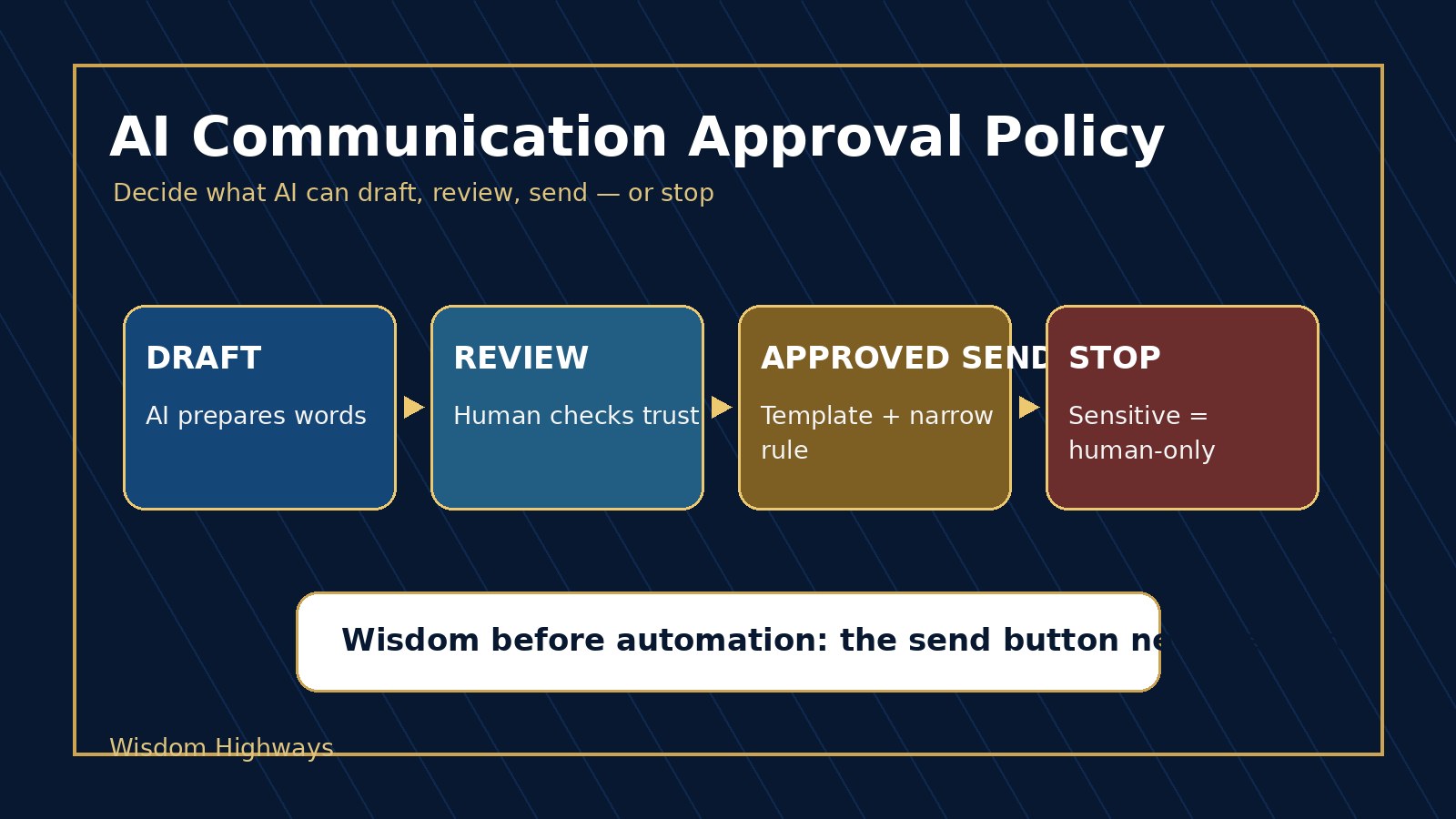
An AI communication approval policy gives leaders a simple rulebook for what AI may draft, what must be reviewed, what may be sent from an approved template and what must never be sent automatically.
What an AI communication approval policy is
An AI communication approval policy defines the approval gates for messages created, assisted or triggered by AI. It answers practical questions before a tool is connected to email, chat, CRM, WhatsApp, social media, donor communication, customer support or ministry follow-up.
- Which communication types may AI draft only?
- Which messages require human review before sending?
- Which approved templates can be sent automatically under narrow rules?
- Which topics must stop and escalate to a person?
- Who owns the final wording, tone, privacy and promise made in the message?
This is the communication layer of AI decision rights. The point is not to slow every team down. The point is to protect trust while allowing safe work to move faster.
Why approval matters before AI starts sending messages
AI communication risk is different from ordinary writing risk because the system may combine content generation with data access and workflow action. A person might ask AI to draft a reply. A connected automation may then populate a contact record, select a template, personalize the wording and send it through another system. If approval boundaries are unclear, the organization may not know whether a message was a suggestion, an approved response or an accidental automated action.
NIST’s AI Risk Management Framework encourages leaders to govern, map, measure and manage AI risks across systems. OECD and UNESCO emphasize human-centred, accountable and transparent AI. OWASP’s LLM guidance warns about excessive agency and sensitive information disclosure when AI systems can act through tools. CISA’s Secure by Design guidance points toward safer defaults, not cleanup after avoidable harm. The practical lesson for smaller organizations is clear: do not give AI a send button before leaders define the approval gate.
Public claims also need care. The FTC has warned businesses not to overstate AI capabilities or make unsupported claims. If AI helps draft marketing, sales, donor or ministry communication, the organization still remains responsible for truthfulness, accuracy and tone.
The four communication approval levels
Level 1: AI may draft, but a person sends
This is the safest starting point. AI prepares a first version, but a person edits, approves and sends it from the appropriate account.
- Newsletter introductions.
- Internal meeting summaries.
- First drafts of social captions.
- Routine customer or member replies that do not involve sensitive details.
Use this level with an AI output review checklist. The reviewer should check accuracy, tone, privacy, promises, names, dates, links and whether the message should be sent at all.
Level 2: AI may recommend a response, but a person decides
At this level, AI can classify an incoming message, suggest urgency, recommend a response category or propose next steps. But a person decides what is actually said and what action follows.
- Sorting enquiries into pastoral care, admin, sales, support or finance queues.
- Recommending whether a message needs same-day follow-up.
- Suggesting which approved resource or FAQ might help.
- Flagging a message for escalation because it mentions complaint, refund, crisis, child, safeguarding or legal concern.
Pair this level with an AI escalation policy so urgent or sensitive communication does not get trapped inside automation.
Level 3: AI may send only from approved templates under narrow rules
Some messages can be automated when the template, trigger, audience, data fields and stop conditions are approved in advance. This should be a narrow permission, not a general license for AI to speak for the organization.
- Sending a meeting reminder from a fixed template.
- Acknowledging that a form was received.
- Delivering a requested download or resource.
- Confirming a booking or next step using approved wording.
For this level, the policy should define exactly which fields AI may personalize, what data source it may use, who owns the template and how often the template is reviewed. Connect it with an AI approval workflow and an AI source of truth map.
Level 4: Human-only communication
Some messages should never be sent automatically, even if AI helps prepare notes for a trusted person. These require human care, authority, discernment or accountability.
- Pastoral counseling, grief, discipline or family crisis communication.
- Safeguarding, children, vulnerable people or serious wellbeing concerns.
- Hiring, firing, compensation, staff conflict or performance issues.
- Legal, financial, refund, contract or donor-sensitive promises.
- Public crisis statements, apologies or reputation-sensitive responses.
AI may organize facts or draft options for a leader, but the final message should come from a responsible person with the authority and compassion required by the situation.
A policy table your team can copy
| Communication type | AI role | Approval gate | Owner | Stop condition |
|---|---|---|---|---|
| Newsletter draft | Draft | Communications lead reviews before send | Comms owner | Doctrinal, legal, financial or private claims |
| Website enquiry acknowledgement | Approved template | Pre-approved template and trigger | Admin owner | Complaint, crisis, child, refund or personal data issue |
| Customer support reply | Recommend | Support owner approves wording | Support lead | Contract, refund, guarantee or angry complaint |
| Pastoral care message | Summarize notes only | Pastor writes or approves final response | Ministry leader | Always human-only for counsel and care |
| Sales follow-up | Draft or template | Human review for pricing, promises and fit | Sales owner | Custom pricing, guarantee, legal or high-value commitment |
Church, nonprofit and SME examples
Church example: A church may use AI to draft a weekly welcome email or event reminder. But if a message mentions bereavement, counseling, discipline, safeguarding or a family crisis, the policy should immediately move it to human-only communication. A caring message cannot be reduced to a clever automation.
Nonprofit example: A nonprofit may use AI to acknowledge that a support request was received. But if a beneficiary shares risk, vulnerability or urgent need, the system should escalate to trained staff instead of sending a generic response that sounds helpful but lacks responsibility.
SME example: A business may use AI to draft follow-ups, appointment confirmations and simple support replies. But messages involving refunds, contracts, complaints, employment, safety or sensitive customer data need a named human owner before anything is sent.
Build your policy in one hour
- List your communication channels. Include email, forms, chat, CRM, SMS, WhatsApp, social messages, donor updates and internal alerts.
- Identify where AI drafts, recommends or sends. Do not forget automations connected through other tools.
- Classify each message type into one of the four levels. Draft, recommend, approved-template send or human-only.
- Name the owner. Every communication category needs someone accountable for accuracy, tone, privacy and promises.
- Write stop conditions. Add words or situations that force escalation: crisis, legal, refund, child, vulnerable, complaint, contract, money, health, grief, discipline, data breach.
- Approve templates and data fields. Decide which fields may be personalized and which sources are allowed.
- Keep a log of exceptions. If the team overrides the policy, record why and review the pattern.
- Review monthly at first. Communication risk changes when tools gain new integrations, audiences or permissions.
Common mistakes to avoid
- Confusing a draft with approval. AI-generated words still need a responsible owner.
- Letting templates expand without review. A safe acknowledgement template can become risky when teams add promises, advice or personalization.
- Ignoring private data. The message may be polite but still reveal information the recipient should not see.
- Automating empathy. Sensitive care requires more than warm wording.
- Failing to monitor replies. If people respond with concern, anger or private details, the workflow needs a human escalation path.
Wisdom Highways perspective: speed must not outrun trust
Communication is not just content. It is relationship, promise, authority and care. AI can help leaders reclaim time, but speed becomes dangerous when a system speaks with the organization’s voice without clear boundaries.
Wisdom before automation means the send button should never be more powerful than the leadership process behind it. If the message affects trust, money, privacy, reputation, doctrine, care or accountability, it deserves a visible human owner.
Next step
If your organization is already using AI to draft, recommend or send communication, pause long enough to define the approval gates before adding more automation.
Related Wisdom Highways resources
- AI decision rights matrix
- Human-in-the-loop AI
- AI output review checklist
- AI escalation policy
- AI approval workflow
- AI exception log
- AI source of truth map
- AI ownership register
- AI accountability matrix
Freshness note: Prepared on October 11, 2026. Review this policy whenever AI gains access to new channels, contact data, send permissions, CRM fields or public-facing communication workflows.
Keep learning with Wisdom Highways. Follow our WhatsApp Channel for practical AI tips, time-saving ideas, product updates and selected offers.
Follow WH Premium AI Vault on WhatsApp