
AI Monitoring Plan: What Leaders Should Watch After Automation Goes Live
Freshness note: prepared 2026-10-04; source links and live internal links were checked during editorial preparation.
Going live is not the finish line. It is the moment an AI-assisted workflow begins to meet real people, real exceptions, real data, real staff habits and real pressure. A workflow can pass a test, look impressive in a demo and still need close watching once it starts shaping emails, summaries, decisions, follow-up, donor records, client responses or ministry communication.
An AI monitoring plan gives leaders a simple way to keep watch after automation launches. It is not a technical dashboard for its own sake. It is a wisdom practice: watch what the system is doing, watch how people are using it, watch who may be affected, and make changes before small issues become trust problems.
What is an AI monitoring plan?
An AI monitoring plan is a written agreement about what your organization will observe after an AI tool, automation, chatbot, agent or workflow goes live. It defines the signals, owners, review rhythm and action thresholds that tell the team whether the workflow remains accurate, safe, useful, mission-aligned and humane.
NIST’s AI risk work emphasizes governance across the lifecycle, not only before launch. OECD’s AI principles point toward robust, safe and accountable systems. OWASP’s LLM guidance highlights practical application risks that can appear in production. The common lesson for pastors, nonprofits and SMEs is clear: if AI touches real work, someone must keep watch after launch.
Why monitoring matters for pastors, nonprofits and SMEs
Small teams often assume monitoring is only for large technology companies. In reality, smaller organizations may need it more because one wrong automation can damage a relationship quickly. A ministry message can sound efficient but cold. A donor segmentation workflow can become intrusive. A customer-support assistant can promise something the business cannot deliver. A staff member can rely on a summary that quietly omitted the most important context.
Monitoring protects three things at once: mission, people and time. It helps leaders reclaim time without surrendering judgment. It also helps a team notice whether automation is actually reducing burden or simply moving hidden work into cleanup, correction and apology.
The WH WATCH framework
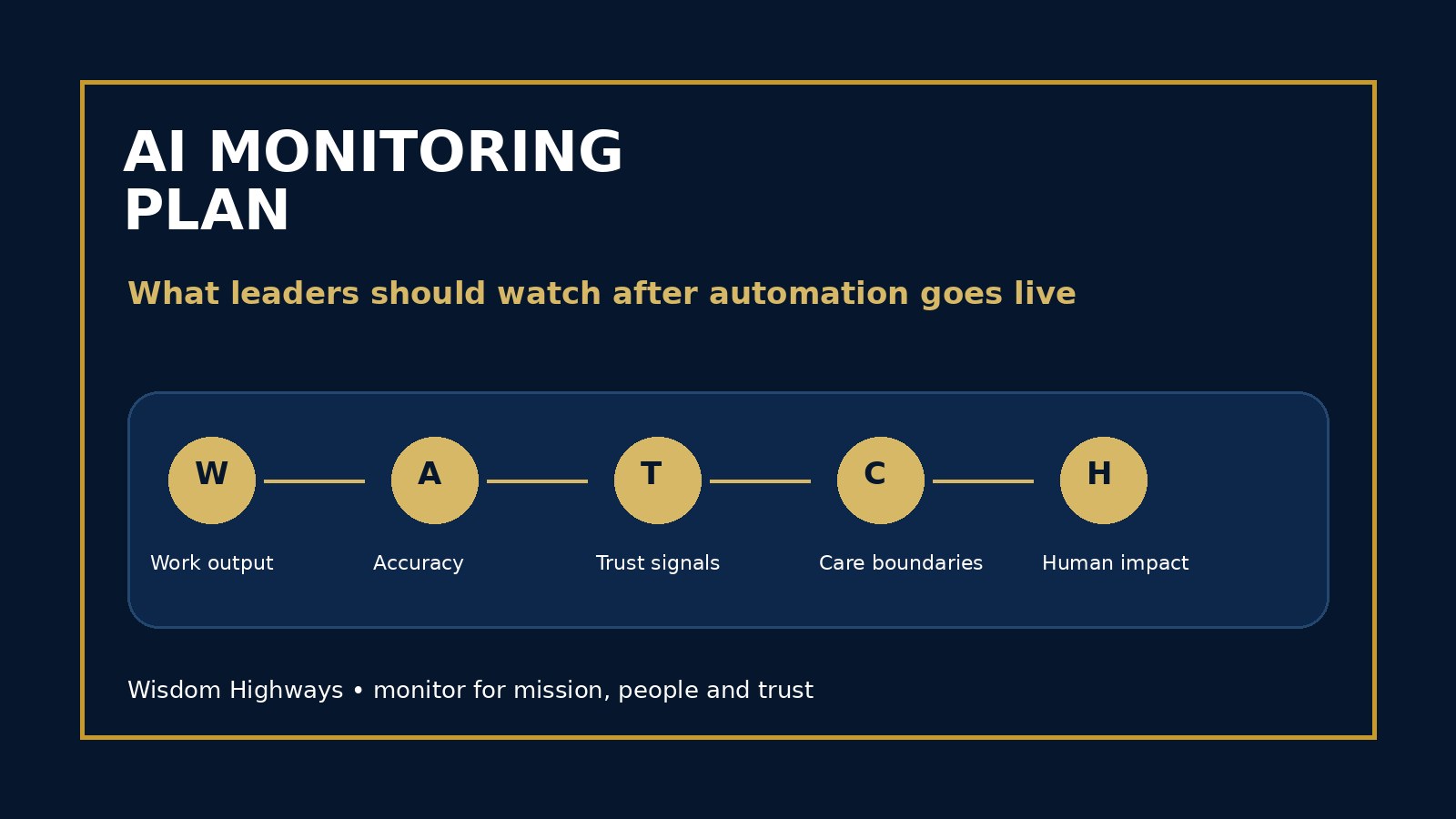
Use the WATCH framework for post-launch AI monitoring: Work output, Accuracy, Trust signals, Care boundaries and Human impact.
Work output: what is the system producing?
Review the actual outputs that matter: emails, summaries, task updates, recommendations, chatbot replies, routing decisions, reports, captions, proposals, sermon-support notes or client messages. Do not only ask whether the automation ran. Ask whether the work it produced was helpful, appropriate and aligned with the situation.
Connect this to your AI acceptance criteria. The standards that allowed the workflow to launch should become the standards used to monitor it.
Accuracy: is the system still reliable enough?
AI workflows can drift because inputs change, prompts change, vendors update models, data quality weakens, users discover shortcuts or the work itself evolves. Monitor for hallucinated details, missing context, outdated policies, wrong names, wrong amounts, weak classification and confident language where the system should be cautious.
For a church, accuracy may include whether ministry communication reflects the actual request and tone. For a nonprofit, it may include donor records and program details. For an SME, it may include service scope, deadlines, pricing and customer commitments.
Trust signals: are people still confident?
Trust is not only a technical metric. Watch staff confidence, volunteer feedback, customer replies, pastoral concerns, donor responses, complaints, rework, ignored outputs and quiet workarounds. If people stop using the workflow, overuse it without review, or create side channels to avoid it, the system is telling you something.
This is where an AI usage log and AI audit trail become practical. The goal is not surveillance. The goal is enough evidence to lead wisely.
Care boundaries: is the workflow crossing lines?
Some boundaries should be watched with special care: pastoral counseling, safeguarding, private donor information, employee matters, vulnerable people, financial commitments, legal promises, sensitive personal data and public statements. AI can assist around these areas, but it should not quietly become the final authority.
Your AI exception handling policy and AI incident response plan should define when monitoring becomes action.
Human impact: is the system serving people?
A workflow can be efficient and still harmful if it makes people feel unseen, overloads reviewers, deskills the team, creates anxiety, or causes leaders to stop listening. Monitor whether AI is returning time to higher-value human work or creating new pressure. Wisdom Highways’ position is simple: systems should serve mission and people. When they do not, leaders must adjust the system.
Signals worth monitoring
- Output quality: correctness, completeness, tone, clarity, source use and policy fit.
- Exception frequency: how often the workflow needs human review, correction or escalation.
- Rework: how much staff time is spent fixing AI outputs after launch.
- User behavior: whether staff overtrust, underuse, bypass or misunderstand the tool.
- People impact: complaints, confusion, pastoral concerns, client frustration or donor discomfort.
- Data risk: sensitive information exposure, unnecessary retention or inappropriate tool access.
- Business or ministry value: time reclaimed, response speed, follow-up quality and mission usefulness.
Set thresholds before emotions take over
Monitoring is strongest when action thresholds are agreed in advance. Decide what will trigger a prompt change, a staff reminder, a manager review, a temporary pause, a rollback or a full incident response. Without thresholds, teams either ignore warning signs for too long or panic at every imperfection.
For example, a donor email workflow may continue after a minor tone correction, but pause immediately if it exposes private information. A client-support assistant may be adjusted after repeated wrong routing, but escalated if it makes an unauthorized promise. A ministry assistant may draft administrative notes, but never send sensitive care messages without human review.
A simple weekly monitoring rhythm
- Sample real outputs: review a small set of meaningful examples, especially sensitive or high-value cases.
- Check exceptions: look at pauses, corrections, escalations, complaints and staff concerns.
- Compare against acceptance criteria: ask whether the workflow still meets the launch standard.
- Update the risk register: add new risks, patterns and mitigations.
- Decide one improvement: adjust a prompt, clarify a rule, train users, change access or remove a use case.
- Record the decision: keep an audit trail that explains what changed and why.
What leaders should not monitor
Do not turn AI governance into a culture of suspicion. Avoid monitoring private staff behavior beyond what is necessary, collecting excessive personal data, shaming people for raising concerns, or measuring only speed while ignoring quality and care. A wise monitoring plan protects trust inside the team as well as outside it.
When to pause or roll back
Pause the workflow when outputs repeatedly miss critical context, sensitive data appears in the wrong place, users cannot explain decisions, people are harmed or confused, the tool begins acting beyond its approved scope, or leaders would be uncomfortable defending the workflow publicly.
If a change makes the workflow unsafe, use an AI rollback plan to return to a safer process while the team investigates. Monitoring should never be a passive report that nobody acts on.
Examples by audience
Pastor or ministry leader: Monitor whether an AI-assisted communication workflow preserves warmth, confidentiality and pastoral sensitivity. If messages become efficient but impersonal, the system may be saving minutes while costing trust.
Nonprofit leader: Monitor donor and beneficiary communications for accuracy, dignity and appropriate personalization. AI should help stewardship, not manipulate generosity or expose sensitive context.
SME owner: Monitor proposals, support replies and follow-up automations for scope accuracy, promise control and customer experience. The system should reduce bottlenecks without creating commitments the business cannot keep.
Leader checklist
- Name the workflows that need monitoring after launch.
- Choose the few signals that actually reveal quality, risk and trust.
- Assign a human owner for each workflow.
- Define thresholds for improve, pause, escalate and roll back.
- Review real outputs, not only dashboard activity.
- Track human impact, not only speed.
- Turn repeated issues into system improvements.
Wisdom Highways perspective: monitoring is not mistrust of technology; it is stewardship. Wise leaders do not launch automation and walk away. They watch until the system proves it can serve people, protect trust and reclaim time for mission.
Related resources
- AI Governance Review Cadence
- AI Post-Implementation Review
- AI Benefits Realization Register
- AI Rollback Plan
Sources and further reading
- NIST AI Risk Management Framework — governance and lifecycle risk management, including measuring and managing AI risk after deployment.
- NIST Generative AI Profile AI 600-1 — generative AI risk management, monitoring, overreliance and harmful-output considerations.
- OECD AI Principles — human-centred, robust, safe, transparent and accountable AI expectations.
- OWASP Top 10 for LLM Applications — LLM operational risks such as excessive agency, sensitive information disclosure, insecure output handling and overreliance.
- UK Government Generative AI Framework — assurance, monitoring, accountability and responsible use practices for generative AI.
- NIST Cybersecurity Framework — identify, protect, detect, respond and recover disciplines that inform practical monitoring and response.
- Google People-First Content Guidance — people-first public content quality standard.
Keep learning with Wisdom Highways. Follow our WhatsApp Channel for practical AI tips, time-saving ideas, product updates and selected offers.
Follow WH Premium AI Vault on WhatsApp