
Your team can leak trust in less than thirty seconds. It may not happen through a hacker, a bad employee, or a dramatic system failure. It can happen when a well-meaning staff member copies a donor list, counseling note, client file, salary detail, child-related record, board dispute, confidential proposal, or customer complaint into an AI tool and asks, “Can you improve this?”
For many churches, nonprofits and small businesses, the question is no longer whether people are experimenting with AI. They are. The safer leadership question is: what information should never be pasted into ChatGPT, Gemini, Claude, Copilot or any other AI system unless the organization has approved the tool, the data use, and the safeguards?
This article gives you a practical, non-technical AI data privacy checklist. It is not legal advice, and different countries have different privacy, employment, child-safety, health, education and sector-specific requirements. But it will help leaders set wise boundaries before AI becomes a quiet source of reputational, pastoral, operational or customer-trust risk.
The simple rule: if disclosure would break trust, do not paste it
AI tools are powerful because they can read, summarize, rewrite, classify and generate content at speed. That same power becomes dangerous when sensitive information enters a system your organization does not control or understand. Some tools may use prompts differently depending on account type, settings, retention rules, enterprise agreements, geography, and product changes. Leaders should not assume that every AI tool treats every prompt as private just because the interface feels personal.
Wisdom Highways recommends a plain-language standard: if you would not forward the information to an outside consultant without permission, do not paste it into an AI tool without an approved policy. AI use should serve mission and people; it should not quietly lower the organization’s standard for confidentiality.
Why this matters now
Responsible AI guidance around the world increasingly points leaders toward governance, privacy protection, human oversight, transparency and risk management. The NIST Privacy Framework gives organizations a structured way to identify and manage privacy risk. The UK Information Commissioner’s Office provides guidance on AI and data protection, emphasizing that data protection principles still matter when AI is involved. The OECD AI Principles and UNESCO Recommendation on the Ethics of AI also reinforce human-centered values, accountability and careful handling of data.
For a large enterprise, these concerns may become formal governance programs. For a church, nonprofit or SME, the issue is often simpler and more immediate: your people need to know what is safe to use AI for, what requires approval, and what is prohibited.
The AI data privacy checklist: 10 things not to paste into public AI tools
Use this checklist in staff meetings, volunteer briefings, management reviews and workflow audits. When in doubt, remove identifying details, use a fictional example, or ask for approval before using AI.
1. Personal contact records and identity details
Do not paste names, phone numbers, email addresses, home addresses, ID numbers, passport details, church membership lists, customer databases, school records, beneficiary lists or donor spreadsheets into an unapproved AI tool. Even if the request feels harmless — “clean this list,” “write a follow-up,” “segment these people” — the data may identify real people and create privacy obligations.
Safer alternative: ask the tool to create a template using fictional names, then apply the structure manually in your approved internal system.
2. Pastoral care, counseling and prayer-request details
Church and ministry leaders must treat care-related information with particular caution. Prayer requests, counseling notes, marital issues, addiction struggles, health situations, grief, abuse disclosures, family conflict and pastoral follow-up notes may carry deep relational and spiritual trust. AI can help draft general teaching or care frameworks, but raw pastoral details should not be pasted into public tools.
Safer alternative: anonymize the situation completely and ask for a general pastoral-care outline. Keep identifiable care records in approved, access-controlled systems.
3. Children, youth and vulnerable-person information
Information involving children, youth groups, schools, safeguarding matters, vulnerable adults, medical needs, family situations or incident reports deserves a higher boundary. Leaders should avoid using AI tools on identifiable sensitive records unless a formal policy, consent basis and approved platform are in place.
Safer alternative: use AI only for general safeguarding communication templates, training outlines or fictional scenarios that contain no real identifying information.
4. Employee, contractor and volunteer records
Performance concerns, salary details, disciplinary notes, recruitment evaluations, background checks, grievances, leave records and internal HR discussions should not be pasted into unapproved AI tools. Even a request like “make this feedback softer” can expose private employment information.
Safer alternative: ask AI for a generic feedback framework, then write the actual message inside your approved HR or management process.
5. Donor, client, customer and financial information
Do not paste giving records, payment details, bank information, invoices with identifiable client data, quotations, customer complaints, private proposals, account statements, grant reports containing personal data, or fundraising records into an unapproved tool. Trust can be damaged even when no regulation is intentionally violated.
Safer alternative: remove names, numbers and identifying context. Use summaries or fictional examples for drafting and analysis.
6. Passwords, access codes, API keys and security details
This category should be prohibited, not merely “use caution.” Never paste passwords, recovery codes, private keys, API tokens, database credentials, admin URLs, security configurations, vulnerability reports, private server logs or authentication details into public AI tools. AI can assist with general troubleshooting, but secrets should stay secret.
Safer alternative: replace secrets with placeholders such as [API_KEY], [DATABASE_URL] or [ADMIN_EMAIL] before asking for help.
7. Confidential board, leadership and strategy discussions
Leadership teams often ask AI to summarize meeting notes or polish memos. That can be useful, but raw board minutes, conflict records, legal concerns, acquisition plans, fundraising strategy, sensitive ministry decisions and confidential business discussions should not be pasted without approval.
Safer alternative: create a sanitized brief: “A small nonprofit board is deciding between two program priorities…” Remove names, locations, financial specifics and sensitive identifiers.
8. Proprietary intellectual property and unpublished creative work
Course materials, book manuscripts, sermon series, training frameworks, product roadmaps, client deliverables, unpublished research, ad strategies and internal playbooks may be valuable intellectual property. Before pasting them into AI tools, leaders should decide what may be used, which tool is approved, and whether the organization is comfortable with the terms and retention settings.
Safer alternative: use short excerpts, summaries or protected internal tools. For high-value IP, get explicit approval first.
9. Medical, legal, financial or regulated advice involving real people
AI can explain general concepts, but it should not become an unapproved adviser for identifiable medical, legal, financial, counseling, immigration, employment or compliance situations. This is especially important for leaders who serve vulnerable people or operate across multiple jurisdictions.
Safer alternative: ask for general questions to discuss with a qualified professional. Do not paste real confidential details unless the tool and process are formally approved.
10. Anything your organization has promised to keep confidential
This includes NDAs, client contracts, vendor information, partner agreements, unpublished announcements, private community issues, member discipline, sensitive testimonies and restricted internal reports. If the organization gave a confidentiality promise, AI use must honor that promise.
Safer alternative: pause. Ask: who owns this information, what permission exists, and what system is approved?
A simple three-zone policy leaders can teach this week
Complex policies often fail because staff cannot remember them. Use three zones:
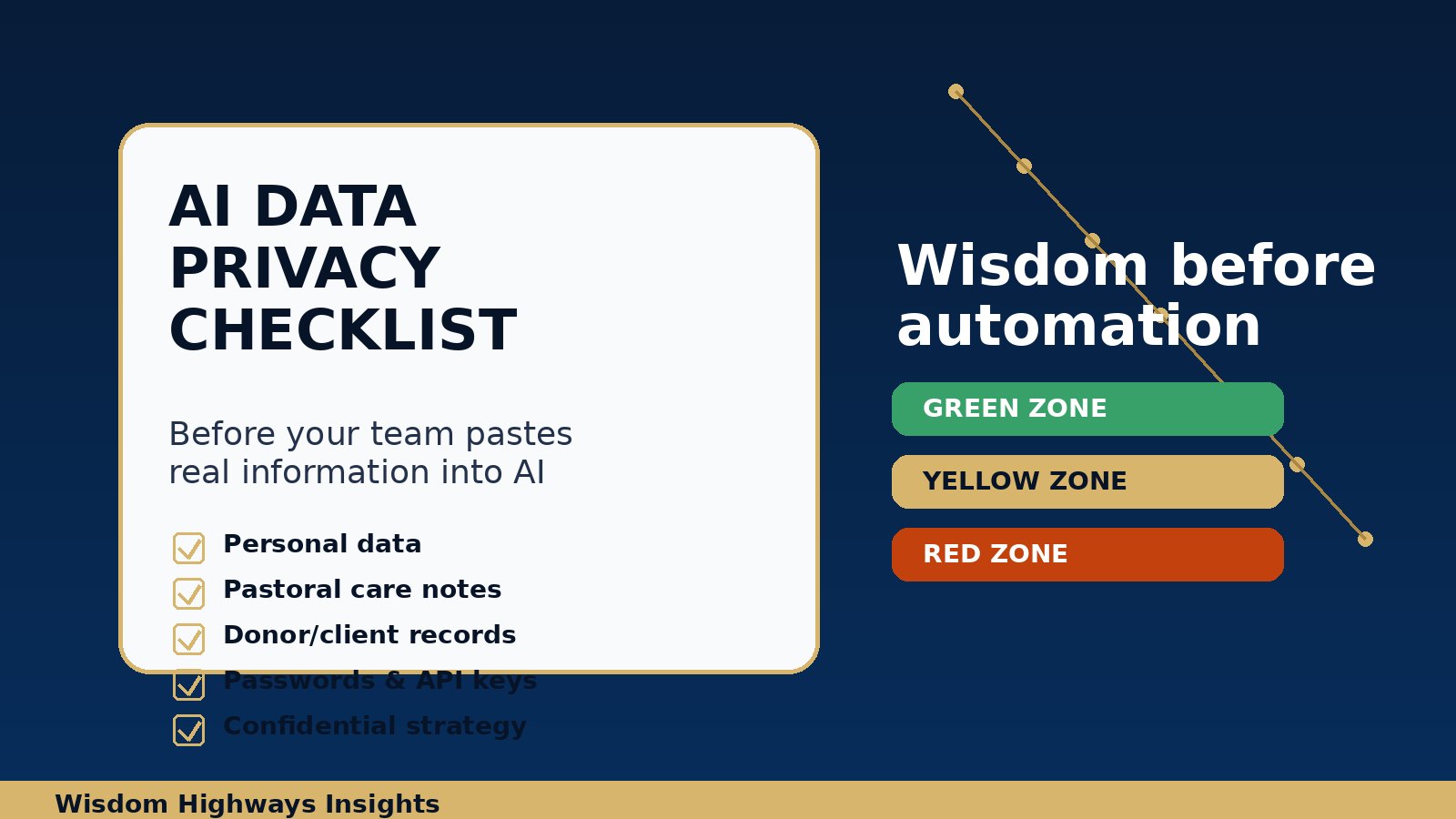
- Green zone: safe public content, fictional examples, general ideas, non-sensitive drafts, generic sermon outlines, public FAQs, public website copy, brainstorming and formatting help.
- Yellow zone: internal but non-sensitive documents, anonymized examples, vendor comparisons, process notes, draft policies, internal training material and summarized reports. Use only with approved tools and judgment.
- Red zone: personal data, children’s information, pastoral care records, HR details, donor/customer/client data, credentials, legal matters, sensitive finances, confidential board issues and proprietary IP. Do not paste into unapproved tools.
This same pattern connects naturally with an AI policy template and a broader AI governance checklist. Start with memorable boundaries, then document them properly.
Before using AI on real data, ask seven questions
- Whose data is this? A member, donor, employee, child, customer, vendor, client, beneficiary or partner?
- Do we have permission or a clear lawful/ethical basis to use it this way?
- Is the AI tool approved for this category of data?
- Could the same result be achieved with anonymized or fictional information?
- Would disclosure damage trust, safety, reputation or legal standing?
- Who reviews the output before it affects a person? See the Wisdom Highways guide to human-in-the-loop AI review.
- Is there an audit trail? Leaders should know which tool was used, by whom, for what purpose and with what data category.
Examples for real leaders
Pastor or ministry leader
A pastor wants to respond gently to a complex counseling situation. The unsafe approach is to paste the person’s detailed story into an AI tool. The wiser approach is to remove all identifying facts and ask for a general pastoral response framework: listening posture, questions to ask, boundaries, referral indicators, Scripture themes to consider, and when to involve qualified help.
Nonprofit director
A nonprofit team wants to summarize beneficiary feedback for a grant report. The unsafe approach is to paste raw survey responses with names, locations and personal hardship details. The wiser approach is to remove identifiers, aggregate themes, and use AI to improve structure and clarity — not to expose vulnerable people’s private stories.
Small business owner
A business owner wants AI to write customer apology emails. The unsafe approach is to paste full customer records, private complaint history and payment details. The wiser approach is to ask for an apology email template, then personalize it inside the CRM or approved customer-support system.
What leaders should put in place next
- Name an AI owner. Someone must maintain the approved tool list and answer staff questions.
- Create an approved-use list. Define which AI tools may be used for public content, internal drafts, coding support, customer communication, data analysis or automation.
- Write a prohibited-data list. Start with the ten categories in this article.
- Train staff and volunteers. Do not assume “common sense” will protect data under deadline pressure.
- Review workflows before automation. Use an AI workflow audit to find where sensitive data appears before connecting tools.
- Measure time reclamation without ignoring risk. Efficiency matters, but trust is part of the return. See AI automation ROI and Time Reclamation.
Wisdom Highways perspective: privacy is discipleship, stewardship and leadership
For purpose-driven organizations, privacy is not only a technical or legal issue. It is a stewardship issue. People share information because they trust leaders, teams and institutions. AI should help us serve them better, not make us casual with what they entrusted to us.
The Wisdom Highways position is simple: wisdom before automation. If a tool can save five hours but damages trust, it is not true progress. The best AI systems protect mission, people and judgment while reclaiming time for higher-value leadership.
Next step: before your team scales AI use, take the AI & Systems Readiness Assessment. It will help you identify readiness gaps around tools, workflows, governance, data, people and implementation.
Related Wisdom Highways resources
- AI Policy Template for Churches, Nonprofits and Small Businesses
- AI Governance Checklist for Churches and Small Businesses
- Human-in-the-Loop AI: What Leaders Should Review Before Automation Goes Live
- AI Workflow Audit: Find Hidden Time Drains Before You Automate
Freshness note: reviewed September 2026. This article is educational and not legal advice. Privacy and AI obligations vary by jurisdiction and sector; consult qualified counsel or a data-protection professional for regulated or high-risk use cases.
Keep learning with Wisdom Highways. Follow our WhatsApp Channel for practical AI tips, time-saving ideas, product updates and selected offers.
Follow WH Premium AI Vault on WhatsApp