
AI risk does not only begin when a tool is approved. It often grows when nobody closes the loop. A staff member changes role. A volunteer steps back. A contractor finishes a project. A vendor relationship ends. A pilot tool is abandoned. An automation is replaced. Yet the account, token, shared folder, prompt library, integration or admin role quietly remains.
That is why leaders need an AI offboarding checklist. Approval decides who may begin using a tool. Offboarding decides what must be removed, transferred, archived or reviewed when a person, vendor, workflow or tool no longer needs access.
For churches, nonprofits and small businesses, this is not a technical luxury. It is a stewardship habit. Forgotten access can expose member information, donor records, customer data, ministry notes, financial files, brand channels, private prompts, automation credentials and decision history. The answer is not fear. The answer is a simple, repeatable closeout process.
Why AI offboarding matters now
AI tools increasingly connect to the systems where real work happens: email, cloud storage, calendars, CRMs, spreadsheets, church-management systems, payment tools, websites, helpdesks and social accounts. Some tools only draft text. Others can retrieve information, summarize private files, trigger automations, publish content, invite users, remember prior instructions or act through connected apps.
Global security and AI guidance points toward the same practical lesson. The NIST Cybersecurity Framework 2.0 places governance and protection at the center of cyber risk management. The CIS Critical Security Controls emphasize account management, inventory and access control. The NIST AI Risk Management Framework encourages leaders to govern, map, measure and manage AI risks across the lifecycle. For a busy organization, the translation is clear: access must have an ending process, not only a beginning process.
Wisdom Highways frames this as wisdom after access. If a person no longer carries the responsibility, the permissions should not remain. If a vendor no longer serves the mission, the connection should not linger. If a tool is no longer used, its data, integrations and automation pathways should be reviewed before the organization forgets they exist.
The four offboarding moments leaders should watch
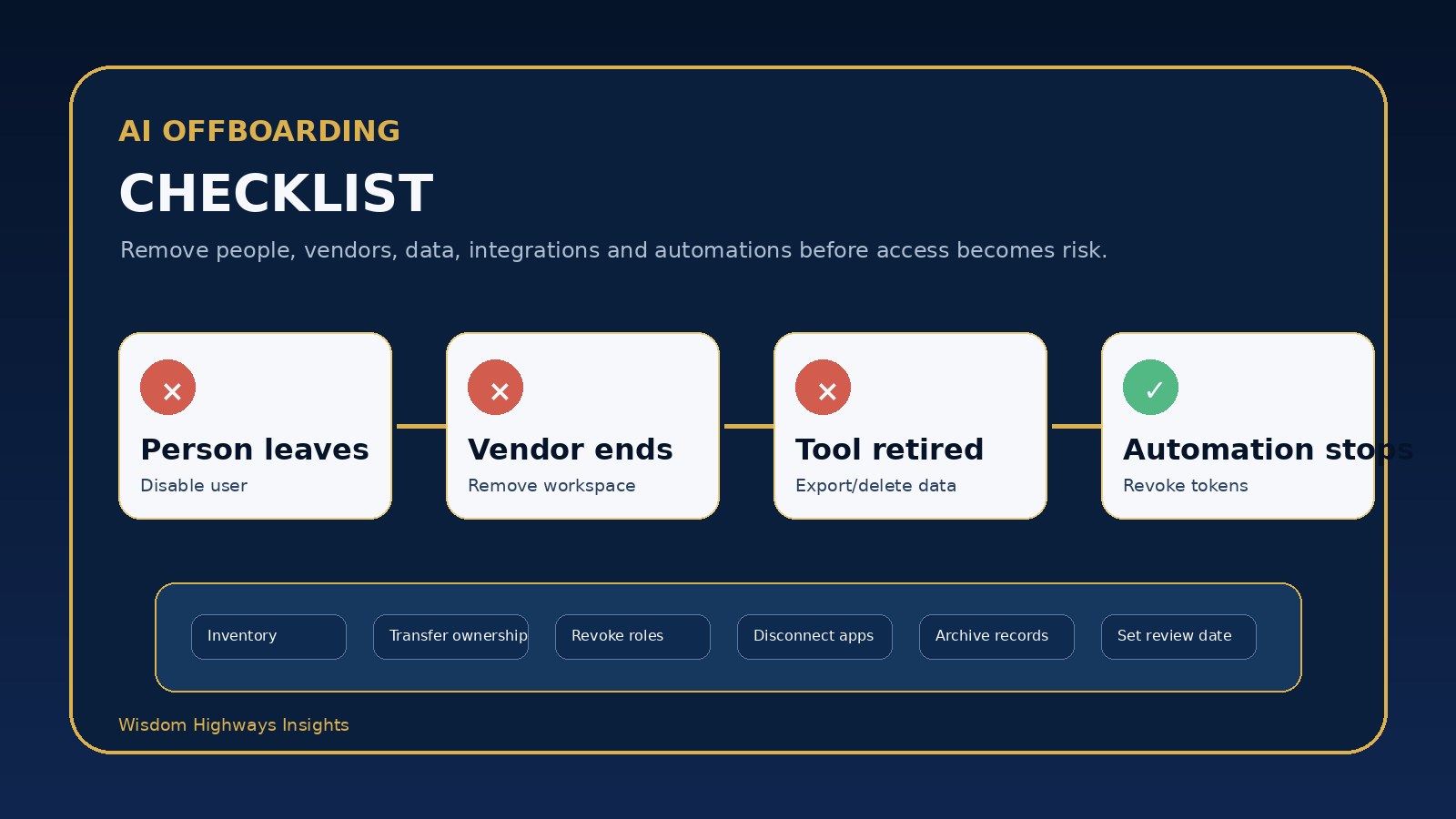
1. When a person leaves or changes role
This includes employees, volunteers, interns, ministry leaders, freelancers, consultants and board or committee members. The issue is not whether the person is trustworthy. The issue is whether their current responsibility still requires access. A former communications volunteer may still be able to open an AI design workspace. A former operations contractor may still hold API keys. A staff member who changed department may still have admin rights that no longer fit the role.
2. When a vendor or contractor finishes work
Vendors often receive temporary access to move quickly: shared drives, analytics dashboards, automation platforms, AI assistants, CRM exports, content calendars or website accounts. Offboarding should confirm what they can still see, what they created, what must be transferred, what should be deleted and who now owns the workflow.
3. When an AI tool is replaced, retired or abandoned
Many tools are tested with enthusiasm and then forgotten. The subscription may stop, but the data may remain. The browser extension may still exist. The integration may still have permission. The workspace may still contain uploaded documents. The team may assume the risk disappeared because nobody is actively using the tool.
4. When an automation changes ownership
Automations are especially easy to neglect because they keep working in the background. If a workflow sends emails, updates records, posts content, routes enquiries or summarizes sensitive messages, leaders must know whose account owns it, which tokens it uses and what happens when that owner leaves.
A practical AI offboarding checklist
Use this checklist whenever a person, vendor, tool or automation no longer needs the same access.
| Step | What to check | Why it matters |
|---|---|---|
| Identify the offboarding event | Person leaving, role change, vendor closeout, tool retirement or automation transfer. | Clarifies what kind of access must be reviewed. |
| List connected tools | AI workspaces, chat tools, prompt libraries, browser extensions, plugins, automations and shared folders. | Prevents hidden tools from being missed. |
| Review data exposure | Public, internal, confidential, personal, donor, member, customer, financial or staff data. | Prioritizes sensitive information first. |
| Remove or reduce roles | Disable accounts, remove admin rights, revoke invites, update groups and transfer ownership. | Aligns permission with current responsibility. |
| Disconnect integrations | OAuth apps, API keys, webhooks, Zapier/Make workflows, plugins and connected drives. | Stops access that can continue even after a login is closed. |
| Archive what must be kept | Prompts, outputs, approvals, policies, workflow notes and key decisions. | Protects continuity and accountability. |
| Delete what should not remain | Temporary uploads, test data, duplicate exports and unnecessary personal data. | Reduces stale data and future exposure. |
| Confirm ownership | Name the new responsible person for the tool, workflow or record. | Avoids orphaned automation and ownerless accounts. |
| Record completion | Date, reviewer, changes made, remaining exceptions and next review date. | Creates a simple audit trail without overcomplicating the process. |
The OFFBOARD decision model
To make the process memorable, use OFFBOARD:
- O — Ownership: who owns the tool or workflow now?
- F — Files: what documents, prompts, uploads and outputs remain?
- F — Functions: what can the tool still do — read, write, send, publish, export or automate?
- B — Boundaries: what data or ministry/business area should no longer be reachable?
- O — OAuth and tokens: which integrations, plugins, API keys or connected apps must be revoked?
- A — Archives: what must be kept for continuity, compliance or leadership memory?
- R — Removal: which accounts, roles, groups and workspaces must be removed or reduced?
- D — Date: when was offboarding completed, and when should the next access review happen?
Examples for churches, nonprofits and SMEs
Church example: a volunteer who helped produce sermon summaries steps back from the media team. Offboarding should remove access to the AI writing workspace, shared sermon notes, church drive folders and social scheduling tool. Any reusable prompt templates should be transferred to the communications lead, not left inside the volunteer’s personal account.
Nonprofit example: a fundraising consultant completes a campaign. The team should confirm that donor spreadsheets, grant drafts, AI research notes, email templates and analytics access are either returned, archived or removed. If an AI tool was used to draft donor communication, human-approved final versions should be retained while unnecessary exports are deleted.
SME example: a customer support automation is moved from one manager to another. The company should transfer ownership, rotate API keys if necessary, test the workflow after transfer, remove the former owner’s admin rights and document who reviews AI-generated replies before they reach customers.
Common offboarding mistakes
- Closing the email account but forgetting connected apps. Integrations can remain active even when people assume the login is gone.
- Removing a person but not transferring ownership. Workflows break later because no one owns them.
- Deleting everything without preserving useful records. Leaders may lose approved prompts, policy decisions or operational history.
- Trusting memory instead of an inventory. If the tool is not listed, it is easy to miss during offboarding. Start with an AI tool inventory.
- Waiting for a crisis. Offboarding should be routine, not only an emergency response after sensitive data is exposed.
How to make offboarding simple enough to use
Keep the process lightweight. Add an AI access section to your HR exit checklist, volunteer transition checklist, vendor closeout process and tool-retirement workflow. Use the same language across the organization: tools, data, integrations, ownership, archive, removal and review date.
Connect offboarding to your AI permission request form, AI admin role matrix and AI access review checklist. Permission, role design, review and offboarding should operate as one governance loop.
If sensitive data may already have been exposed, do not treat offboarding as enough. Follow an AI incident response plan, document what happened and involve the appropriate internal or professional advisors.
A quick leader’s checklist
- Do we know every AI tool and automation this person, vendor or workflow touched?
- Have we removed or reduced every role that is no longer needed?
- Have we revoked connected apps, tokens, plugins and integrations?
- Have we transferred ownership of important workflows and assets?
- Have we archived approved records and deleted unnecessary temporary data?
- Have we documented who completed the offboarding and when the next review happens?
AI adoption becomes safer when leaders finish what they start. Access should be granted with wisdom, used with accountability and closed with care.
Next step: If you are unsure whether your organization has the right governance loop for AI access, tools, automations and data, take the Wisdom Highways AI & Systems Readiness Assessment.
Freshness note: This article was prepared in October 2026 and should be reviewed as AI governance, identity-management and data-protection practices evolve.
Related resources: AI Access Review Checklist · AI Permission Request Form · AI Data Classification for Leaders
Keep learning with Wisdom Highways. Follow our WhatsApp Channel for practical AI tips, time-saving ideas, product updates and selected offers.
Follow WH Premium AI Vault on WhatsApp