
AI Change Control Policy: How to Update Automation Without Breaking Trust
Freshness note: prepared 2026-10-05; source links and live internal links were checked during editorial preparation.
Many organizations are careful before the first AI launch and careless after the first improvement. A prompt is adjusted quickly. A new field is added to a form. A vendor changes a model. A staff member connects another app because it saves time. Nothing looks dramatic, but the workflow now behaves differently than the one leaders approved.
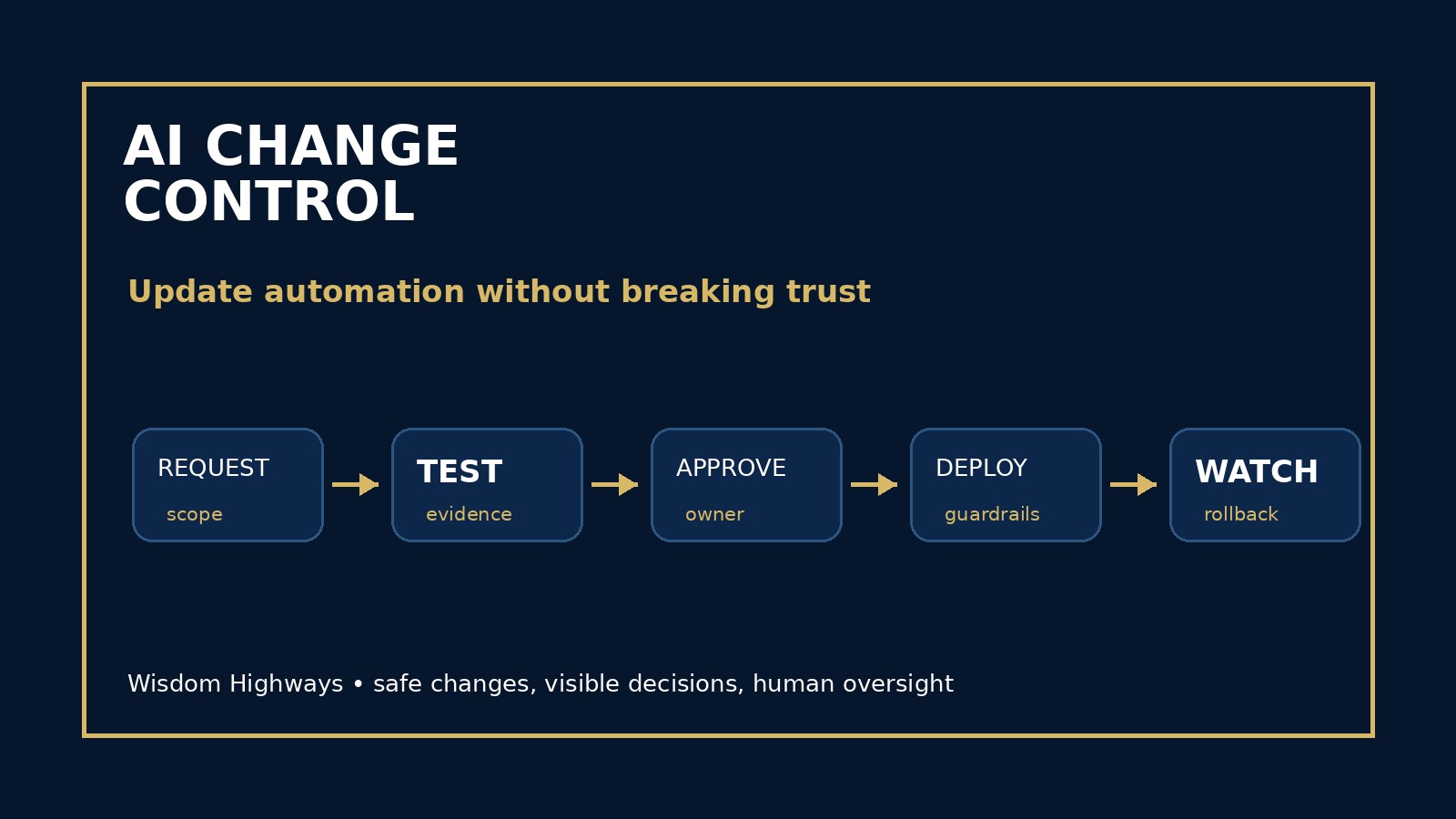
An AI change control policy helps pastors, nonprofit leaders and SME owners update automation without breaking trust. It does not need to be bureaucratic. It needs to be clear enough that the team knows which changes are safe, which changes need review, which changes require testing and which changes should pause until a human leader approves them.
What is an AI change control policy?
An AI change control policy is a simple rule set for proposing, reviewing, testing, approving, communicating and recording changes to AI-assisted workflows. It covers prompts, data sources, integrations, permissions, automation triggers, escalation rules, output templates, human review steps, vendor settings and model behavior where your team can influence it.
NIST’s AI Risk Management Framework emphasizes governance and risk management across the AI lifecycle, not just before deployment. OECD’s AI principles point toward robust, safe and accountable systems. OWASP’s LLM application guidance shows that risks can change when tool access, prompts, data handling or system permissions change. The leadership lesson is practical: every meaningful AI change deserves a visible decision trail.
Why small teams need change control
Change control can sound like enterprise language, but smaller organizations often need a lighter version precisely because trust is personal. In a church, a communication workflow may touch prayer requests, pastoral follow-up or volunteer care. In a nonprofit, automation may affect donor stewardship, beneficiary communication or grant reporting. In an SME, it may influence quotes, customer support, scheduling, invoices or commitments.
One quiet update can create real consequences: the tool sends messages with the wrong tone, uses data it should not use, routes sensitive issues to the wrong person, removes a human review step, or starts making recommendations that leaders never approved. A change control policy protects momentum by slowing down only the changes that could damage people, privacy, finances, reputation or mission.
The WH SAFE CHANGE framework
Use this practical framework before updating an AI workflow: Scope, Authority, Facts, Evaluation, Communication, Human review, Audit, Next-step guardrails, Go/no-go, Emergency rollback.
Scope: what exactly is changing?
Write the change in plain language. Are you changing a prompt, a model, a data source, a form field, a trigger, an approval rule, a user permission, a connected app or the audience that receives the output? Vague requests like “make the bot better” are not enough. The team should know what is different after the change.
Authority: who is allowed to approve it?
Not every change needs the senior leader, but every meaningful change needs an owner. Use your AI accountability matrix to decide who can approve low-risk updates, who must approve sensitive workflows and who has emergency authority to pause or roll back a change.
Facts: what evidence triggered the change?
A good change is usually connected to evidence: monitoring results, repeated exceptions, staff feedback, user complaints, accuracy issues, compliance concerns, pastoral care boundaries, customer friction or time waste. Link the change to your AI monitoring plan and continuous improvement backlog so updates are not driven by impulse.
Evaluation: how will the change be tested?
Before the update goes live, test it against realistic examples. Include ordinary cases, edge cases and sensitive cases. Compare the result with your AI acceptance criteria and AI evaluation checklist. If a workflow affects people directly, do not rely on one impressive demo.
Communication: who needs to know?
Some changes are invisible to users, but not all should be silent. Staff may need to know that a workflow now requires a different review step. Volunteers may need a short explanation. Clients or donors may need clearer language about how information is handled. Communication prevents confusion and reduces hidden workarounds.
Human review: what stays under human judgment?
When a change expands what AI can draft, decide where a human remains responsible. Pastoral counsel, safeguarding, legal or financial commitments, HR matters, donor sensitivities and public reputation issues should not drift into automated final decision-making simply because a workflow update made it technically possible.
Audit: where is the decision recorded?
Record the request, reason, tester, approver, date, expected benefit, known risk and rollback plan. Your AI audit trail does not need to be complicated. It needs to be useful six weeks later when someone asks why the workflow changed.
Next-step guardrails: what will be watched after launch?
Every approved change should create at least one monitoring question. Did the update reduce rework? Did it improve response quality? Did it increase exceptions? Did staff understand it? Did people experience it as helpful? A change control policy closes the loop between improvement and accountability.
Go/no-go: what would stop the change?
Define the no-go line before enthusiasm takes over. The change should not proceed if it weakens privacy, removes necessary human oversight, creates confusing responsibility, increases sensitive exposure, fails the test set, contradicts policy or would be difficult to explain to the people affected.
Emergency rollback: how do we return to safety?
If an update fails, the team should know how to pause the workflow and return to the last safe version. Link every meaningful change to an AI rollback plan. Rollback is not embarrassment; it is stewardship.
Examples by audience
Pastor or ministry leader: A church updates an AI-assisted email workflow so first-time guest follow-up is more personal. Change control asks who approved the new tone, whether pastoral language is appropriate, whether private details are excluded and whether a human reviews sensitive replies.
Nonprofit leader: A development team adjusts donor segmentation prompts. Change control asks whether the data use is appropriate, whether messaging remains dignified, whether staff understand the change and whether results will be reviewed for manipulation or bias.
SME owner: A support automation begins suggesting next steps to customers. Change control asks whether it might create unauthorized promises, whether pricing or scope language is accurate and whether complex cases still escalate to a person.
Simple policy template
- Purpose: AI workflow changes must improve mission, quality, trust or time reclamation without increasing unacceptable risk.
- Change types: low-risk wording changes, moderate workflow changes and high-risk changes involving sensitive data, public messages, money, care, compliance or access.
- Approvals: name the workflow owner and the leader required for high-risk changes.
- Testing: require realistic examples before production changes.
- Communication: identify who must be told before or after the change.
- Records: keep an audit trail of the reason, approval, test result and rollback step.
- Review: check the change after a defined period using monitoring signals.
Common mistakes to avoid
- Letting anyone edit production prompts without visibility.
- Changing connected data sources without privacy review.
- Removing human review because the first examples looked good.
- Approving changes without testing sensitive edge cases.
- Failing to tell staff that the workflow now behaves differently.
- Tracking changes in memory instead of an audit trail.
- Having no rollback path when the update causes harm or confusion.
Leader checklist before approving an AI change
- Can we explain exactly what is changing?
- Do we know why the change is needed?
- Has the right person approved it?
- Have we tested ordinary, difficult and sensitive cases?
- Does human oversight remain clear?
- Have we communicated the change to the people affected?
- Have we recorded the decision and rollback step?
- Do we know what we will monitor after it goes live?
Wisdom Highways perspective: speed is valuable, but ungoverned speed can become expensive. Wise leaders do not freeze improvement; they steward it. The goal is not to make every small edit feel heavy. The goal is to ensure AI changes keep serving mission, people and trust while reclaiming time for higher-value work.
Related resources
Sources and further reading
- NIST AI Risk Management Framework — AI risk governance should continue through the system lifecycle, including measurement, management and accountability after deployment.
- NIST Cybersecurity Framework — identify, protect, detect, respond and recover disciplines that help leaders manage technology changes safely.
- CISA Secure by Design — security and responsibility should be designed into technology practices rather than added after harm occurs.
- OWASP Top 10 for LLM Applications — LLM application risks can change when prompts, tools, data access or agency are modified.
- OECD AI Principles — human-centred, robust, safe, transparent and accountable AI principles for responsible organizational use.
- UK Government Generative AI Framework — responsible generative AI use includes assurance, accountability, monitoring and human oversight.
- Google People-First Content Guidance — public content should be helpful, people-first and created for readers rather than search engines alone.
Keep learning with Wisdom Highways. Follow our WhatsApp Channel for practical AI tips, time-saving ideas, product updates and selected offers.
Follow WH Premium AI Vault on WhatsApp