
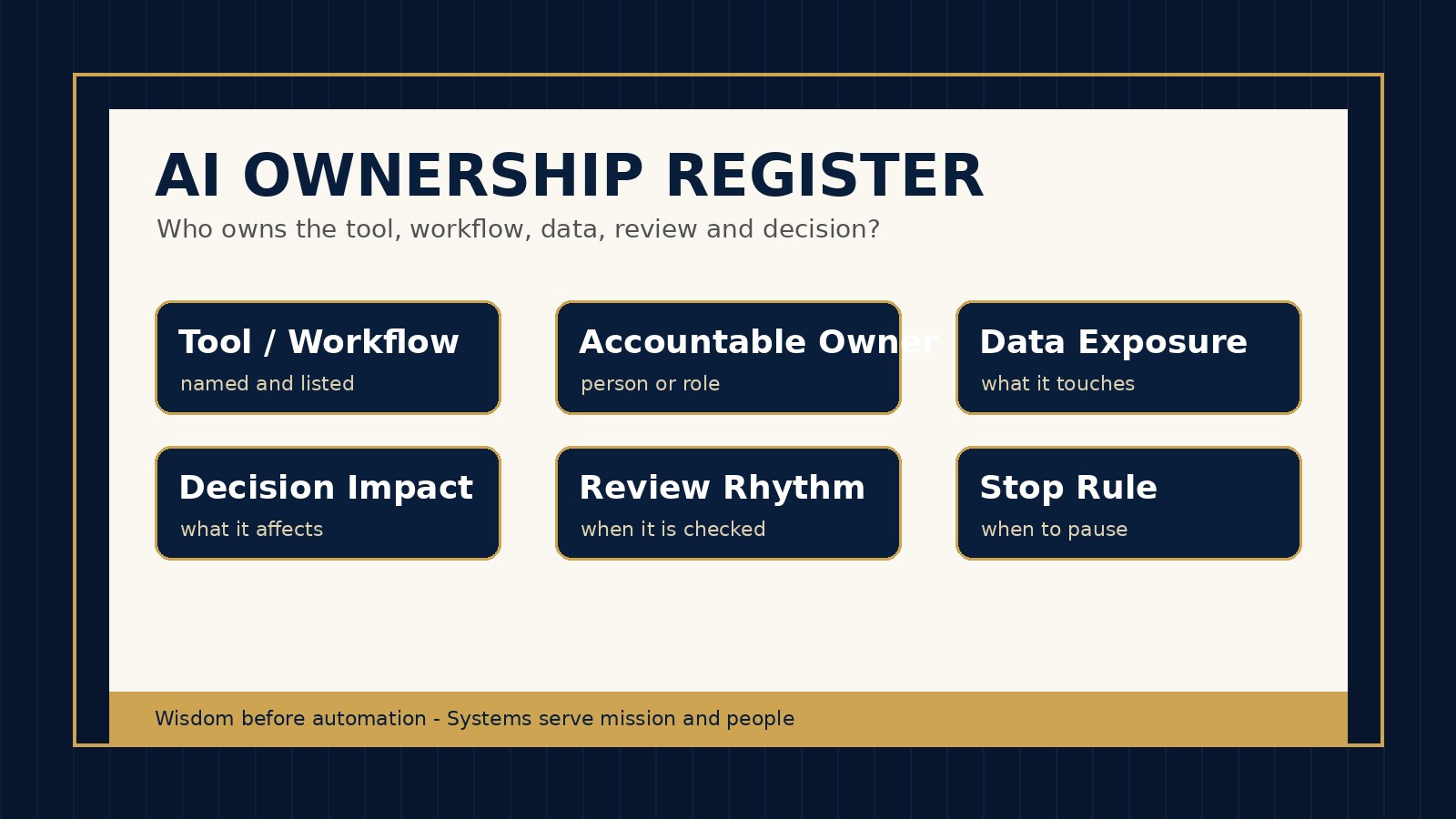
AI risk often grows in the space between enthusiasm and ownership. A church tries a writing assistant. A nonprofit connects a research tool to shared documents. A small business launches an automation that updates customer records. Everyone remembers the launch. Fewer people can answer the quieter question six months later: who owns this tool, this workflow, this data, this approval and this decision?
That is why leaders need an AI ownership register. It is a simple record that names the responsible person or role for every AI tool, automation, prompt library, data connection and AI-assisted decision process. It prevents AI from becoming an ownerless side channel inside the organization.
For Wisdom Highways, ownership is a stewardship issue before it is a technical issue. Tools should serve mission, people and wise leadership. When nobody owns an AI workflow, the tool begins to shape the organization instead of the organization guiding the tool.
Why AI ownership matters now
AI tools are no longer isolated experiments. They can draft content, summarize meetings, analyze spreadsheets, search shared drives, support customer service, create images, trigger automations, route enquiries, prepare reports and influence leadership decisions. In many teams, these tools are adopted faster than governance habits mature.
Global guidance points in the same direction. The NIST AI Risk Management Framework frames AI risk as something leaders govern, map, measure and manage across a lifecycle. The NIST Cybersecurity Framework 2.0 places governance and responsibility at the center of cyber risk management. The CIS Critical Security Controls emphasize inventory, account management and access control. For a busy pastor, nonprofit director or SME owner, the practical lesson is simple: if the organization cannot name the owner, it cannot reliably manage the risk.
An ownership register does not need to be complicated. It can begin as a spreadsheet, database table or secure operations document. The goal is not bureaucracy. The goal is clarity: the right person knows what exists, why it exists, what data it touches, what decision it affects and when it must be reviewed.
The problem: tools get owners at launch, then lose them in practice
Most AI tools start with an informal owner. Someone signs up. Someone tests the workflow. Someone connects the app. Someone asks the team to try it. But that launch owner may not remain the right operational owner after the tool becomes part of real work.
- A communications volunteer creates a prompt library, then later steps back.
- A ministry administrator connects an AI note-taking tool to meetings, but no one documents what should never be recorded.
- A business manager builds an automation in a personal account, then changes role.
- A consultant sets up a workflow, but the internal team never receives clear ownership.
- A leader approves AI use for a project, but no one is assigned to review results after launch.
This is how AI drift begins. The tool may still work, but responsibility becomes unclear. When ownership is unclear, access reviews are skipped, data boundaries blur, vendor renewals become automatic, outputs are trusted without review and exceptions are handled from memory instead of policy.
What an AI ownership register should include
Use the register to connect every important AI asset to a person, role and review rhythm. Start with the minimum fields below.
| Register field | What to record | Why it matters |
|---|---|---|
| Tool or workflow name | The AI app, automation, prompt library, agent, plugin or connected process. | Creates a reliable inventory of what exists. |
| Business or ministry purpose | The outcome it supports: communication, care, admin, sales, finance, support, research or operations. | Prevents tools from remaining after their purpose expires. |
| Accountable owner | The person or role responsible for performance, access, review and closeout. | Turns vague responsibility into named accountability. |
| Technical/admin owner | The person who manages permissions, billing, integrations or configuration. | Separates leadership accountability from platform administration. |
| Data touched | Public, internal, confidential, donor, member, customer, financial, staff or child/youth-related information. | Guides privacy, review and approval requirements. |
| Decision impact | Whether the tool drafts, recommends, ranks, sends, publishes, approves or triggers action. | Shows where human review must remain strong. |
| Connected systems | Email, drive, CRM, church-management system, website, payment tool, forms, analytics or social accounts. | Reveals hidden access pathways. |
| Review cadence | Monthly, quarterly, renewal date, project closeout or after a major change. | Keeps ownership alive after launch. |
| Backup owner | Who can act if the owner is unavailable or leaves. | Reduces single-person dependency. |
| Status | Proposed, pilot, approved, restricted, paused, retired or under review. | Prevents abandoned tools from being treated as active. |
A simple OWNERS model for leaders
To keep the habit memorable, use the OWNERS model whenever you add or review an AI tool.
- O — Outcome: What mission, ministry or business outcome does this tool support?
- W — Workflows: Which workflow, automation, content process or decision path does it touch?
- N — Named owner: Who is accountable for use, review, risk and closeout?
- E — Exposure: What data, audience, brand channel, finances or people could be affected?
- R — Review rhythm: When must the owner recheck access, performance, vendor terms and usefulness?
- S — Success and stop rules: What results justify continued use, and what conditions require pausing or retiring it?
This model keeps AI ownership practical. It asks leaders to define both the benefit and the boundary before tools become invisible infrastructure.
Examples for churches, nonprofits and SMEs
Church example: a church uses AI to help draft sermon discussion questions and volunteer newsletters. The register should name the pastoral or communications owner, identify what sermon notes may be used, confirm who reviews final language and record whether volunteers may access the prompt library. AI should assist ministry communication, not quietly become an unreviewed voice of the church.
Nonprofit example: a nonprofit uses an AI research assistant to summarize grant opportunities and donor information. The register should name the program or fundraising owner, classify the data, record connected systems and set a review date before renewal. The owner should know which outputs require human verification before they influence donor messaging or grant strategy.
SME example: a small business uses an AI support tool to draft replies and tag customer enquiries. The register should show who owns the customer experience, who manages the integration, what the tool can send automatically, which responses require human approval and what metric proves it is helping rather than creating rework.
Common ownership mistakes
- Confusing the buyer with the owner. The person who paid for a tool may not be the person accountable for its daily impact.
- Letting the most technical person own every risk. Technical admins can configure systems, but ministry and business leaders must own decisions, standards and outcomes.
- Tracking tools but not workflows. A tool inventory is valuable, but leaders also need to know what the tool changes in real work.
- Skipping backup ownership. If only one person understands an automation, the organization inherits fragility.
- Never defining stop rules. Tools should be retired when they no longer serve the mission, create excessive risk or fail to deliver practical value.
How this connects to your wider AI governance system
An ownership register should not stand alone. It should connect to your AI tool inventory, AI accountability matrix, AI admin role matrix, AI permission request form and AI offboarding checklist. Together, these tools answer a full governance loop:
- What AI tools and workflows exist?
- Why are they being used?
- Who is allowed to use or administer them?
- Who owns the outcome and decision impact?
- When are access, performance and risk reviewed?
- What happens when the tool, person or vendor no longer belongs in the system?
A quick leader’s checklist
- Can we name the owner of every AI tool currently used by the team?
- Can we name the owner of every AI-assisted workflow, not only the software subscription?
- Do we know which tools touch sensitive, donor, member, customer, staff or financial data?
- Do we know which AI outputs affect decisions, communication, publishing or customer/member experience?
- Have we assigned a backup owner for critical workflows?
- Does every tool have a review date and a stop rule?
- Can someone offboard the tool or transfer ownership without relying on memory?
AI maturity is not proved by how many tools an organization adopts. It is proved by whether leaders can govern those tools with wisdom, clarity and care. An ownership register is one of the simplest ways to keep AI useful, accountable and aligned with the mission.
Next step: If you are unsure whether your organization has clear ownership for its AI tools, workflows and decisions, take the Wisdom Highways AI & Systems Readiness Assessment.
Freshness note: This article was prepared in October 2026 and should be reviewed as AI governance, identity-management, privacy and vendor-risk practices evolve.
Related resources: AI Tool Inventory Template · AI Accountability Matrix · AI Offboarding Checklist
Keep learning with Wisdom Highways. Follow our WhatsApp Channel for practical AI tips, time-saving ideas, product updates and selected offers.
Follow WH Premium AI Vault on WhatsApp