
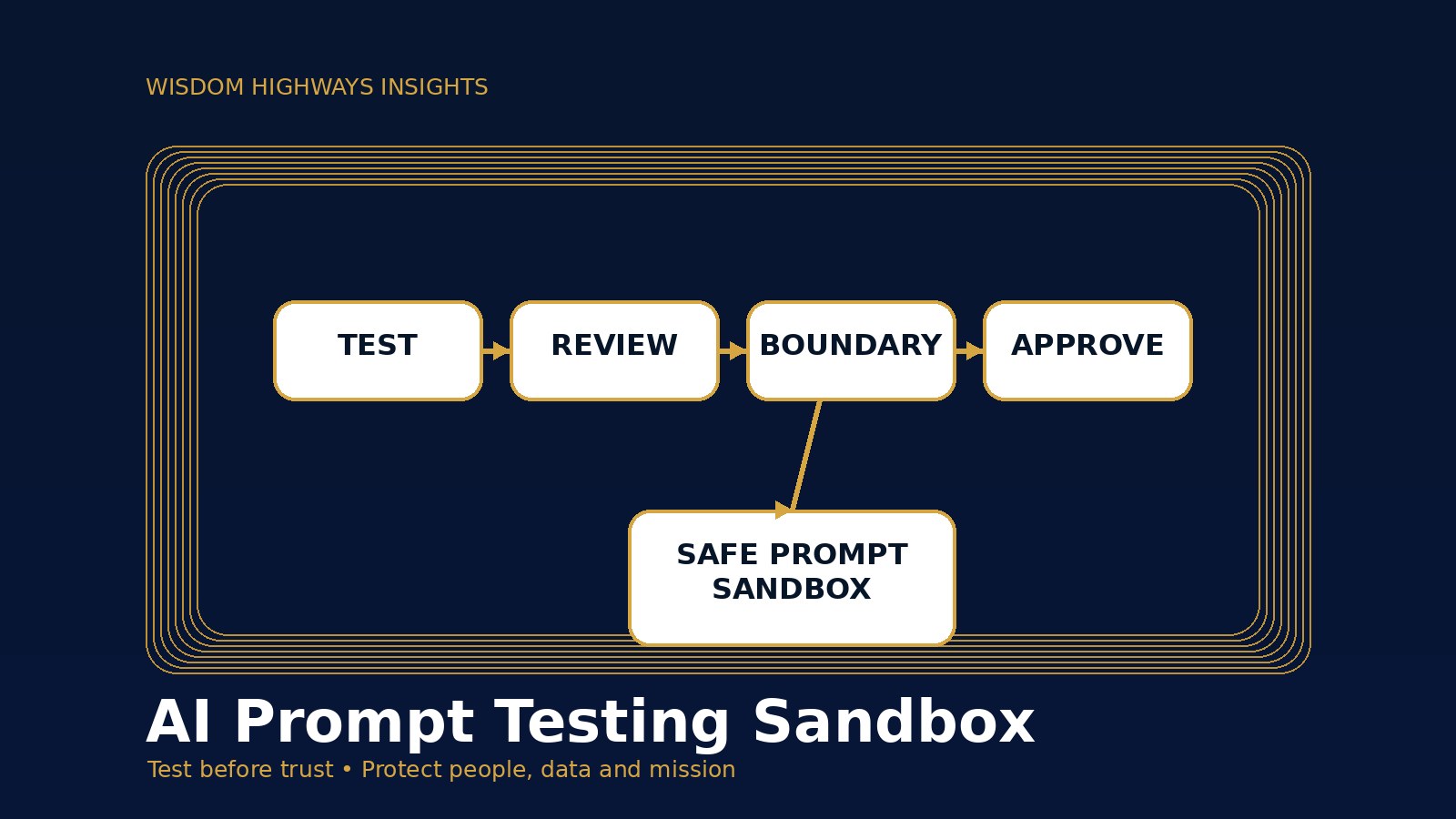
AI Prompt Testing Sandbox: Test Prompts and Workflows Before Your Team Uses Them
Before an AI prompt becomes “the way we do things here,” leaders need a safe place to test it. A prompt may look harmless when one person tries it on a simple task. But the moment it is copied into a team workflow, connected to customer data, used for pastoral care notes, or turned into an automation rule, the risk changes. The question is no longer, “Did it answer once?” The question becomes, “Can this prompt behave wisely, consistently and safely when real people depend on it?”
That is why a lightweight AI prompt testing sandbox matters. It gives churches, nonprofits and small businesses a protected environment to test prompts, instructions, examples, approvals and failure scenarios before they affect staff, members, customers or clients.
Wisdom Highways’ perspective is simple: wisdom comes before automation. A sandbox is not bureaucracy. It is a leadership practice that protects people, trust and mission while still allowing your team to move quickly.
What is an AI prompt testing sandbox?
An AI prompt testing sandbox is a controlled space where a team can test an AI prompt, workflow or automation rule before using it in live operations. It may be as simple as a shared testing document and sample data set, or as advanced as a separate environment for AI agents and connected tools.
The important point is separation. In the sandbox, you do not test with confidential member records, private donor notes, HR files, live customer conversations or unreleased strategy. You use safe sample inputs, realistic scenarios and clear evaluation criteria. The goal is to discover weaknesses before the prompt enters the real workflow.
This connects directly with AI evaluation, acceptance criteria, AI version control and change control. The sandbox is where those disciplines become practical before the team depends on the output.
Why testing prompts in live work is risky
Many leaders underestimate prompt risk because prompts feel like words, not software. But a prompt can shape decisions, summarize sensitive conversations, trigger follow-up, draft public content, recommend next steps or instruct an automation. That makes it part of the operating system of the organization.
Research and guidance from NIST, OWASP, CISA, OECD and government AI frameworks all point in the same direction: responsible AI requires lifecycle risk management, security-by-design thinking, accountability, testing, monitoring and human oversight. None of those principles are served when teams copy an untested prompt into live use because it sounded impressive in a demo.
Common live-use failures include:
- Inconsistent output: the prompt works for one example but fails when tone, language, urgency or context changes.
- Unsafe disclosure: staff paste sensitive data because the prompt does not clearly say what must never be included.
- Weak boundaries: the AI gives advice outside the organization’s authority, doctrine, policy or expertise.
- Automation drift: a prompt evolves quietly until nobody knows which version is approved.
- No escalation path: staff do not know when to stop and ask a human, so risky outputs move forward.
A sandbox catches these issues while the cost of correction is still low.
The WH SAFE TEST framework
Use this seven-part framework before a prompt, AI agent instruction or automation rule becomes part of normal work.
1. Separate the testing space
Create a place where testing cannot affect real people. This might be a private document, spreadsheet, project board, staging automation, or separate AI workspace. Label it clearly: “Testing only — not approved for live use.” If the tool connects to email, CRM, forms, payment systems or member records, do not test directly on production data.
2. Assemble realistic sample scenarios
A weak sandbox uses one easy example. A useful sandbox tests ordinary, difficult and edge-case scenarios. A church team might test a volunteer follow-up prompt with a new volunteer, a delayed response, a sensitive pastoral note and a language-barrier scenario. A small business might test a customer response prompt with a refund request, a complaint, a high-value lead and an unclear inquiry.
3. Fix the success criteria before testing
Do not decide whether the prompt is “good” by feeling alone. Define what good looks like before the test begins. Criteria may include accuracy, tone, privacy, policy alignment, theological sensitivity, brand voice, completeness, reading level, escalation triggers and time saved. This is where the sandbox connects to your AI acceptance criteria.
4. Examine failure modes
Ask, “How could this go wrong?” Test misleading inputs, incomplete context, emotional language, unusual requests and sensitive data attempts. For AI agents or automations, also test what happens if the connected tool returns an error, the user asks for restricted action, or the output requires human approval. OWASP’s LLM risk categories are a useful reminder that prompt behavior, data exposure, tool access and output handling all matter.
5. Test with human reviewers
A sandbox is not only a technical check. Ask the people who understand the work to review the outputs. For ministry workflows, that may include a pastor, administrator or trusted ministry lead. For business workflows, that may include operations, customer service, sales or compliance. The reviewer should ask: “Would I be comfortable if this output represented us?”
6. Escalate what should not be automated
Some work should remain human-led. If the test touches grief, discipline, counseling, legal questions, financial advice, employment decisions, safeguarding, complaints or high-value relationships, the prompt should include a clear stop rule. Link it to an AI escalation policy so staff know when the tool is assisting, not deciding.
7. Tag the approved version
If the prompt passes, record the approved version, owner, purpose, use cases, restrictions and review date. Add it to your prompt library. If it later changes, use AI version control so the organization can see what changed and why.
Ministry example: testing a volunteer follow-up prompt
Imagine a church wants AI to help draft follow-up messages to new volunteers. Without a sandbox, someone may paste real volunteer notes into an AI tool and send whatever sounds warm. A safer approach is to test with fictional volunteer profiles first.
The team can prepare scenarios: a new volunteer who is excited, one who has limited availability, one who shared a sensitive prayer need, and one who has not replied. The reviewers check whether the output is warm, respectful, non-manipulative, privacy-aware and clear about next steps. If the AI tries to sound like pastoral counsel where a human should respond personally, the prompt needs a stronger boundary.
SME example: testing a lead-response workflow
A small business may want AI to draft first replies to website inquiries. In the sandbox, the team can test different lead types: a simple pricing inquiry, a complaint, a potential partnership, a confused prospect and a spam-like message. The prompt should not invent pricing, overpromise outcomes or send a risky response without approval.
The business can measure whether the draft saves time, protects brand voice, captures the right next step and sends high-intent leads to a human. That is practical automation: not replacing judgment, but helping people respond faster and better.
What to include in a simple sandbox record
- Prompt or workflow name.
- Owner and reviewer.
- Purpose and approved use cases.
- Data that may be used and data that must never be pasted.
- Sample test scenarios.
- Success criteria.
- Known limitations.
- Escalation triggers.
- Approved version and date.
- Next review date.
Common mistakes to avoid
- Testing only the happy path. Real work includes confusing, emotional and incomplete situations.
- Using real sensitive data. A sandbox should protect privacy, not expose it.
- Approving tone but ignoring truth. A beautifully written wrong answer is still wrong.
- Letting everyone edit the master prompt. Change without ownership creates drift.
- Skipping monitoring after launch. A sandbox reduces risk, but leaders still need an AI monitoring plan.
Leader’s checklist before a prompt goes live
- Have we tested with realistic sample cases?
- Have we defined what good output means?
- Have we checked privacy, tone, accuracy and mission fit?
- Have we tested edge cases and sensitive scenarios?
- Have human reviewers approved the output?
- Have we documented the approved version?
- Do staff know when to stop and escalate?
- Do we have a review date after launch?
Wisdom before automation
A prompt testing sandbox is not about slowing innovation. It is about making innovation trustworthy. Pastors, founders and operational leaders do not need enterprise complexity before they start using AI. But they do need enough discipline to protect people, data, voice and mission.
If your organization is using AI but does not yet have clear testing, approval and review habits, begin with one important workflow. Build a sandbox around it. Test it honestly. Improve it. Then scale what is safe, useful and aligned with your purpose.
Related resources
- AI Evaluation Checklist: Test Accuracy, Risk and Mission Fit Before You Trust the Output
- AI Acceptance Criteria: Define What Good Looks Like Before Your Team Automates
- AI Version Control: Keep Prompts, Policies and Automation Rules From Drifting
- AI Output Review Checklist: What Leaders Should Check Before Sending AI-Written Content
Sources and further reading
- NIST AI Risk Management Framework
- OWASP Top 10 for Large Language Model Applications
- CISA Secure by Design
- Google Secure AI Framework
- UK Government Generative AI Framework
- OECD AI Principles
Freshness note: Prepared on 6 October 2026. Review periodically as AI governance standards, tool capabilities and organizational policies evolve.
Keep learning with Wisdom Highways. Follow our WhatsApp Channel for practical AI tips, time-saving ideas, product updates and selected offers.
Follow WH Premium AI Vault on WhatsApp