
AI Decommissioning Plan: How Leaders Retire Tools Without Leaving Risk Behind
Freshness note: Prepared for publication on 1 October 2026. Review this guidance whenever your AI tools, privacy rules, vendor contracts or team workflows change.
Most AI conversations focus on adoption: which tool to buy, which task to automate, which workflow to improve. But mature leaders ask another question before risk quietly accumulates: what happens when an AI tool is no longer fit to use?
An AI decommissioning plan is the exit discipline that prevents yesterday’s experiment from becoming tomorrow’s data, security, reputation or accountability problem. Churches, nonprofits and small businesses often start with good intentions: a staff member tests a chatbot, an administrator connects a meeting assistant, a department tries an AI writing tool, or a vendor adds AI features to a platform already in use. Months later, nobody remembers who approved it, what data passed through it, whether access was removed, or whether outputs are still shaping decisions.
At Wisdom Highways, we believe wisdom comes before automation. Systems should serve mission and people, not create hidden dependencies leaders no longer understand. If an AI tool helped your team reclaim time, measure the value. If it no longer serves the mission safely, retire it with order.
What is an AI decommissioning plan?
An AI decommissioning plan is a simple leadership process for retiring, replacing or disabling an AI tool, workflow, integration, agent or vendor feature. It defines when decommissioning should happen, who decides, what data and access must be handled, which records should be preserved, and how the team will avoid confusion after the tool is removed.
This matters because AI tools often touch content, decisions, documents, meetings, customer data, donor records, pastoral notes, HR information or internal knowledge. The NIST AI Risk Management Framework treats AI risk as a lifecycle issue, not merely a launch issue. The OECD AI Principles also emphasize accountable, transparent and human-centred AI. For a practical leader, the message is clear: responsible AI includes a responsible exit.
When should a leader consider decommissioning an AI tool?
You do not need to wait for a crisis. Consider retirement or replacement when any of these signals appear:
- The tool is no longer used, but accounts and integrations remain active.
- The vendor changes terms, pricing, data practices or ownership in a way that affects trust.
- The tool handles sensitive information but no longer meets your privacy or security standard.
- The output quality has become unreliable, hard to verify or misaligned with your values.
- The team built a manual workaround because the automated process no longer fits real work.
- A better governed platform has replaced the original experiment.
- The tool is creating confusion about who owns decisions.
- The organization cannot explain what data was shared, retained or exported.
Retirement is not failure. Sometimes it is stewardship. The same wisdom that says “test carefully” should also say “stop carefully.”
The Wisdom Highways decommissioning framework
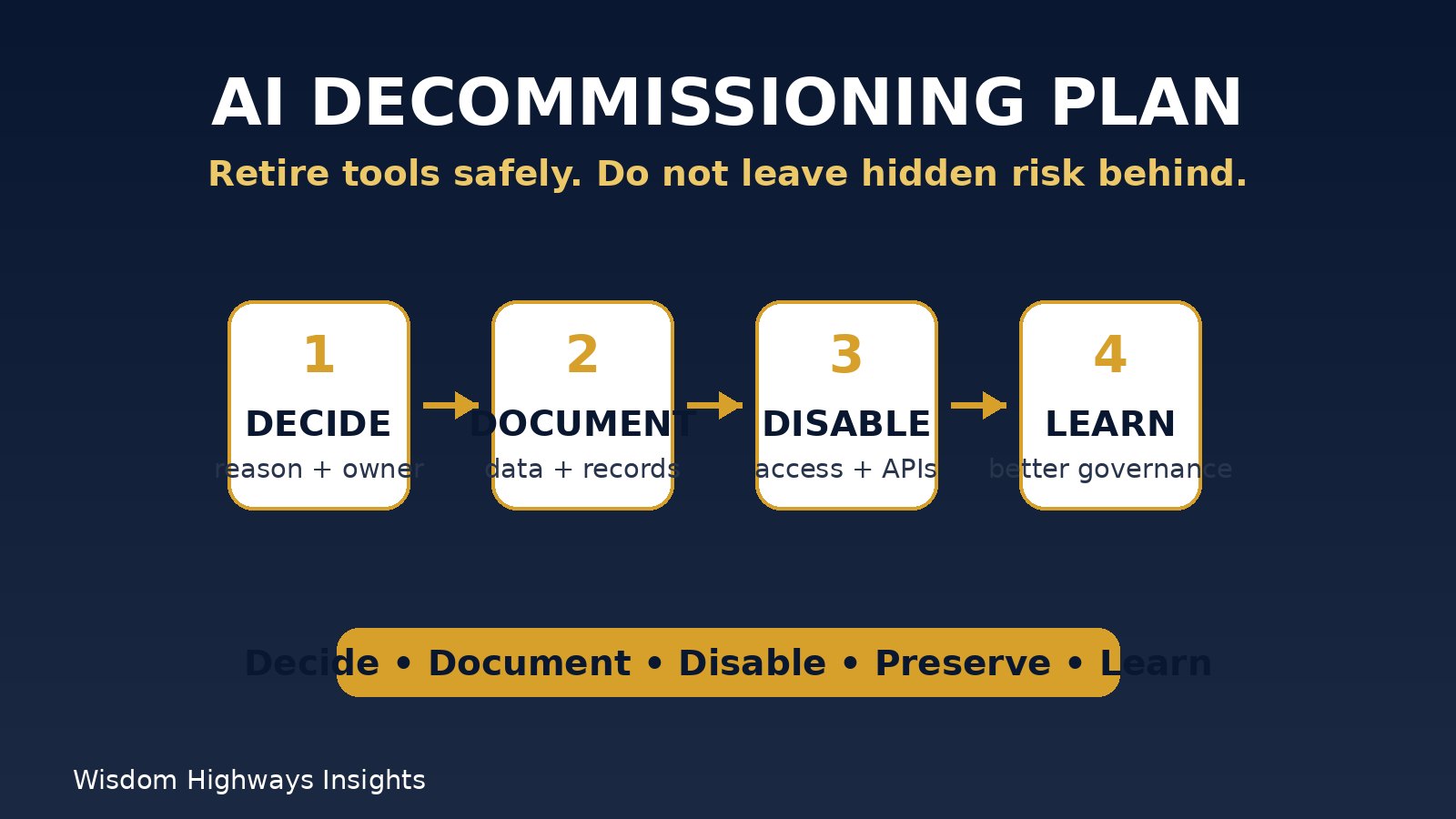
Use five practical steps: decide, document, disable, preserve and learn.
1. Decide: confirm the reason and authority
Before removing a tool, identify the reason. Is this a security concern, a cost issue, a privacy risk, poor adoption, duplicated functionality, vendor change, low value, or a mission-alignment problem? Then identify who has authority to make the decision. A ministry assistant should not be left to quietly abandon a tool that processed member information. A business team should not cancel a platform without checking customer-facing dependencies.
Connect this step to your AI Benefits Realization Register. If a tool did not deliver enough value, document what was expected, what happened and why the organization is moving on.
2. Document: map data, decisions and dependencies
Before disabling anything, write down what the tool touched. Leaders should ask:
- What data was entered, uploaded, connected or generated?
- Did the tool integrate with email, calendar, CRM, website, documents, finance, HR or church-management systems?
- Were outputs used for public content, pastoral care, client decisions, donor communication, policy drafts or staff decisions?
- Who had access, including contractors, volunteers, vendors or former staff?
- What records must be retained for accountability, learning or compliance?
This is where your AI Tool Inventory, AI Audit Trail and AI Data Retention Policy become valuable. You cannot retire safely what you never recorded.
3. Disable: remove access and disconnect integrations
Decommissioning is not complete when someone stops logging in. Disable user accounts, remove API keys, revoke calendar and drive permissions, disconnect browser extensions, remove automations, cancel unused subscriptions, update password-manager entries, and check whether the tool had admin-level access anywhere.
For churches, this might include removing access for former volunteers or ministry staff who tested AI tools during a busy season. For SMEs, it may include disabling integrations connected to customer support, proposal writing, meeting transcripts or marketing automation. Your AI Access Control Checklist should be updated immediately.
4. Preserve: keep the right records without spreading sensitive data
Some records should be kept: approval notes, risk decisions, vendor review summaries, final reports, policy changes, and lessons learned. Other material should not be casually copied into new folders just because a tool is being retired. Sensitive prompts, transcripts, member stories, HR notes, donor details or customer data may require stricter handling.
The ICO guidance on AI and data protection is a useful reminder that AI and personal data require careful governance. Even when a reader is outside the UK, the practical lesson still applies: personal information should not be kept, exported or reused without a clear lawful and ethical reason.
5. Learn: turn the exit into better governance
After the tool is retired, hold a short review. What did the organization learn about tool selection, staff training, workflow design, vendor review, privacy, adoption or measurement? Update your AI Governance Review Cadence so the same issue does not repeat.
The goal is not to shame the team for experimenting. The goal is to make each experiment increase wisdom. A retired tool can still produce value if it teaches leaders how to choose, govern and measure the next one more carefully.
Ministry example: retiring an AI meeting note tool
A church tries an AI meeting assistant for planning meetings. It seems helpful at first, but later leaders realize it may capture sensitive pastoral references, volunteer names and internal concerns. The tool is not evil, but the usage context is too sensitive for the way it was configured.
A wise decommissioning process would include:
- Pause the tool immediately for meetings involving care, HR, discipline, finance or confidential matters.
- Identify what meetings were recorded or summarized.
- Export only records that must be retained, with restricted access.
- Delete or request deletion of unnecessary transcripts according to the vendor’s process and the church’s policy.
- Remove integrations from calendars and video platforms.
- Tell relevant leaders what changed and what meeting-note practice replaces it.
The lesson is not “never use AI for notes.” The lesson is “classify the meeting before you automate the memory.”
SME example: replacing an AI customer-support assistant
A small business tests an AI support assistant connected to FAQs and customer messages. After several months, the team finds that the assistant answers simple questions well but struggles with refund exceptions, product limitations and emotionally charged complaints. The owner decides to replace it with a better-governed workflow.
Before turning it off, the business should export useful non-sensitive FAQs, remove customer-data access, preserve evidence of key configuration choices, notify staff, update website language, monitor support channels for missed messages, and make sure no old automation continues sending replies from the retired tool. If a serious error occurred, connect the exit process to the AI Incident Response Plan.
A simple AI decommissioning checklist
| Area | Leader question | Action |
|---|---|---|
| Decision | Why are we retiring this tool? | Record reason, owner and approval. |
| Data | What information did the tool process? | Classify, export only what is needed, delete or restrict the rest. |
| Access | Who and what can still connect? | Disable users, integrations, API keys and automations. |
| Records | What must we preserve? | Keep governance evidence without duplicating sensitive data. |
| Communication | Who needs to know? | Inform staff, volunteers, vendors or clients where appropriate. |
| Learning | What should change next time? | Update inventory, policies, vendor questions and training. |
Common mistakes to avoid
- Only canceling the subscription. Billing cancellation does not always remove data, integrations or access.
- Forgetting connected accounts. Calendar, email, storage, CRM and website permissions may remain active.
- Deleting everything too quickly. Some evidence may be needed for accountability, finance, support or learning.
- Keeping everything “just in case.” Retaining sensitive data without purpose creates unnecessary exposure.
- Failing to communicate the replacement process. Teams may keep using screenshots, old links or unofficial workarounds.
- Ignoring known AI risks. The OWASP Top 10 for Large Language Model Applications highlights risks such as sensitive information disclosure and overreliance. Decommissioning should reduce those risks, not scatter them.
How to implement this in one week
- Day 1: Review the AI tool inventory and identify unused, risky or duplicated tools.
- Day 2: Choose one tool for decommissioning and assign an owner.
- Day 3: Map data, users, integrations and outputs.
- Day 4: Decide what to preserve, delete, export or restrict.
- Day 5: Disable accounts, automations and permissions.
- Day 6: Communicate the replacement workflow to the team.
- Day 7: Update policies, vendor questions and the governance review calendar.
The UK Government’s generative AI framework reinforces the importance of governance and assurance when using generative AI. Your organization may be smaller than a government department, but the principle scales down well: do not let AI use become invisible.
Final thought: a wise exit protects future trust
Leaders often feel pressure to adopt the next tool quickly. But wisdom is shown not only in what you adopt; it is also shown in what you retire. A clear AI decommissioning plan protects people, preserves accountability, reduces hidden risk and helps your organization keep moving without carrying yesterday’s clutter.
If your team has experimented with AI tools but has not yet reviewed what should be retired, start with one tool this week. Small, disciplined exits build the governance muscle needed for larger AI decisions later.
Related resources
- AI Tool Inventory Template
- AI Data Retention Policy
- AI Vendor Security Questionnaire
- AI Benefits Realization Register
Keep learning with Wisdom Highways. Follow our WhatsApp Channel for practical AI tips, time-saving ideas, product updates and selected offers.
Follow WH Premium AI Vault on WhatsApp