
AI Readiness & Vendor Governance
AI Vendor Security Questionnaire: What Leaders Should Ask Before Connecting Tools to Their Data
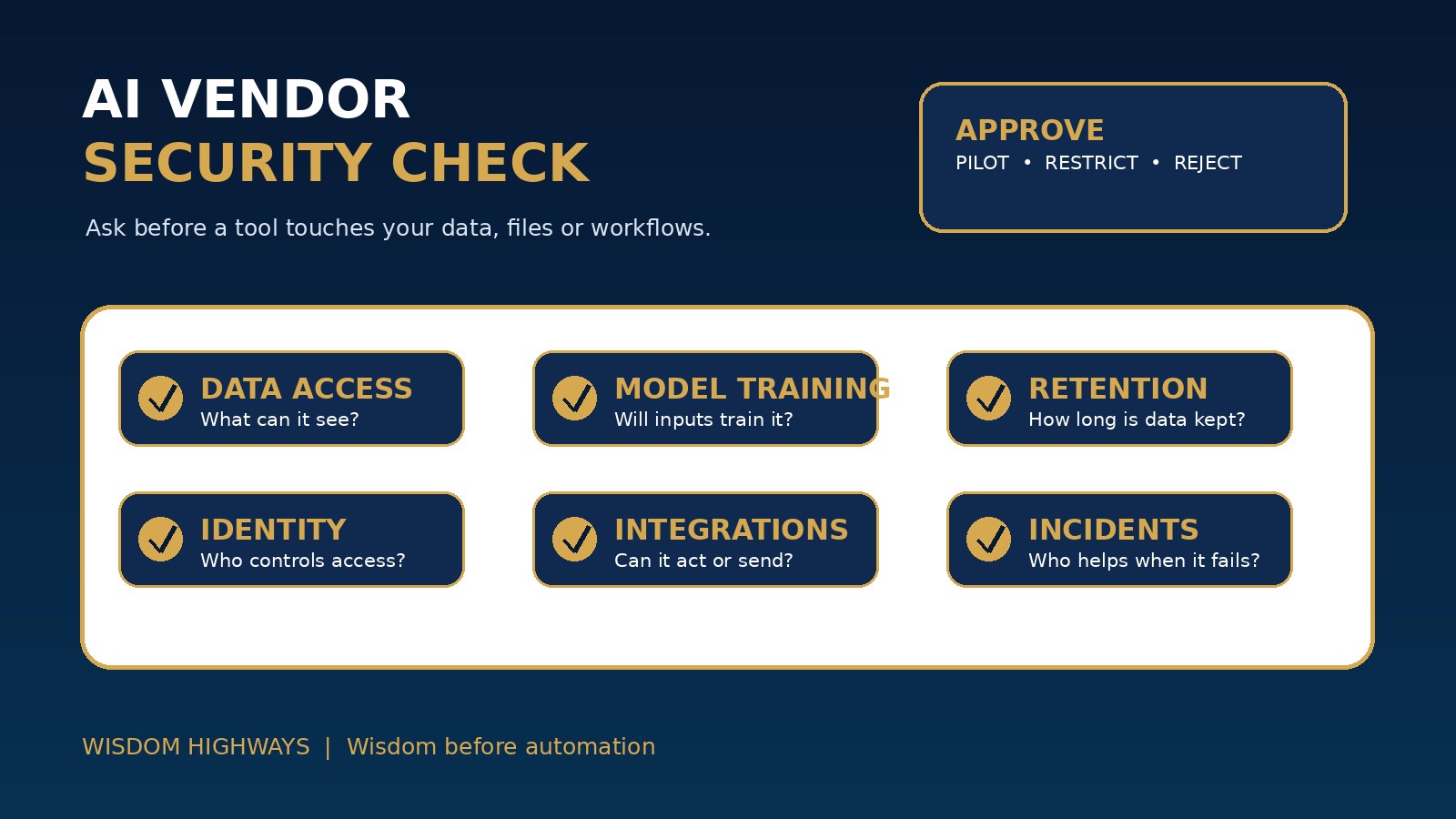
A shiny AI demo can make leaders forget a basic truth: once a tool touches your data, the vendor becomes part of your system of trust. Ask the right questions before access is granted.
Updated September 2026. This article is educational and operational, not legal, procurement, cybersecurity, privacy, insurance or financial advice. Adapt it with qualified advisers for your jurisdiction, sector and risk level.
Why an AI vendor questionnaire matters before adoption
Many churches, nonprofits and SMEs are not buying “software” in the old sense. They are connecting AI tools to calendars, email, documents, donor records, customer conversations, meeting notes, websites, CRMs, payment systems, cloud drives and internal knowledge bases. The risk is no longer only whether the tool can produce useful text. The question is what the tool can see, store, learn from, change, send or expose.
Leaders often feel pressure to move quickly because AI vendors promise speed, personalization, automation and cost savings. Those benefits may be real, but speed without vendor governance can create avoidable privacy, security, reputational and pastoral-care risks. A vendor questionnaire slows the decision just enough to protect people and mission.
Wisdom Highways teaches wisdom before automation. A questionnaire is not bureaucracy for its own sake. It is a leadership conversation that asks whether the tool deserves access to the trust your organization has already earned.
Search intent: what leaders are really trying to decide
Someone searching for an AI vendor security questionnaire usually needs a practical list of questions before approving a tool. They may not have an enterprise procurement department, but they still need to know whether the vendor trains on their data, where data is stored, who can access it, how long it is retained, what happens after deletion, what integrations are enabled, and whether humans remain accountable for decisions.
This article gives pastors, nonprofit executives, founders, operations managers and SME owners a plain-language starting framework. Use it alongside your tool inventory, approval workflow, data classification model, access-control checklist and incident response plan.
The WH eight-area AI vendor questionnaire
1. Purpose and fit
What problem will this tool solve, and is AI actually required? Which team, ministry, department or workflow will use it? What result would make it worth adopting, and what result would make leaders remove it? A tool should not be approved because it is impressive; it should be approved because it serves a clear mission or operational purpose.
2. Data access and data categories
What information will the tool process: public, internal, restricted or never-paste data? Will it connect to email, documents, CRM, donor records, customer files, pastoral-care notes, staff records, financial information or children’s data? If the answer is unclear, do not approve access until the data category is clear.
3. Training and model use
Does the vendor use customer prompts, uploads, outputs, audio, transcripts or connected files to train or improve models? Is there an opt-out, and is it enabled by default for your plan? Is the protection contractual or merely a settings toggle? Leaders should not rely on assumptions made from marketing language.
4. Storage, retention and deletion
Where is data stored, how long is it retained, who controls deletion, and what happens in backups or logs? Can your organization export, delete or suspend data if a staff member leaves, a project ends, or a risk is discovered? Retention should match your policy, not vendor convenience.
5. Access control and identity
Can the organization manage users centrally? Does the tool support role-based access, single sign-on, multi-factor authentication, audit logs and account removal? If staff use personal accounts, leaders may lose visibility and control exactly when they need it most.
6. Integrations and agency
Can the tool read, write, send, publish, delete, purchase, trigger workflows or call other systems? An AI assistant that only drafts text carries one risk level. An agent that can email customers, edit files, update records or trigger automations carries a higher risk level and needs stronger approval.
7. Security, reliability and incident handling
How does the vendor protect accounts, data and infrastructure? How are vulnerabilities reported? What notification is provided after a security or privacy incident? Is there a support path for urgent containment? If the tool becomes important to daily work, leaders need more than a help-page link.
8. Human oversight and accountability
Who reviews outputs before they affect people, money, doctrine, pastoral care, hiring, legal obligations, donor trust or customer relationships? The vendor may supply the tool, but your organization remains accountable for how it is used.
Minimum questions before a low-risk trial
- What exact workflow will we test, and for how long?
- What data level is allowed during the trial?
- Are users forbidden from entering restricted or never-paste data?
- Who owns the admin account and offboarding?
- Can we turn off model training on our inputs?
- How will outputs be reviewed before they are used?
- What success, risk or confusion will end the trial?
A low-risk trial should use public or anonymized information wherever possible. If the tool needs sensitive data to prove value, the decision is no longer a casual trial; it is a governance decision.
Additional questions before sensitive data or automation access
| Risk area | Leadership question |
|---|---|
| Personal data | What personal data is processed, where, why, by whom and for how long? |
| Confidentiality | Does use of the tool conflict with donor, member, client, employee, contract or pastoral confidentiality expectations? |
| Permissions | Can access be limited by role, team, workspace, project or data source? |
| Logging | Can leaders review prompts, actions, uploads and changes without spreading sensitive content? |
| Vendor support | Who can help if sensitive data is uploaded accidentally or an integration behaves unexpectedly? |
| Exit plan | Can data be exported, deleted and disconnected if the vendor relationship ends? |
Examples for churches, nonprofits and SMEs
Church or ministry: A team wants an AI note-taker for pastoral meetings. The questionnaire asks whether sensitive conversations are recorded, transcribed, stored, trained on, shared with third parties, accessible to admins and deleted on request. If the meeting involves safeguarding, counselling, discipline, children or vulnerable people, the answer may be “not this tool.”
Nonprofit: A fundraising team wants AI segmentation for donor emails. The questionnaire asks which donor fields are uploaded, whether consent and privacy notices cover the use, whether the vendor trains on data, how access is controlled, and whether outputs could create inappropriate targeting or reputational risk.
SME: A service business wants an AI customer-support assistant connected to email and helpdesk tickets. The questionnaire asks what the assistant can read, draft, send or escalate, how customer data is protected, whether human approval is required, and how incorrect or sensitive responses are corrected.
Decision model: approve, pilot, restrict or reject
Do not force every tool into a simple yes/no decision. Use four outcomes:
- Approve: The purpose is clear, data risk is low or controlled, access is managed, and oversight is defined.
- Pilot with limits: The tool may be useful, but only with public/anonymized data, named users, a short test period and review.
- Restrict: The tool may be allowed for limited use but not for sensitive data, automation, external communication or high-impact decisions.
- Reject for now: The vendor cannot answer basic data, security, retention, access or accountability questions well enough for the proposed use.
The wise decision is sometimes not “never.” It may be “not yet, not with that data, not without admin controls, and not without human review.”
Seven-day implementation plan
- Day 1: List the AI vendors and AI-enabled tools already in use.
- Day 2: Assign each tool to a data level: public, internal, restricted or never-paste.
- Day 3: Choose the eight questionnaire areas your team will use before approval.
- Day 4: Require an owner for each vendor relationship and trial.
- Day 5: Add an integration review for tools that can read, write, send or automate actions.
- Day 6: Create a simple decision log: approve, pilot, restrict or reject.
- Day 7: Train leaders and staff to ask these questions before signing up with personal or departmental accounts.
Common mistakes to avoid
- Approving a tool because the demo is impressive but the data path is unclear.
- Assuming a free or personal account is safe for organizational information.
- Letting a department connect a tool to shared drives without central visibility.
- Ignoring retention and deletion until after sensitive data has been uploaded.
- Confusing “AI policy” with actual vendor review and access control.
- Allowing AI agents to take actions before human approval rules are defined.
- Treating vendor risk as only a technical issue when it also affects trust, pastoral care, donor stewardship and reputation.
Evidence and governance anchors
The sources below support this article’s cautious approach to AI risk governance, secure technology adoption, privacy, LLM-specific risk and accountable human oversight. They are references for leadership discipline, not substitutes for local professional advice.
- NIST AI Risk Management Framework — supports governing, mapping, measuring and managing AI risk before and after adoption.
- CISA Secure by Design — reinforces asking vendors to reduce security risk by design rather than shifting risk to customers.
- OWASP Top 10 for Large Language Model Applications — highlights LLM-specific risks such as sensitive information disclosure, supply-chain exposure and excessive agency.
- UK ICO AI and data protection guidance — supports privacy, accountability and data protection questions when AI tools process personal data.
- OECD AI Principles — anchors human-centred, robust, secure and accountable AI use.
- NIST Cybersecurity Framework — provides a practical governance reference for identifying, protecting, detecting, responding and recovering around technology risk.
Related Wisdom Highways resources
Before you connect the next AI tool
An AI vendor security questionnaire helps leaders move with both courage and care. It does not kill innovation; it makes innovation safer, more accountable and more aligned with mission. Before a vendor touches your data, ask what the tool can see, store, learn from, change and expose.
Keep learning with Wisdom Highways. Follow our WhatsApp Channel for practical AI tips, time-saving ideas, product updates and selected offers.
Follow WH Premium AI Vault on WhatsApp