
AI Meeting Notes Policy: What Leaders Should Record, Review and Never Transcribe
Last updated: September 23, 2026.
AI meeting assistants can feel like a gift to busy leaders. They join a call, transcribe the conversation, summarize decisions, capture action items and sometimes draft follow-up emails before anyone has opened a notebook. For pastors, nonprofit directors, consultants and small-business owners, that can save real time.
But a meeting is not only an information event. It may include staff concerns, pastoral issues, donor details, client strategy, volunteer challenges, finances, children’s ministry logistics, employment matters, prayer requests, board decisions or early ideas that were never meant to become a searchable transcript. When AI meeting notes spread faster than the policy around them, convenience can quietly outrun wisdom.
That is why every purpose-driven organization needs an AI meeting notes policy: a simple standard for what may be recorded, who must know, what must be reviewed, where notes may be stored, when transcripts should be deleted, and which conversations should never be transcribed by AI at all.
At Wisdom Highways, our position is consistent: wisdom before automation. The goal is not to reject useful tools. The goal is to make sure speed serves trust, people, mission and accountability.
Search intent: why leaders are asking this now
The practical question behind this topic is not merely “Which AI note taker is best?” Leaders are asking deeper questions:
- Can we legally or ethically record this meeting?
- Do staff, volunteers, clients, members or donors need notice before an AI assistant joins?
- Where does the transcript go after the meeting?
- Who can access sensitive summaries?
- What if the AI summary misstates a decision?
- Should pastoral care, HR, counselling, legal, safeguarding or board matters be excluded?
Those are governance questions. A tool comparison will not answer them. Leaders need a repeatable decision process before meeting assistants become normal.
Why AI meeting notes require governance
Global AI guidance repeatedly points leaders toward human oversight, accountability, privacy, transparency and risk management. The NIST AI Risk Management Framework encourages organizations to govern, map, measure and manage AI risk. The UK Information Commissioner’s Office AI guidance reminds organizations that data protection duties still matter when AI is involved. Platform documentation from providers such as Microsoft Teams and Zoom also shows that transcription, captions, summaries and AI companions are configurable features, not neutral background magic.
In plain leadership language: if an AI tool listens to a meeting, summarizes people’s words or stores a transcript, it is touching trust. A policy does not need to be complicated, but it must be clear before the habit spreads.
The Wisdom Highways AI Meeting Notes Policy Framework
Use this six-part framework before your team uses AI transcription or meeting-summary tools.
1. Notice: Who needs to know AI is present?
People should not discover after the fact that a conversation was recorded, transcribed or summarized by AI. A wise policy requires clear notice before the meeting begins. The notice should say whether the meeting will be recorded, transcribed, summarized, or processed by an AI assistant; who will receive the notes; and how someone can object or request an alternative.
For internal low-risk meetings, this might be a standard calendar note. For client, member, donor, pastoral, board, HR or sensitive meetings, the notice should be more explicit. If your jurisdiction has specific consent or recording rules, follow qualified legal advice rather than assuming one global rule applies everywhere.
2. Consent and participation: What happens if someone says no?
Consent is not merely a checkbox if the person has no realistic option. The European Data Protection Board consent guidelines are a useful reminder that consent standards can be strict where personal data is involved. Even outside Europe, the leadership principle is simple: do not pressure people into being recorded when the meeting topic is sensitive.
Your policy should define alternatives. Can the AI assistant be removed? Can a human take manual notes? Can the meeting proceed without transcription? Can sensitive sections be paused? Leaders should decide this before a tense meeting, not during one.
3. Sensitivity: Which meetings should never be transcribed by default?
Not every meeting deserves a transcript. In fact, the more personal, pastoral, legal, financial or relational the conversation becomes, the stronger the case for human discretion.
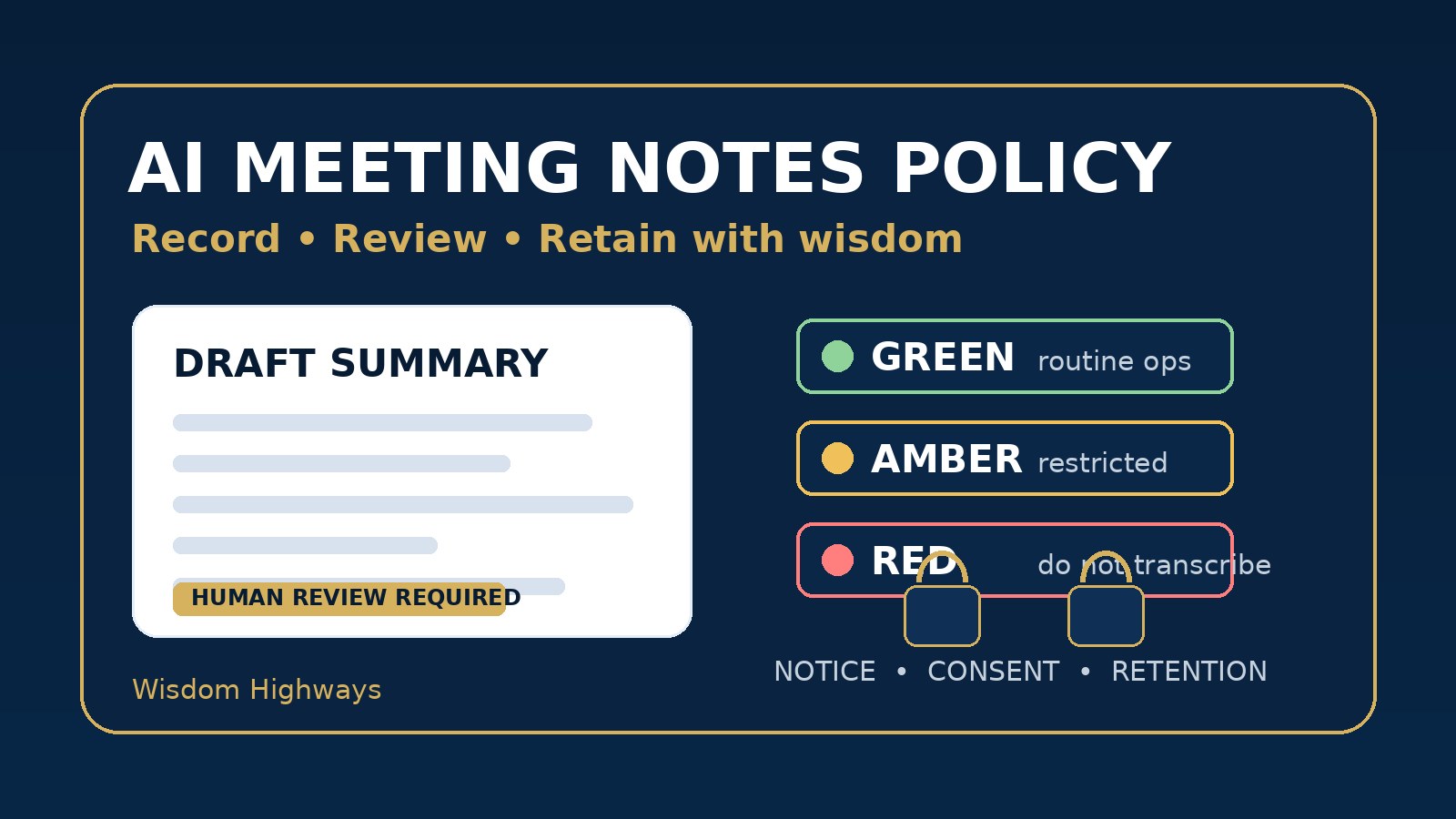
Wisdom Highways recommends a three-level meeting classification:
- Green meetings: routine operations, public project updates, non-sensitive planning and general task coordination. AI notes may be allowed with notice and review.
- Amber meetings: staff performance, donor strategy, client planning, board preparation, internal finances or member-related concerns. AI notes require leader approval, clear notice and restricted storage.
- Red meetings: pastoral counselling, safeguarding, private prayer requests, HR investigations, legal advice, disciplinary matters, medical details, children’s information, confidential crisis response or highly sensitive client matters. Do not transcribe by default; use qualified human judgment and approved procedures.
This is not anti-technology. It is pro-trust. Some conversations need fewer systems, not more recording.
4. Review: Who checks the summary before it becomes truth?
AI meeting summaries can be helpful, but they can also compress nuance, misread tone, assign an action item to the wrong person, omit uncertainty or turn a discussion into a decision. A policy should state that AI notes are a draft record until reviewed by a responsible human.
For routine meetings, the chair or project owner can review action items, names and dates. For board, client or leadership meetings, the accountable leader should confirm what was decided, what was only discussed, and what remains unresolved. For ministry contexts, a pastor or delegated leader should check that notes do not misrepresent pastoral tone, doctrine, care or confidentiality.
A simple review label helps: “AI-generated draft. Reviewed by [name] on [date]. Corrections recorded below.”
5. Retention: How long should transcripts and summaries live?
AI notes become a record. Records need retention rules. If every transcript stays forever in a shared drive, searchable workspace or vendor portal, yesterday’s convenience becomes tomorrow’s discovery, privacy and reputational problem.
Your policy should define:
- where transcripts and summaries may be stored;
- who can access them;
- which meetings require restricted folders;
- when raw transcripts should be deleted;
- what summary, if any, should remain as the official record;
- who is responsible for deletion or archiving.
For many teams, the safest default is to keep the reviewed summary and action items, not the full raw transcript, unless there is a clear legal, governance or operational reason to retain it.
6. Tool settings: What must be checked before adoption?
Do not approve an AI meeting tool only because it produces neat notes. Review the vendor settings and data practices. Check whether the tool trains models on customer data, whether admins can disable features, how external guests are notified, where recordings are stored, whether transcripts can be deleted, and how access permissions work. Provider documentation such as Zoom’s AI Companion data handling information is useful starting material, but leaders still need to configure the tool for their context.
If your organization handles confidential client, member, pastoral, school, child, health, legal or financial information, involve the right accountable person before rolling out the tool across the team.
Examples for churches, nonprofits and SMEs
For pastors and church teams
A weekly operations meeting about Sunday service logistics may be a reasonable Green meeting for AI action items. A pastoral counselling session, safeguarding concern, private prayer conversation or conflict mediation is not. A church can use AI to reduce administrative load while still protecting spiritual care, privacy and trust.
For nonprofits and NGOs
A nonprofit may use AI notes for program coordination or campaign planning. But donor conversations, beneficiary stories, case-management details and vulnerable-person information require much stricter boundaries. A summary that saves ten minutes is not worth exposing someone’s dignity or safety.
For SMEs and consultants
A small business may benefit from AI-generated meeting actions after client check-ins. But proposals, pricing discussions, employment matters, strategy calls and confidential client material need clear notice, access control and review. The policy should protect client trust as much as internal efficiency.
A practical AI meeting notes checklist
Before turning on an AI meeting assistant, ask:
- What is the meeting type: Green, Amber or Red?
- Have all participants been notified that AI may record, transcribe or summarize?
- Is consent or an alternative required for this meeting?
- Does the meeting include personal, pastoral, HR, legal, financial, child-related or confidential information?
- Who will review the AI summary before it is shared?
- Where will the transcript and summary be stored?
- Who can access the record?
- When will the raw transcript be deleted?
- What is the official record: transcript, summary, action list or approved minutes?
- Does the tool’s configuration match the policy?
Suggested policy wording leaders can adapt
Here is a simple starting point:
AI meeting assistants may be used only for approved meeting types after participants receive clear notice. AI-generated notes are draft records until reviewed by the meeting owner. Sensitive meetings involving pastoral care, safeguarding, HR investigations, legal matters, confidential client information, private donor details, children’s information or personal crises must not be recorded or transcribed by AI unless explicitly approved through the organization’s relevant governance process. Raw transcripts should be retained only when necessary and deleted according to the organization’s retention standard.
This wording is not legal advice. It is a leadership control. Adapt it to your jurisdiction, organizational policies and risk level.
Common mistakes to avoid
- Letting every staff member choose their own note taker. Unapproved tools create shadow records and privacy confusion.
- Assuming platform defaults are enough. Default settings may not match your ministry, nonprofit or client obligations.
- Keeping full transcripts forever. Retention should be intentional, not accidental.
- Sharing summaries without review. AI can misstate decisions or remove nuance.
- Recording sensitive conversations because it is convenient. Some rooms need trust more than automation.
- Ignoring external participants. Guests, clients, donors, members and partners deserve clarity.
How to implement this in one week
- List every AI meeting assistant or transcription feature currently used by your team.
- Classify your common meeting types as Green, Amber or Red.
- Write one standard notice sentence for Green meetings.
- Create an approval rule for Amber meetings.
- Prohibit default AI transcription for Red meetings.
- Name one owner for reviewing tool settings and storage permissions.
- Pilot the policy for two weeks, then adjust based on real use.
This is Time Reclamation done wisely: reduce the admin burden without turning every human conversation into unmanaged data.
Wisdom Highways perspective
AI meeting notes can be genuinely useful. They can help teams remember decisions, follow through faster and reduce the mental load on leaders who are already carrying too much. But the deeper question is not whether the tool works. The question is whether the organization is ready to use it responsibly.
If your team has no notice standard, no meeting classification, no review process, no retention rule and no data boundary, then AI notes may simply create a cleaner-looking version of disorder. The wise path is different: put the people, policy and process in place first, then let automation serve the mission.
Are your AI tools moving faster than your governance?
Take the Wisdom Highways AI & Systems Readiness Assessment to identify where your people, process, data boundaries and approval workflows need strengthening before AI use spreads further.
Related Wisdom Highways insights
- AI Data Privacy Checklist: What Churches, Nonprofits and Small Businesses Should Never Paste Into ChatGPT
- AI Output Review Checklist: What Leaders Should Check Before Sending AI-Written Content
- AI Audit Trail: What Leaders Should Record When AI Supports Decisions
- AI Access Control Checklist: Who Should Be Allowed to Use Which Tools?
- Shadow AI Governance: A Practical Checklist for Leaders Before Unapproved Tools Spread
Sources and further reading
- https://www.nist.gov/itl/ai-risk-management-framework — NIST AI Risk Management Framework — governance, mapping, measurement and management lens for AI-assisted workflows.
- https://ico.org.uk/for-organisations/uk-gdpr-guidance-and-resources/artificial-intelligence/ — UK ICO AI and data protection guidance — useful for privacy, fairness, accountability and lawful handling of personal data in AI systems.
- https://learn.microsoft.com/en-us/microsoftteams/meeting-transcription-captions — Microsoft Teams transcription and captions documentation — shows practical platform controls and responsibilities around meeting transcription.
- https://support.zoom.com/hc/en/article?id=zm_kb&sysparm_article=KB0058016 — Zoom support documentation for AI Companion meeting summary — useful for understanding real meeting-summary features and user controls.
- https://support.zoom.com/hc/en/article?id=zm_kb&sysparm_article=KB0058512 — Zoom documentation on AI Companion data handling — useful for privacy-oriented configuration review before adoption.
- https://www.edpb.europa.eu/documents/guideline/guidelines-052020-on-consent-under-regulation-2016679_en — European Data Protection Board consent guidelines — helpful background when leaders rely on consent for recording or processing personal data.
Keep learning with Wisdom Highways. Follow our WhatsApp Channel for practical AI tips, time-saving ideas, product updates and selected offers.
Follow WH Premium AI Vault on WhatsApp