
AI Prompt Library Governance: How Leaders Can Standardize Safe, Useful Prompts
Last updated: September 22, 2026.
Many teams begin using AI with one excited person, one copied prompt, and one quick win. Then the prompt gets forwarded into WhatsApp, pasted into email, adapted by another department, and reused in a context it was never designed for. What started as a helpful shortcut can quietly become an unmanaged operating system.
That is why leaders need more than “good prompts.” They need AI prompt library governance: a simple way to decide which prompts are approved, who may use them, what data is allowed, where human review is required, and when a prompt should be retired.
This is especially important for pastors, ministry teams, nonprofits, schools, consultants, and SMEs. Your words carry trust. A sermon summary, donor update, client proposal, counselling note, staff announcement, or public post is not just “content.” It can affect people, relationships, reputation, privacy, doctrine, finances, and decision-making.
At Wisdom Highways, our position is simple: wisdom before automation. A prompt library should help people work with clarity, not replace judgment, prayerful leadership, pastoral care, professional responsibility, or human accountability.
What is an AI prompt library?
An AI prompt library is an organized collection of reusable prompts that helps a team get consistent results from tools such as ChatGPT, Claude, Gemini, Copilot or other AI systems. A mature prompt library may include prompts for drafting emails, summarizing meetings, preparing teaching outlines, creating checklists, reviewing documents, building social captions, planning workflows, or generating first drafts of reports.
But a prompt library is not simply a folder of clever wording. If it is going to serve a real organization, it should also include:
- the purpose of each prompt;
- the approved audience or use case;
- what information users may and may not paste into the tool;
- the expected human review step;
- the owner responsible for maintaining the prompt;
- the date it was last checked;
- examples of good output and bad output;
- links to related policies, workflows or templates.
Without those guardrails, a prompt library can create the illusion of control while spreading hidden risk.
Why prompt libraries need governance
Global AI guidance consistently emphasizes human oversight, accountability, transparency, robustness, safety and responsible risk management. The NIST AI Risk Management Framework gives leaders a practical way to think about governing, mapping, measuring and managing AI risk. The OECD AI Principles and UNESCO Recommendation on the Ethics of AI also point toward human-centred and accountable AI use. Security guidance such as the OWASP Top 10 for LLM Applications highlights risks around data exposure, insecure output handling and overreliance on model output.
Translated into everyday leadership language, this means your team should not treat prompts as harmless text. A prompt can shape decisions, expose sensitive information, influence tone, produce inaccurate statements, or encourage a person to skip review. If the prompt becomes part of how work gets done, it deserves leadership attention.
Governance does not have to be heavy. For many purpose-driven organizations, a one-page standard and a reviewed prompt library are enough to begin. The goal is not bureaucracy. The goal is trust.
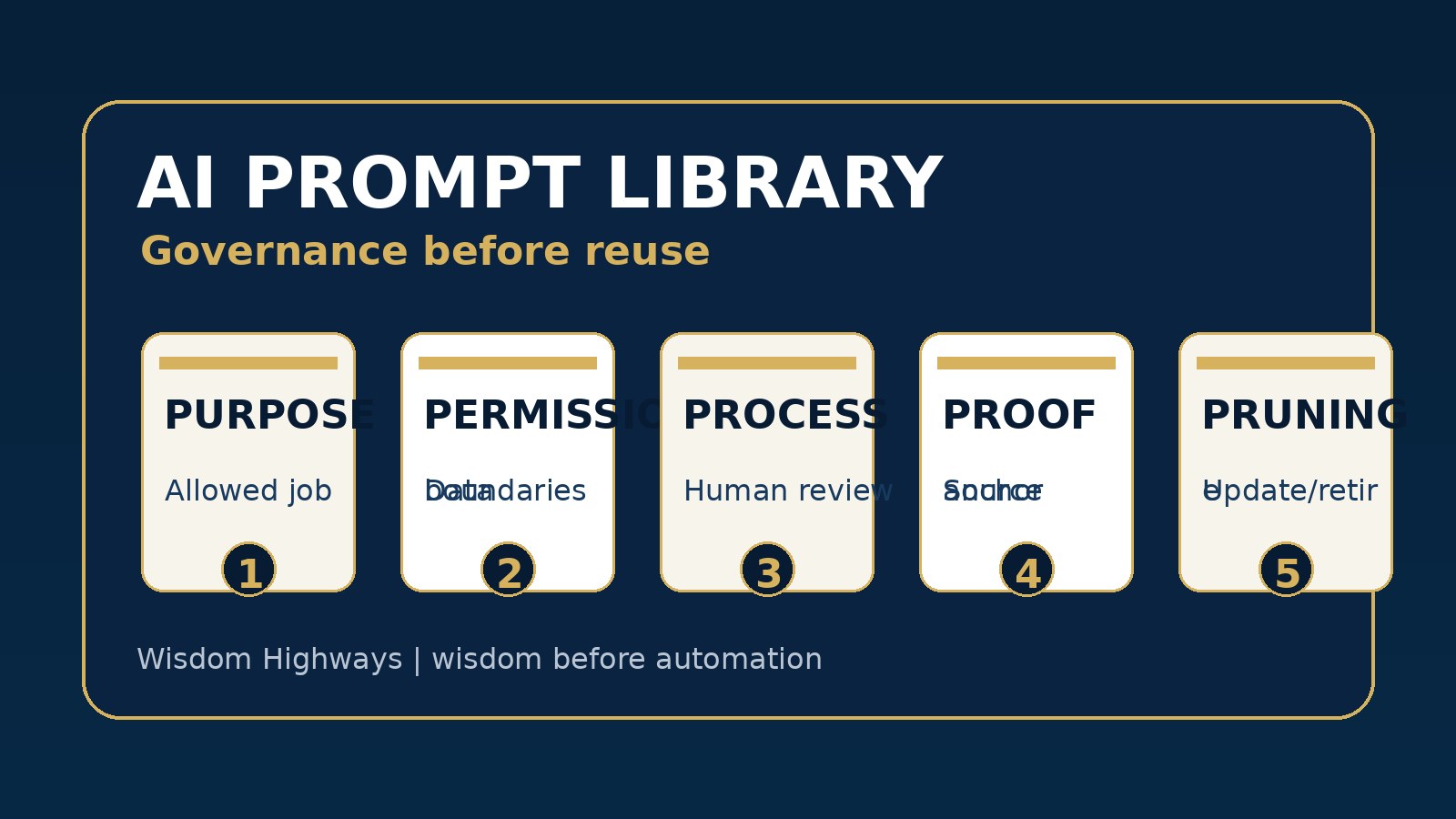
The Wisdom Highways Prompt Library Governance Model
Use this five-part model before your team turns prompts into a shared library.
1. Purpose: What job is this prompt allowed to do?
Every approved prompt should have a clear purpose. “Write better content” is too vague. “Create a first draft of a weekly staff announcement from approved bullet points” is clearer. “Summarize a public meeting transcript into action items for internal review” is clearer. “Draft three possible social captions from a final approved article” is clearer.
Purpose protects the team from using a prompt outside its lane. A prompt created for brainstorming should not be used for final policy language. A prompt created for sermon idea organization should not be treated as doctrinal authority. A prompt created for client proposal structure should not invent pricing, testimonials or results.
2. Permissions: Who may use it, and with what data?
This is where many organizations need immediate discipline. A prompt library should say what information users may paste into AI tools. Sensitive personal data, confidential counselling details, private donor information, unpublished financials, passwords, client secrets, medical details, children’s information, or proprietary documents may require strict limits or approved secure tools.
The UK Information Commissioner’s Office AI guidance is a helpful reminder that data protection duties do not disappear because a tool is convenient. Leaders should assume that if a prompt invites people to paste sensitive information, the prompt itself is now a risk point.
A simple permission label can help:
- Green: public or non-sensitive information only;
- Amber: internal information allowed after review or anonymization;
- Red: restricted information; do not use in public AI tools without explicit approval.
3. Process: What human review is required?
A prompt should not only instruct the AI. It should instruct the human user. For example: “Use this only for a first draft. Check facts, tone, names, dates, doctrine, privacy and final responsibility before sending.” That line may seem simple, but it changes behaviour.
For Wisdom Highways clients and readers, we often recommend a review gate that matches the risk level:
- Low-risk drafts: user reviews before use;
- Public-facing content: communications or leadership review;
- Pastoral, legal, financial, medical or sensitive people matters: qualified human review and likely no unsupervised AI output;
- Policies, contracts, governance, or strategic decisions: leadership approval before action.
AI can accelerate drafting. It should not quietly remove accountability.
4. Proof: What sources or constraints must the prompt use?
Many poor AI outputs come from prompts that ask for confidence without evidence. Your prompt library should teach users to provide approved source material where possible: a policy document, sermon notes, brand guide, meeting transcript, FAQ, offer sheet, or already approved article. The AI should be told not to invent facts, names, statistics, prices, promises, testimonies or results.
For example, a safer prompt might say: “Use only the notes below. If the notes do not contain a fact, say it is not provided. Do not invent statistics, client stories, pricing or Scripture references.”
This is a small wording change with a large trust impact.
5. Pruning: When should the prompt be updated or retired?
Prompt libraries decay. Tools change. Policies change. Offers change. Brand language improves. A prompt that worked six months ago may now produce outdated claims or weak output. Every prompt should have an owner and a review date.
For small teams, review the library monthly during the first ninety days, then quarterly once usage stabilizes. High-risk prompts should be reviewed more often. If a prompt produces repeated confusion, unsafe output or off-brand language, pause it instead of hoping users will remember the exception.
Examples for ministry, nonprofit and business teams
For pastors and ministry leaders
A church might approve prompts for summarizing sermon notes into small-group discussion questions, drafting volunteer appreciation messages, or turning an event brief into a clear announcement. But the library should state that AI output must not be treated as pastoral counsel, theological authority, private counselling documentation, or final doctrine. The pastor or delegated leader remains responsible for the message.
For nonprofits and NGOs
A nonprofit may use a prompt library to draft donor updates, summarize program reports, or adapt a campaign message for different audiences. Governance should prevent the AI from exaggerating impact, inventing beneficiary stories, exposing private data, or using emotionally manipulative language. Trust is the nonprofit’s currency; the prompt library should protect it.
For SMEs and consultants
A small business may use prompts for proposal outlines, client onboarding emails, FAQ drafts, meeting summaries or social content. Governance should clarify which prompts are internal only, which can touch client information, which require management review, and which must never invent guarantees or results. The aim is not to slow the team down; it is to stop speed from becoming rework or reputational damage.
A practical prompt approval checklist
Before adding any prompt to the shared library, ask:
- What exact job does this prompt do?
- Who is allowed to use it?
- What data may be entered?
- What data is forbidden?
- Is the output internal, public, sensitive or decision-supporting?
- What human review is required?
- Does the prompt tell the AI not to invent facts, statistics, prices, promises or testimonies?
- Does it require approved source material where needed?
- Who owns the prompt?
- When will it be reviewed?
A simple prompt card template
Use this structure for each approved prompt:
- Prompt name: Weekly Staff Announcement Draft
- Purpose: Draft a first version of an internal announcement from approved bullet points.
- Approved users: Admin and communications team.
- Allowed data: public event details and internal non-sensitive bullet points.
- Forbidden data: private counselling details, personal staff issues, passwords, donor records, confidential finances.
- Review required: ministry/admin leader checks names, dates, tone and final accuracy before sending.
- Owner: communications lead.
- Review date: monthly for first three months; quarterly after stabilization.
- Prompt text: “Using only the bullet points below, draft a warm, clear staff announcement. Do not invent facts. If information is missing, list questions at the end. Keep the tone respectful and practical.”
Common mistakes to avoid
- Collecting prompts without ownership. If nobody owns a prompt, nobody improves it.
- Letting prompts ask for sensitive information. A convenient prompt can become a privacy problem.
- Using one prompt for every audience. Internal updates, public posts, board reports and pastoral messages need different standards.
- Skipping source material. AI performs better when it is anchored in approved facts.
- Treating AI output as final. Drafting speed is not the same as leadership approval.
- Never retiring weak prompts. A messy library eventually trains the team to ignore the system.
How to start this week
If your organization is already using AI, do not wait for a perfect policy. Start with a controlled prompt library pilot:
- List the five most common AI tasks your team already performs.
- Choose two low-risk tasks to standardize first.
- Create prompt cards using the template above.
- Add data-permission labels: Green, Amber or Red.
- Require human review before public use.
- Track what works, what fails and what people keep editing.
- Review the prompts after two weeks and improve them.
This is Time Reclamation done wisely: not chasing every new tool, but reclaiming hours through a better system that still protects people, trust and mission.
Wisdom Highways perspective
A strong prompt library is not a shortcut around leadership. It is a leadership tool. It helps people ask better questions, use approved language, avoid repeated mistakes, and move faster without becoming careless.
But the deeper issue is readiness. If your team has no data boundaries, no review habit, no approval workflow, and no owner for AI-assisted work, then a prompt library alone will not solve the problem. It may simply organize the risk.
Before you scale AI across your ministry, nonprofit or business, check whether your systems are ready to carry the speed. The best AI implementation is not the one with the most prompts. It is the one where people, process, values and governance are aligned.
Is your team ready to use AI safely and wisely?
Take the Wisdom Highways AI & Systems Readiness Assessment to identify your strongest next step before AI use becomes scattered, risky or overwhelming.
Related Wisdom Highways insights
- AI Output Review Checklist: What Leaders Should Check Before Sending AI-Written Content
- AI Audit Trail: What Leaders Should Record When AI Supports Decisions
- AI Accountability Matrix: Who Owns Decisions When Your Team Uses AI?
- AI Staff Training Plan: What Leaders Should Teach Before the Team Uses AI Tools
- AI Policy Template for Churches, Nonprofits and SMEs
Sources and further reading
- https://www.nist.gov/itl/ai-risk-management-framework — NIST AI Risk Management Framework — a useful governance lens for mapping, measuring, managing and governing AI risks.
- https://oecd.ai/en/ai-principles — OECD AI Principles — human-centred values, transparency, robustness, security and accountability.
- https://www.unesco.org/en/artificial-intelligence/recommendation-ethics — UNESCO Recommendation on the Ethics of AI — global guidance on oversight, responsibility and transparency.
- https://genai.owasp.org/llm-top-10/ — OWASP Top 10 for LLM Applications — practical risks relevant to prompt use, data exposure, excessive agency and insecure output handling.
- https://ico.org.uk/for-organisations/uk-gdpr-guidance-and-resources/artificial-intelligence/ — UK ICO guidance on AI and data protection — reminds teams to protect personal data when using AI systems.
- https://www.microsoft.com/en-us/ai/responsible-ai — Microsoft Responsible AI — practical framing around accountability, transparency, reliability and safety.
Keep learning with Wisdom Highways. Follow our WhatsApp Channel for practical AI tips, time-saving ideas, product updates and selected offers.
Follow WH Premium AI Vault on WhatsApp