
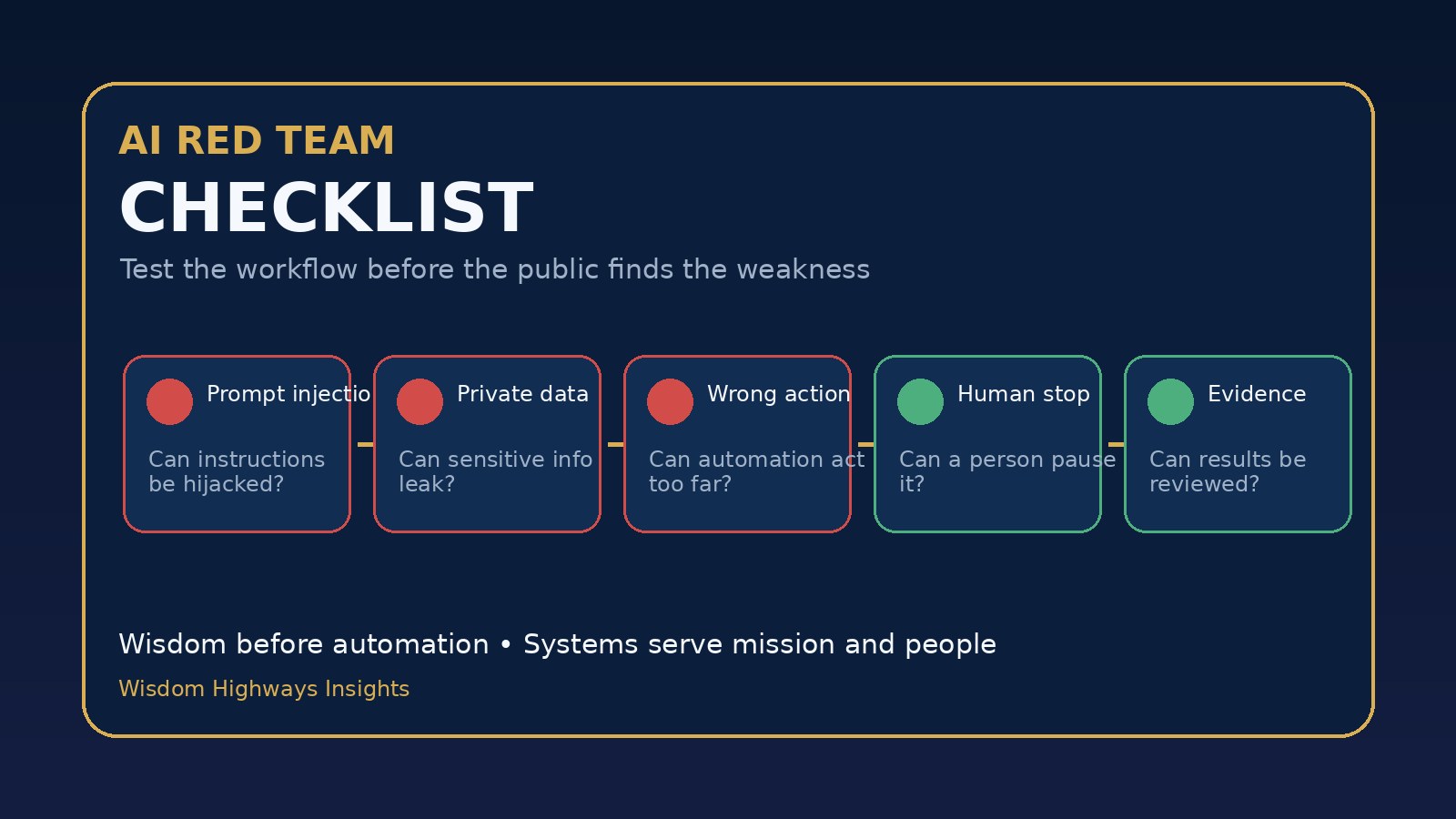
AI does not only need enthusiastic users. It needs honest testers. Before a church, nonprofit or growing business allows an AI workflow to touch real people, real data or real decisions, someone should ask a simple question: How could this fail in public?
That question is not fear. It is stewardship. A red team mindset helps leaders test prompts, automations and AI-assisted processes before the congregation, customer, staff team or community discovers the weakness for them.
This guide gives pastors, ministry leaders, nonprofit operators and SME owners a practical AI red team checklist. It is not written for cybersecurity specialists only. It is for leaders who want the benefits of AI without pretending every impressive demo is ready for real work.
What AI red teaming means in everyday language
Red teaming means deliberately testing a system from the perspective of things that could go wrong. In AI work, that may include unsafe instructions, bad outputs, private information leakage, overconfident answers, poor handoffs, tool misuse, biased assumptions, unclear ownership or a workflow that keeps running after a human should intervene.
Formal AI red teams may include security, legal, policy and technical experts. Smaller organizations rarely have that level of resource. But they can still run disciplined pre-launch tests. The goal is not to attack the team. The goal is to protect the mission.
Wisdom Highways frames this as a leadership practice: wisdom before automation. If an AI process will affect people, reputation, data, money, ministry care or operational trust, it deserves a safe challenge before launch.
Why this matters now
AI tools are moving from personal experimentation into team workflows. Staff members use prompts to draft messages, summarize conversations, plan campaigns, answer questions, triage tasks, prepare reports and trigger automations. That creates value, but it also creates new failure paths.
NIST’s AI Risk Management Framework encourages organizations to govern, map, measure and manage AI risk across the lifecycle. OWASP’s Top 10 for LLM Applications highlights practical risk areas such as prompt injection, sensitive information disclosure, excessive agency and insecure output handling. CISA’s Secure by Design principle reminds leaders that preventable failure should be addressed before users depend on the system.
For a large company, those ideas may become a formal assurance programme. For a church, charity, school, startup or local business, the same principle can become a simple rule: test the workflow before you trust the workflow.
The RED TEAM checklist
Use this checklist before launching a new AI prompt, assistant, automation or content workflow. It works best after you have already defined your AI acceptance criteria and tested the normal use case in an AI prompt testing sandbox.
R — Risk scenario
Name the failure you are testing. Do not say “make sure it works.” Say, “Can this prompt produce a confident but wrong pastoral answer?” or “Can this automation send a customer message without the required approval?” Specific risk scenarios produce better tests.
- What is the worst reasonable misunderstanding?
- What if the user gives incomplete, emotional or hostile input?
- What if the AI has outdated context?
- What if a staff member copies the output without review?
E — Edge cases
Test situations outside the happy path. A church admin assistant might ask the AI to draft a message for a grieving family. A business owner might use AI to respond to a complaint. A nonprofit might summarize beneficiary information. These are not ordinary productivity tasks; they carry human weight.
Build a small set of edge-case prompts: vague input, sensitive input, angry input, contradictory input, missing data, unusual language, mixed instructions and requests that should be refused or escalated.
D — Data exposure
Ask what information the AI sees, stores, repeats or sends onward. If the workflow handles personal, pastoral, customer, employee, donor or financial data, the testing bar should rise. The question is not only “Did the answer look useful?” It is also “Did we expose something we should have protected?”
- Can private notes appear in the final output?
- Can one user access another user’s information?
- Can the prompt encourage staff to paste confidential data into an unsafe place?
- Can the automation send sensitive information to the wrong channel?
T — Tool boundaries
Many AI failures become serious when the AI is connected to tools: email, calendars, CRMs, spreadsheets, payment systems, social accounts, website forms or messaging platforms. The more the system can do, the more carefully leaders must define what it must not do.
Test whether the workflow can take an action without the right approval. If it can draft, that is one level of risk. If it can publish, send, delete, refund, book, cancel or update records, that is another level entirely. Use an AI escalation policy so humans remain responsible where the stakes are high.
E — Evidence trail
If a workflow fails, can you see what happened? Leaders need logs, version notes, test results, owner names and approval records. Otherwise the organization ends up with mystery automation: everyone uses it, nobody owns it and nobody knows what changed.
This is why AI version control matters. A red team test without evidence becomes a conversation. A red team test with evidence becomes governance.
A — Approval gate
Decide who can approve the workflow for live use. Approval should not be automatic just because the test passed once. The approver should understand the purpose of the workflow, the risks tested, the unresolved limitations and the human review rules.
For ministry or care-related workflows, include someone with pastoral judgement. For customer-facing workflows, include someone responsible for service quality. For finance, HR or legal-adjacent workflows, do not rely on enthusiasm alone. Get the right human in the loop.
M — Monitoring after launch
Passing a pre-launch test does not mean the system is safe forever. Prompts drift. tools change. Staff habits change. New edge cases appear. Build a simple AI monitoring plan so you can catch problems early.
Monitoring can include weekly spot checks, staff feedback, customer complaints, escalation counts, output review scores, incident notes and periodic retesting. If something goes wrong, follow an AI incident response plan rather than improvising under pressure.
A simple 30-minute red team session
Small teams do not need a complicated workshop to begin. Try this:
- Choose one workflow. Do not test everything at once.
- Name the owner. One person is responsible for the result.
- List five failure scenarios. Include at least one privacy, one reputation and one human-care risk.
- Run the tests in a sandbox. Use fake or approved sample data, never unnecessary real sensitive data.
- Score the results. Pass, revise, escalate or reject.
- Record the evidence. Save the prompt version, test examples, decision and approver.
- Set the review date. Decide when the workflow must be checked again.
Examples for churches, nonprofits and SMEs
Church communications: A team wants AI to draft follow-up messages for first-time visitors. Red team tests should check whether the message sounds manipulative, reveals internal notes, mishandles pastoral language, or sends before a human approves it.
Nonprofit reporting: A charity wants AI to summarize programme notes for donor updates. Tests should check whether personal stories are anonymized, claims are supported, beneficiaries are treated with dignity and sensitive data is not copied into public language.
SME customer service: A business wants AI to draft replies to complaints. Tests should check tone, refund promises, legal admissions, incorrect facts, escalation triggers and whether a frustrated customer can push the workflow into inappropriate commitments.
When not to launch
Do not launch if the workflow cannot explain when it should ask for a human, if it handles sensitive data without clear boundaries, if nobody owns the prompt version, if the team cannot see what happened after an error, or if the output is good only when the user asks a perfect question.
Also pause when the workflow would create spiritual, medical, legal, financial, employment or safeguarding implications beyond the team’s authority. AI can assist preparation and administration, but it should not quietly replace wise human responsibility in high-stakes matters.
Wisdom Highways perspective
The purpose of red team testing is not to slow progress. It is to make progress trustworthy. Fast automation without testing can create hidden risk. Wise automation creates value while keeping people, mission and accountability in view.
If your organization is beginning to use AI across operations, do not start with the question, “What can we automate?” Start with, “What must remain governed, reviewed and human-owned while we automate?”
Related Wisdom Highways resources
Sources and further reading
- NIST AI Risk Management Framework
- NIST AI RMF Generative AI Profile
- OWASP Top 10 for LLM Applications
- Microsoft AI Red Teaming guidance
- Google Secure AI Framework
Freshness note: Prepared and checked in October 2026. Review before reuse if major AI governance, security or platform guidance changes.
Keep learning with Wisdom Highways. Follow our WhatsApp Channel for practical AI tips, time-saving ideas, product updates and selected offers.
Follow WH Premium AI Vault on WhatsApp