
Wisdom Highways Decision Guide
Many leaders use the words “AI” and “automation” as if they mean the same thing. They do not.
That confusion matters because the wrong starting point can waste money, frustrate your team and create systems that look impressive but do not solve the real problem.
A pastor may think the church needs AI when the first need is a simple visitor follow-up workflow. A founder may buy an AI writing tool when the real bottleneck is lead routing, quoting or customer onboarding. An executive may ask for an “AI agent” when the organization has not yet documented the process the agent is supposed to support.
So before you ask, “Which tool should we buy?” ask a wiser question:
Do we need AI, automation, or a human-governed combination of both?
This guide explains the difference in plain language for pastors, ministry leaders, SME owners, executives and purpose-driven organizations.
The simple difference between AI and automation
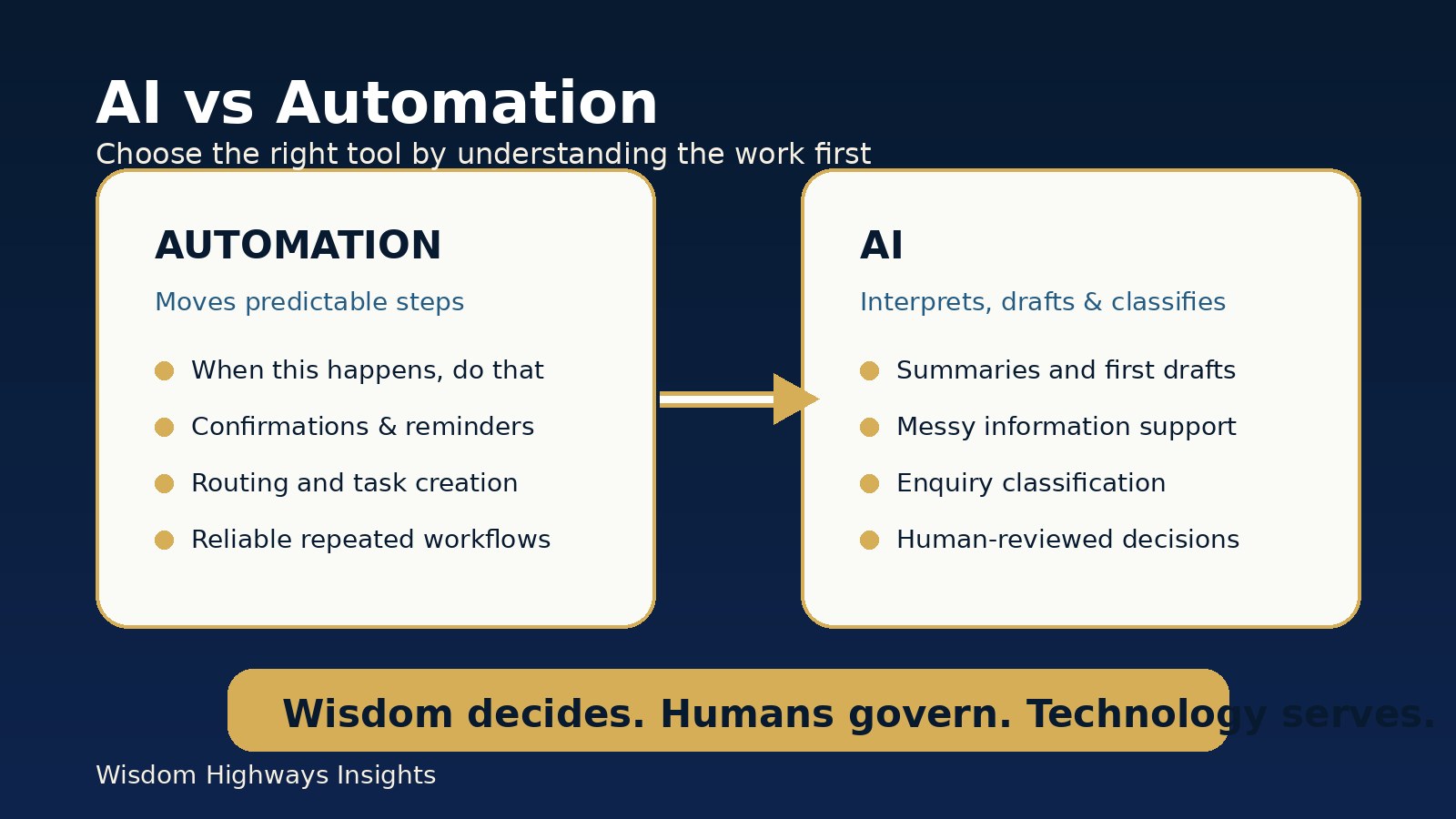
Automation makes predictable steps happen consistently. It is excellent for rule-based work: when this happens, do that.
AI helps with interpretation, language, summarizing, classification, drafting and pattern recognition. It is useful when the work requires judgment-like support, but still needs human review.
A simple way to remember it:
Automation moves the process. AI helps interpret or create within the process.
For example, an online form can automatically send a confirmation email, add a contact to a list and notify a team member. That is automation. AI might summarize the form response, classify the enquiry and draft a tailored reply for a human to approve. That is AI-assisted workflow design.
What automation is best for
Automation is strongest when the task is repeated, predictable and easy to define. It helps organizations reduce dropped balls and manual handoffs.
Useful automation examples include:
- sending confirmation emails after a form submission;
- creating calendar reminders and follow-up tasks;
- moving approved leads into a CRM or spreadsheet;
- notifying the right team member when a request arrives;
- sending event reminders to registered participants;
- generating recurring reports from known data sources;
- organizing routine onboarding steps.
Automation is not glamorous, but it is often the fastest way to improve reliability. Many organizations do not need a more “intelligent” system first. They need a clearer workflow that runs consistently.
What AI is best for
AI is strongest when the task involves language, messy information, summarization, classification or a first draft.
Useful AI examples include:
- turning meeting notes into action points;
- summarizing sermon, webinar or training transcripts;
- drafting first versions of emails, captions or announcements;
- classifying enquiries by topic or urgency;
- organizing scattered ideas into an outline;
- preparing a decision brief from approved documents;
- helping leaders compare options before a human decides.
AI can accelerate thinking and communication, but it should not become final authority. NIST’s AI Risk Management Framework emphasizes trustworthy AI characteristics such as validity, safety, accountability, transparency, explainability, privacy and fairness. The OECD AI Principles also stress human-centered, accountable and robust AI. For Wisdom Highways, that means AI should assist wisdom-led leadership, not replace it.
Where AI and automation work together
The real power often appears when AI and automation are combined carefully.
Consider a church visitor follow-up workflow:
- A visitor fills a connection form.
- Automation sends a warm confirmation and alerts the welcome team.
- AI summarizes the visitor’s interests and drafts a suggested follow-up note.
- A human leader reviews the note for tone, sensitivity and accuracy.
- Automation creates a follow-up reminder so nobody is forgotten.
For an SME, the same pattern might apply to a sales enquiry:
- A prospect submits a form.
- Automation records the enquiry and notifies the right person.
- AI classifies the need and prepares a first response based on approved service information.
- A team member reviews the response and sends it.
- Automation schedules the next step and preserves the source of the lead.
This is not “letting AI run the organization.” It is designing a human-governed system where technology serves people, mission and measurable outcomes.
The decision framework: which one do you need?
Use this practical test before choosing tools.
Choose automation first when the work is predictable
Automation is likely the right starting point if:
- the steps are already clear;
- the work repeats often;
- the same trigger should produce the same action;
- there is little interpretation required;
- the main problem is speed, consistency or follow-up.
Examples: reminders, confirmations, task creation, form routing, appointment notifications and routine data movement.
Choose AI assistance when the work needs interpretation
AI may be useful if:
- the input is messy or varied;
- someone needs a summary, draft or classification;
- language quality matters;
- leaders need help turning information into decisions;
- a human will review the output before action.
Examples: enquiry summaries, meeting notes, content repurposing, first-draft communication and internal knowledge support.
Choose AI plus automation when both thinking and handoff are needed
A combined system may be right if:
- information must be interpreted before the next step;
- follow-up often gets delayed or forgotten;
- approved knowledge should guide replies;
- the team needs both personalization and consistency;
- human review can be built into the workflow.
Examples: lead qualification, visitor care follow-up, client onboarding, volunteer coordination, reporting summaries and content production pipelines.
What should remain human-led
Some responsibilities should never be handed over blindly to AI or automation.
Keep human authority over:
- pastoral care, counselling and sensitive spiritual matters;
- doctrinal statements and public teaching claims;
- legal, medical, financial or HR advice;
- discounts, contracts, refunds or unusual commitments;
- confidential personal, member, customer or donor information;
- complaints, conflict, discipline and crisis communication;
- final approval of reputation-sensitive content.
The more a workflow touches people’s trust, privacy, wellbeing or reputation, the more important human review becomes.
A ministry example: visitor follow-up
A church may not need a complicated AI system to improve visitor care. The first step may be automation: form submission, welcome email, internal notification and reminder task.
AI can then assist by summarizing the visitor’s interests or drafting a note. But a human should approve communication that feels pastoral, relational or sensitive. The system should support care, not simulate spiritual shepherding.
A business example: enquiry to booked call
An SME may receive enquiries through a website, WhatsApp, email and social media. Without automation, leads get scattered. Without AI, replies may take too long or depend entirely on one busy person.
A wise system can combine both: route the enquiry, summarize the need, prepare a response from approved service information, assign ownership and track follow-up. The business becomes more responsive without making careless promises.
Common mistakes to avoid
- Buying AI before mapping the workflow. A tool cannot fix a process nobody understands.
- Automating a bad process. Speeding up confusion creates faster confusion.
- Removing human review from sensitive work. Efficiency is not worth trust lost.
- Using AI with unapproved or private data. Know what information can be used safely.
- Measuring activity instead of outcomes. Track time saved, response speed, quality, completion and service improvement.
The Wisdom Highways starting sequence
Before you choose AI, automation or both, follow this sequence:
- Name the burden. What repeated problem is costing time, money, clarity or care?
- Map the workflow. What triggers the work, who handles it, and what outcome should happen?
- Separate rules from judgment. What can be automatic, and what needs interpretation or approval?
- Identify approved source material. What information should AI use, and what must remain private?
- Design human review. Where must a person check, approve or decide?
- Measure the result. What should improve after the system is introduced?
This sequence keeps technology in the right place. Purpose comes first. People remain protected. Systems serve the mission.
Not sure whether you need AI, automation or both?
The Wisdom Highways AI & Systems Readiness Assessment helps leaders identify the right starting point before investing in tools or complex systems.
Sources and further reading
- NIST AI Risk Management Framework
- OECD AI Principles
- Google Cloud: What is artificial intelligence?
- ICO guidance on artificial intelligence and data protection
Key takeaway
Automation is best for predictable steps. AI is best for interpretation, drafting and decision support. The strongest result is often a human-governed combination that begins with purpose, protects people and measures real outcomes.
Do not let the tool choose the strategy. Let wisdom define the work, then choose the technology that serves it.
Keep learning with Wisdom Highways. Follow our WhatsApp Channel for practical AI tips, time-saving ideas, product updates and selected offers.
Follow WH Premium AI Vault on WhatsApp