
Freshness note: Published September 2026. This guide should be reviewed as AI tools, data-protection expectations and ministry/business use cases continue to evolve.
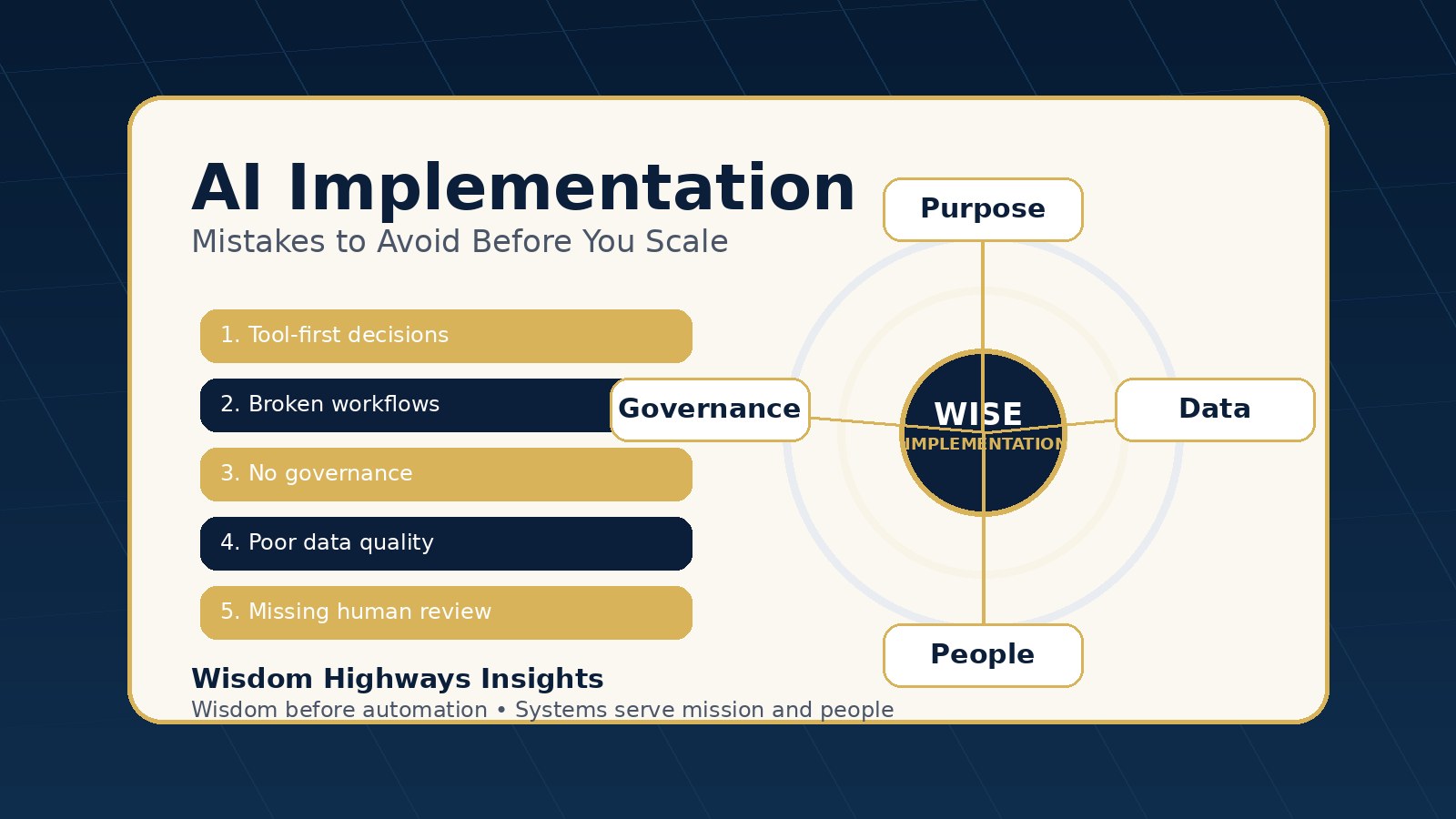
Many leaders are not failing with AI because the technology is weak. They are failing because the implementation is rushed, unclear, ungoverned or disconnected from the real work people do every day.
A church team may sign up for three tools, yet still manually chase attendance updates, volunteer replies and sermon-media requests. A small business may add a chatbot, but customers still wait because the service process behind the bot is broken. A nonprofit may ask staff to “use AI more,” but no one has defined what is safe, useful or worth measuring.
The mistake is not interest in AI. The mistake is treating AI as a shortcut around leadership, process clarity, trust and human wisdom.
This article gives pastors, founders, operators, nonprofit leaders and SME teams a practical way to avoid the most common AI implementation mistakes before they become expensive habits.
The central question: are you implementing AI, or only adopting tools?
Tool adoption means people have access to an app. Implementation means the organization has changed a real workflow in a way that is safer, clearer, faster or more effective.
That difference matters. A leader can buy licenses in one afternoon. But wise implementation requires decisions about purpose, data, people, approvals, measurement, risk and follow-through.
Wisdom Highways uses a simple principle: wisdom before automation; systems serve mission and people. AI should help leaders reclaim time, improve consistency and strengthen service — not create confusion, pressure or reputational risk.
Mistake 1: starting with the tool instead of the work
The first implementation mistake is asking, “Which AI tool should we use?” before asking, “Which work is repeatedly draining time, attention or service quality?”
When the tool comes first, teams often automate the wrong thing. They may create content faster while their follow-up process remains slow. They may deploy a chatbot while their internal knowledge base is outdated. They may generate reports faster while nobody has agreed what decisions the reports should support.
Better question: What repeatable work, if improved, would create the highest mission value?
- For a church: visitor follow-up, volunteer scheduling, media requests, prayer request triage, event reminders or pastoral-admin preparation.
- For an SME: lead response, quote preparation, customer onboarding, invoice reminders, inventory updates or weekly reporting.
- For a nonprofit: donor communication, program reporting, beneficiary intake, document drafting or field-team coordination.
If the workflow is unclear, AI usually makes the confusion faster. Map the work first. Then choose the tool.
Mistake 2: automating a broken process
AI can accelerate a process, but it cannot make an unclear process trustworthy by itself. If the current process has missing ownership, duplicate data, informal approvals or inconsistent handoffs, automation may simply spread the problem.
Before automating, write the process in plain language:
- What triggers the work?
- Who owns it?
- What information is required?
- Which decisions require human review?
- What does “done well” look like?
- Where should the output be recorded?
This is especially important for churches and purpose-driven organizations because the work often touches people at sensitive moments: pastoral care, giving, counselling requests, personal prayer needs, employment matters or community support.
Do not automate confusion. Clarify the process, then support it with AI.
Mistake 3: ignoring governance until there is a problem
Governance may sound corporate, but at its simplest it means: “Who is allowed to use AI for what, with which information, under what supervision?”
The NIST AI Risk Management Framework emphasizes governance, mapping, measurement and management as core parts of responsible AI risk practice. For Wisdom Highways, the leadership translation is simple: do not wait for a public mistake before defining boundaries.
Create a basic AI use policy before scaling. It does not need to be complicated. It should answer:
- What information must never be pasted into public AI tools?
- Which outputs require human approval before use?
- Who is accountable when AI-assisted work is published, sent or acted upon?
- How will the team handle bias, error, privacy and reputational concerns?
- Which AI uses are encouraged, restricted or prohibited?
Governance protects people. It also gives responsible staff the confidence to use AI without guessing the rules.
Mistake 4: treating data quality as a technical detail
AI is only as useful as the information it can safely and accurately work with. If member records, customer notes, FAQs, product information, policies or program data are scattered and outdated, AI outputs will be inconsistent.
Many teams want AI agents before they have a reliable knowledge base. That is risky. A tool that retrieves old information faster can create more problems than manual work.
Before implementing AI in a workflow, ask:
- Where is the source of truth?
- Who updates it?
- What data is sensitive?
- What information is outdated or duplicated?
- What should AI never decide on its own?
This is why AI readiness is not only about software. It is about information discipline.
Mistake 5: failing to define human review points
One of the most dangerous phrases in AI implementation is “fully automated” when the workflow involves judgement, care, money, reputation or people’s private information.
Wise teams define checkpoints. The AI may draft, summarize, classify, route, suggest or remind — but a human approves sensitive decisions.
Examples:
- An AI tool can draft a donor update, but a leader reviews tone and accuracy before sending.
- An automation can categorize prayer requests, but pastoral leadership decides the care pathway.
- An AI assistant can prepare a quote draft, but a business owner approves pricing, scope and terms.
- A chatbot can answer common questions, but it escalates complaints, pastoral care, billing disputes or safeguarding concerns to a person.
Human review is not a weakness. It is leadership.
Mistake 6: measuring activity instead of value
Teams often measure AI implementation by usage: number of prompts, tools installed, content pieces generated or automations created. Those metrics may show activity, but they do not prove value.
Better metrics include:
- Hours reclaimed from repetitive work.
- Response time improved for visitors, customers, donors or members.
- Error rate reduced in routine admin tasks.
- Follow-up consistency improved.
- Staff capacity redirected toward high-value human work.
- Trust risks identified and controlled.
This connects with the Wisdom Highways Time Reclamation approach: AI should not merely make the organization look modern. It should release capacity for mission, service, growth and stewardship.
For a deeper measurement model, read AI Automation ROI: Measure Time Reclamation Before Cost Savings.
Mistake 7: rolling out too broadly before proving one workflow
Leaders often try to transform everything at once. The result is fatigue, uneven adoption and unclear accountability.
A better approach is a controlled pilot:
- Choose one meaningful but manageable workflow.
- Define the current baseline.
- Clarify the human owner.
- Set the rules for data and review.
- Test with a small group.
- Measure time, quality, risk and user confidence.
- Improve before expanding.
This is slower than hype but faster than repairing a messy rollout.
Mistake 8: forgetting the people who must live with the system
AI implementation is not only a technical decision. It is a people decision.
Staff and volunteers may fear replacement, embarrassment, surveillance, extra workload or loss of judgement. Customers and congregants may worry about privacy or impersonal service. Leaders may assume enthusiasm where there is actually confusion.
Explain the “why” clearly:
- What burden are we trying to remove?
- What human work are we trying to protect?
- What will AI not be allowed to replace?
- How will people raise concerns?
- How will training happen?
If people do not trust the implementation, they will work around it. If they understand the purpose and boundaries, they are more likely to help improve it.
Mistake 9: using AI where a simpler automation would do
Not every workflow needs generative AI. Sometimes the best solution is a simple form, template, reminder, dashboard, CRM rule or checklist.
Use AI where language, judgement support, summarization, classification, drafting or pattern recognition adds real value. Use ordinary automation where the work is predictable and rule-based.
If you are unsure, read AI vs Automation: What’s the Difference, and Which One Do You Need?.
A practical readiness checklist before you implement AI
Before approving an AI implementation, use this simple checklist:
- Purpose: We can explain the mission or business problem in one sentence.
- Workflow: We have mapped the current process and handoffs.
- Ownership: One person is accountable for the workflow outcome.
- Data: We know what information is safe, sensitive, outdated or off-limits.
- Governance: We have defined acceptable use and human approval points.
- Measurement: We know how success will be measured beyond tool usage.
- Training: The people involved understand how and when to use the system.
- Escalation: There is a clear path when the AI is uncertain, wrong or dealing with sensitive matters.
- Review: We will check results after a short pilot before expanding.
If several of these items are weak, the next step is not more tools. The next step is readiness work.
How to choose the first AI implementation wisely
Choose a workflow that sits in the “useful but safe” zone. It should be important enough to matter, but not so sensitive that a first pilot creates unnecessary risk.
Good first pilots often include:
- Drafting weekly internal summaries from approved notes.
- Turning meeting notes into action lists.
- Preparing first drafts of non-sensitive emails.
- Organizing FAQ content for staff review.
- Routing form submissions to the right person.
- Creating report drafts from verified data.
Riskier first pilots include unsupervised pastoral advice, legal/financial recommendations, medical guidance, sensitive HR decisions, complaint resolution, safeguarding matters or public claims without review.
Wisdom Highways perspective: implementation is stewardship
For Wisdom Highways, AI implementation is not about chasing the newest platform. It is about stewardship: stewarding time, attention, trust, data, people and mission.
The question is not, “Can AI do this?” The better question is, “Should this be done by AI, by automation, by a person, or by a better system?”
That question protects leaders from two extremes: fear that refuses useful progress, and hype that ignores wisdom.
Related resources
- How to Know If Your Organization Is Ready for AI Automation
- What Should You Automate First? A Decision Matrix for Leaders
- AI Governance Checklist for Churches and Small Businesses
- How to Build an AI Automation Roadmap: A 30-Day Plan for Leaders
Before you invest in more AI tools, check your readiness.
The Wisdom Highways AI & Systems Readiness Assessment helps you identify workflow gaps, leadership risks and practical next steps before scaling automation.
Keep learning with Wisdom Highways. Follow our WhatsApp Channel for practical AI tips, time-saving ideas, product updates and selected offers.
Follow WH Premium AI Vault on WhatsApp