
Many leaders do not have an AI problem first. They have a workflow-visibility problem.
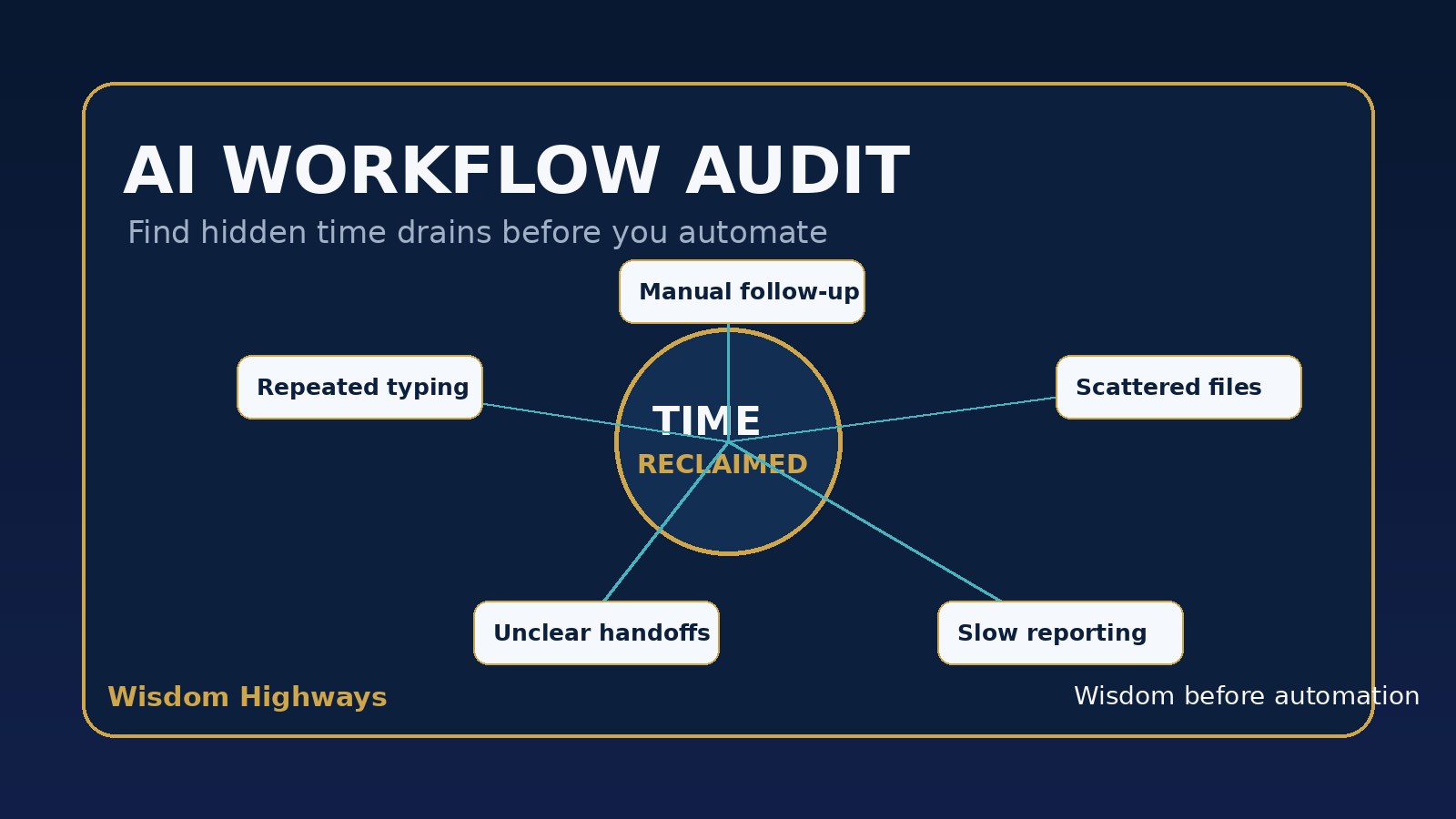
They feel the pressure to “use AI,” but the team is already carrying hidden time drains: repeated questions, manual copy-and-paste work, unclear handoffs, scattered files, slow reporting, late follow-up and meetings that exist because the system is unclear. If those drains are not identified first, automation can simply make confusion move faster.
This is why Wisdom Highways recommends a simple AI workflow audit before choosing tools. The goal is not to automate everything. The goal is to find the repeatable, low-risk work that can reclaim time while protecting people, trust and mission.
What is an AI workflow audit?
An AI workflow audit is a practical review of how work actually moves through your organization. It asks: where does time leak, where does quality drop, where do people wait, where is information retyped, and where could AI or automation help without removing wise human judgment?
For a church, this may involve volunteer onboarding, event communication, sermon-resource organization, pastoral-care follow-up boundaries, finance/admin reporting or first-time guest next steps. For a nonprofit, it may involve donor communication, grant-document preparation, beneficiary intake, program reporting or volunteer scheduling. For a small business, it may involve lead follow-up, invoicing, customer support, content production, operations checklists or management reporting.
The audit comes before the tool. A tool-first approach asks, “What can this app do?” A wisdom-led audit asks, “Where is time being lost, and what should still require human care?”
Why this matters before automation
Global workplace research and advisory firms continue to highlight the same broad direction: organizations are experimenting with AI, but the value depends on adoption, process redesign, governance and people’s daily work patterns — not hype alone. Research from sources such as Microsoft WorkLab, McKinsey, Asana, NIST and OECD points toward a practical lesson for leaders: AI creates value when it is connected to real work, human oversight and accountable systems.
That matters because most teams do not lose time in one dramatic failure. They lose time in small repeated frictions:
- the same information is entered in three places;
- leaders wait for updates because there is no simple dashboard;
- staff search old messages to find decisions;
- follow-up depends on memory instead of a visible system;
- meetings are used to compensate for unclear workflow ownership;
- reports are recreated manually each week or month;
- important knowledge lives only in one person’s head.
AI can help with many of these. But only after leaders understand the workflow, the risk level and the human outcome they want.
The Wisdom Highways H.I.D.D.E.N. Time Drain framework
Use this framework to find automation opportunities without rushing into unsafe or unnecessary complexity.
H — Handoffs that depend on memory
Look for work that moves from one person to another without a clear trigger, owner or checklist. Examples include a new believer follow-up process, a donor thank-you sequence, a lead enquiry, a volunteer request or a client onboarding step. If the next action depends on someone remembering, there is likely a workflow drain.
I — Information copied repeatedly
Repeated copying is one of the clearest signs of automation potential. If the same name, date, request, invoice detail, event information or report figure is typed into multiple tools, your team may be wasting energy on administrative movement instead of mission-critical work.
D — Decisions delayed by missing visibility
Many leaders are not slow because they lack wisdom. They are slow because the system does not show what is happening. AI and automation can support summaries, dashboards, alerts and status updates, but the first step is to identify which decisions regularly wait for information.
D — Documents rebuilt from scratch
Reports, proposals, lesson notes, meeting summaries, donor updates and customer responses often follow repeatable patterns. AI can assist with first drafts, summaries and formatting. Human review should remain responsible for tone, accuracy, theology, sensitive claims and final decisions.
E — Exceptions handled with no pattern
Every organization has exceptions. The problem begins when normal recurring cases are treated as exceptions because no workflow exists. Before automating, separate genuine pastoral, ethical, relational or leadership exceptions from routine administrative work that can be structured.
N — No owner for the next step
If a task is “everybody’s responsibility,” it often becomes nobody’s responsibility. A workflow audit should name the human owner before adding automation. AI may prepare, remind, summarize or route, but accountability must stay human.
A 60-minute AI workflow audit leaders can run this week
You do not need a complex consultancy exercise to begin. Start with one department, one ministry area, one client journey or one recurring administrative process.
- Choose one workflow. Pick something repeated weekly or monthly: volunteer coordination, donor follow-up, reporting, enquiries, onboarding, content preparation or meeting notes.
- Map the current path. Write each step from beginning to end. Include tools used, people involved, waiting points and approvals.
- Mark the time drains. Circle repeated typing, searching, waiting, unclear ownership, manual reminders, recurring questions and document rebuilding.
- Rate the risk. Ask whether the workflow touches children, pastoral care, confidential data, money, medical/legal advice, employment decisions, sensitive donor data or public reputation.
- Define the human boundary. Decide what AI may assist with and what must remain human-led. For example: AI may draft a donor thank-you email, but a person reviews tone and accuracy before sending.
- Pick one pilot. Choose the smallest useful improvement: a form-to-sheet workflow, a follow-up reminder, a weekly summary, a draft template, a searchable knowledge base or a report-preparation assistant.
- Measure time reclaimed. Record the before-and-after time required, error reduction, response speed and team feedback.
What not to automate first
Wisdom-led automation also means knowing what to leave alone until the organization is ready. Be cautious with workflows involving pastoral counsel, vulnerable people, confidential donor notes, disciplinary decisions, financial approvals, public theological statements, legal commitments or anything where empathy and accountability matter more than speed.
These areas may still benefit from better systems — such as secure notes, reminders, templates or documentation — but they should not be handed over blindly to AI. The higher the trust sensitivity, the stronger the human review and governance should be.
Good first automation candidates
Start where the work is repeatable, rule-based, reviewable and low-risk. Strong early candidates often include:
- meeting-summary drafts with action items;
- weekly ministry, sales or operations reports;
- event reminder workflows;
- first-draft FAQ responses;
- intake-form routing and tagging;
- content repurposing from approved source material;
- basic donor, visitor, volunteer or lead follow-up reminders;
- knowledge-base organization for internal policies and procedures.
These are not glamorous, but they often reclaim meaningful time because they touch work people repeat every week.
A simple scoring grid for prioritizing workflows
Give each potential workflow a score from 1 to 5 in five areas:
| Question | Low score | High score |
|---|---|---|
| How often does this happen? | Rarely | Daily or weekly |
| How much time does it consume? | Minimal | Significant team time |
| How repeatable is it? | Highly variable | Clear pattern |
| How easy is human review? | Difficult to verify | Simple to review |
| How sensitive is the risk? | High risk | Low risk |
The best first pilot is usually high frequency, high time consumption, highly repeatable, easy to review and low risk. If the workflow scores high on sensitivity, do not ignore it — but treat it as a governance project before treating it as an automation project.
Example: a church volunteer workflow
A church team may discover that volunteer coordination requires repeated messages, manual reminders, uncertain attendance and last-minute gaps. The first automation should not be a complicated AI agent. It may be a clean intake form, a simple volunteer database, automatic reminders, a weekly leader summary and a human-owned escalation step when someone needs care.
That saves time without making ministry feel mechanical. The system serves the people; it does not replace shepherding.
Example: a nonprofit reporting workflow
A nonprofit may spend hours gathering program data for funder reports. A workflow audit may reveal that information is scattered across spreadsheets, messages and staff notes. A wise pilot could standardize the data inputs, automate a weekly summary and use AI to draft report sections from approved data. A human leader still verifies claims before anything goes to funders.
The result is not only faster reporting. It is better stewardship, clearer visibility and less pressure on the team.
How Wisdom Highways approaches workflow audits
Wisdom Highways begins with mission, people and time. We are not trying to make organizations look technologically impressive. We are trying to help leaders reclaim time for what matters while building systems that can be trusted.
That means every AI workflow audit should ask three leadership questions:
- Mission: Does this workflow support the real purpose of the organization?
- People: Will this help the team serve with more clarity, care and consistency?
- Governance: Can a human leader understand, review and take responsibility for the output?
When those answers are clear, automation becomes safer and more useful.
Next step: assess readiness before scaling
If your team is considering AI automation, do not begin with a tool list. Begin with workflow visibility. Find the hidden time drains, choose one low-risk pilot, measure time reclaimed and keep human accountability in place.
Related Wisdom Highways insights
- What Should You Automate First? A Decision Matrix for Leaders
- AI Automation ROI: Measure Time Reclamation Before Cost Savings
- AI Automation for Nonprofits: Save Time Without Losing Trust
- AI Governance Checklist for Churches and Small Businesses
Sources and further reading
- NIST AI Risk Management Framework
- OECD AI Principles
- Microsoft Work Trend Index
- Asana Anatomy of Work
- McKinsey: Superagency in the workplace
Freshness note: prepared September 2026. Review periodically as AI governance guidance, platform capabilities and workplace adoption patterns change.
Keep learning with Wisdom Highways. Follow our WhatsApp Channel for practical AI tips, time-saving ideas, product updates and selected offers.
Follow WH Premium AI Vault on WhatsApp