
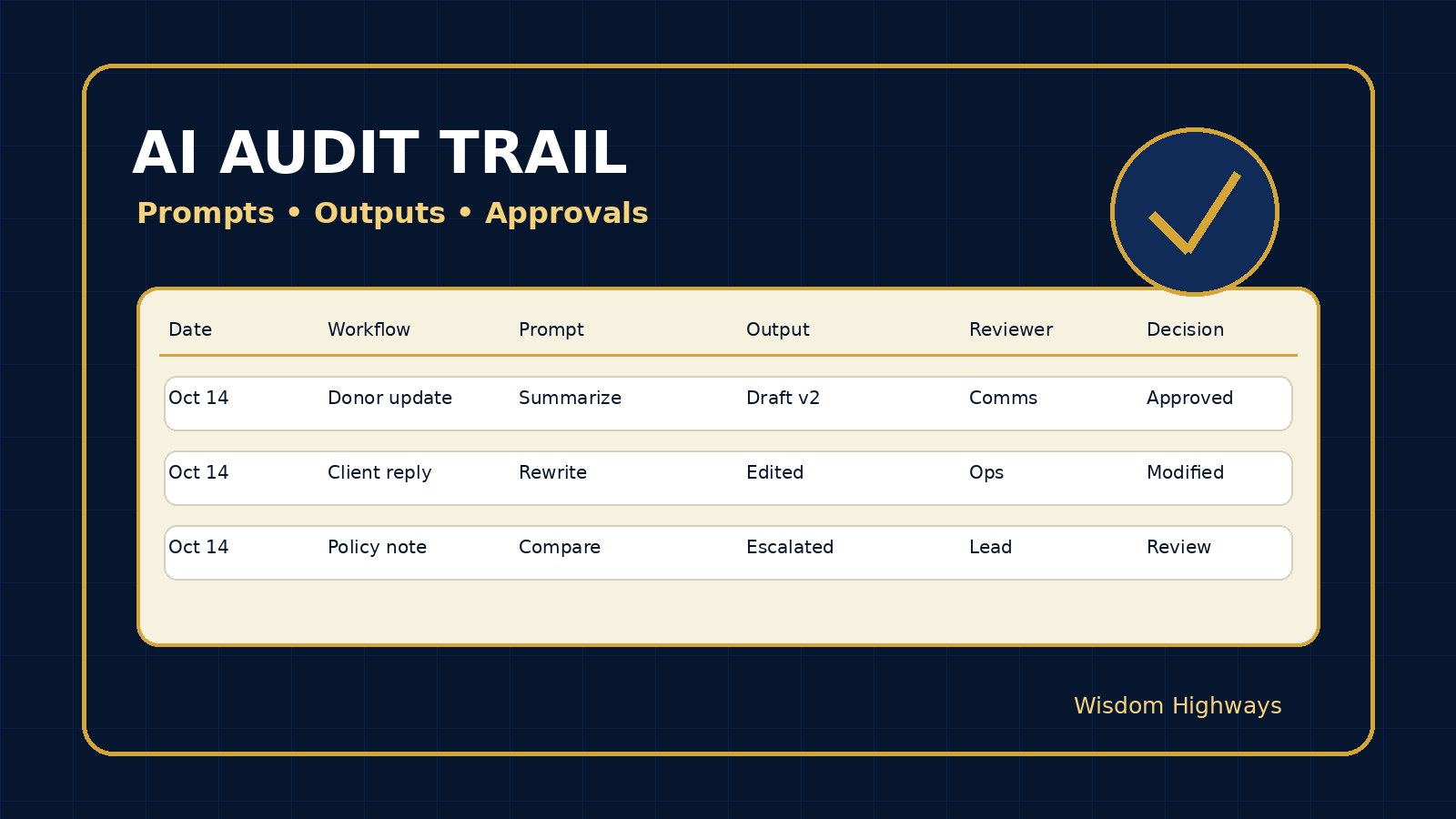
AI Governance • Accountability • Trust Systems
AI Audit Trail: Record Prompts, Outputs and Approvals Before Trust Is Tested
If an AI-assisted decision is questioned next month, will your team be able to show what prompt was used, what output was produced, who checked it, what changed, and who approved the final action? For many churches, nonprofits and small businesses, the honest answer is no. The work happened quickly. The output looked useful. A message was sent, a donor note was drafted, a proposal was improved, a report was summarized, a customer reply was approved — but the reasoning trail disappeared.
An AI audit trail is not about creating paperwork for its own sake. It is about protecting trust before trust is tested. When leaders keep a simple record of prompts, outputs, human review and approvals, they can learn faster, correct mistakes earlier and answer hard questions with humility and facts.
The problem: AI work is often invisible after it happens
Most organizations are not struggling because one person is trying to be reckless. They are struggling because AI use has spread faster than the operating system around it. A pastor uses AI to organize teaching notes. An administrator uses it to summarize forms. A nonprofit communicator uses it to draft donor updates. A business owner uses it to compare vendors, write policies or analyze customer questions.
The output may be helpful. The risk is that nobody can later reconstruct the process. Which data went into the tool? Was the source checked? Did the tool invent a detail? Did a human approve the final version? Was a sensitive workflow involved? Was the result used as a suggestion, a draft, a recommendation or a decision?
Without a trail, leaders are left with memory, screenshots and assumptions. That is too fragile for work involving people, money, ministry, data, reputation or public communication.
What an AI audit trail is
An AI audit trail is a lightweight record of consequential AI use. It captures the minimum facts needed to understand what happened: the workflow, tool, user, prompt or instruction, data category, output, human reviewer, approval decision, final action and any follow-up correction.
The word “audit” can sound intimidating. For a smaller organization, this may begin as a spreadsheet, form, ticket, checklist or field inside a project-management system. The key is not complexity. The key is consistency. If the AI output influences a person, public message, donor relationship, client promise, financial decision, staff decision, sensitive data or external commitment, keep a record.
Why this matters globally
Public responsible-AI guidance repeatedly points toward governance, accountability and traceability. The NIST AI Risk Management Framework organizes AI risk work around governing, mapping, measuring and managing risks. The NIST AI RMF Playbook gives practical prompts for organizations building accountable AI practices. The European Commission’s AI Act regulatory framework overview illustrates the global movement toward risk-based AI governance, transparency and accountability. The OECD AI Principles emphasize human-centered values, transparency, robustness and accountability. Where personal data is involved, the UK ICO AI and data protection guidance reinforces the need for careful governance rather than casual handling.
Wisdom Highways translates those principles into a practical operating habit: if AI touches trust, leave a trail.
The WH AI audit trail framework
Use this framework when AI supports communication, analysis, advice, policy, pastoral care, donor work, customer response, vendor review, hiring, finance, governance or any workflow where a leader may need to explain what happened later.
1. Record the purpose before the prompt
Start with the reason for using AI. Was the team drafting, summarizing, brainstorming, translating, comparing, analyzing, rewriting or recommending? Purpose matters because it shows whether AI was being used as a helper or as an authority.
A church secretary asking AI to polish a neutral event announcement is very different from using AI to summarize sensitive counseling notes. A business owner asking for three alternative email subject lines is different from asking a model to evaluate a client dispute. Write down the purpose in plain language.
2. Capture the tool and version when practical
Record the tool name and, where available, the model, version, plugin, integration or vendor. This does not need to become a technical essay. The goal is to know which system influenced the work. If the output came through a CRM, chatbot, browser extension, automation platform or document tool, record that pathway too.
This is especially important when the organization later changes vendors, updates permissions or investigates a mistake. “Someone used AI” is not enough. “The fundraising team used Tool X through the marketing workflow” is more useful.
3. Identify the data category
You do not need to store sensitive content twice. In many cases, the safer practice is to record the category of data rather than copying confidential material into the audit log. Use categories such as public information, internal operations, donor information, pastoral care, client data, HR, finance, children/youth, health, legal, contracts or personally identifiable information.
This helps leaders see patterns. If sensitive categories appear often, the organization may need stricter boundaries, a different tool, better training or a decision that certain workflows should not use AI at all.
4. Save the prompt or instruction summary
When appropriate, save the exact prompt. If the prompt contains sensitive information, save a sanitized version or instruction summary. The point is to understand what the user asked the system to do.
Prompt records reveal whether the team asked for a draft, a decision, a tone change, a factual claim, a legal-sounding recommendation, a pastoral response or a commercial promise. Many AI mistakes begin with unclear instructions. A trail helps the team improve the system rather than blame people blindly.
5. Preserve the output that influenced action
Keep the output version that mattered. If ten versions were generated but only one influenced a public email, proposal, policy or decision, preserve the relevant version. If the AI output was heavily edited, record that the final work was human-edited and link to the final approved file.
This is not about hoarding every experiment. It is about keeping enough evidence to understand the path from AI suggestion to human action.
6. Name the human reviewer and decision
An audit trail should show the human owner. Who checked accuracy? Who reviewed tone? Who verified source material? Who approved the final message or decision? Did the reviewer accept, modify, reject or escalate the output?
Wisdom before automation means AI may assist, but accountable humans remain visible. If no reviewer is named for a consequential workflow, the organization has found a governance gap.
7. Link to the final action
The trail should connect to what actually happened: message sent, post published, proposal delivered, report filed, donor note approved, policy updated, client promise made, workflow paused or decision escalated. A record that ends at “AI generated text” is incomplete. Leaders need to know what changed in the real world.
What to record: a simple field list
- Date and team or department.
- Workflow name and business/ministry purpose.
- Tool, vendor or integration used.
- Data category involved, especially if sensitive.
- Prompt, sanitized prompt or instruction summary.
- AI output or link to the saved output.
- Human reviewer and approval decision.
- Final action taken and link to the final asset.
- Risk level: low, moderate, high or critical.
- Follow-up needed: none, correction, policy update, training, vendor review or incident response.
Examples for churches, nonprofits and SMEs
Church example: sermon-support research
A pastor uses AI to organize sermon-support notes. The audit trail records that the purpose was outlining, not doctrinal authority; the tool used; that only public notes were entered; the prompt summary; the human review step; and the final sermon file. If a quote or reference is later questioned, the leader can see what was AI-assisted and what was verified.
Nonprofit example: donor communication
A nonprofit uses AI to draft a donor update from approved project notes. The trail records the approved source document, prompt summary, output, communications review and final sent version. It also notes that beneficiary details were anonymized and no new impact claims were invented by the tool.
SME example: client proposal
A small business uses AI to refine a proposal. The trail records the original service scope, AI draft, operations review and final approved promise. If the client later asks about a delivery commitment, the business can see whether the commitment came from approved operations capacity or from an unchecked AI wording suggestion.
Common mistakes to avoid
Mistake 1: Recording everything and therefore recording nothing well. Start with consequential workflows. Do not bury leaders in low-value logs.
Mistake 2: Copying sensitive data into the log. Use categories, references and secure links where appropriate. The audit trail should not become a second privacy problem.
Mistake 3: Treating the audit trail as surveillance. The goal is accountable learning, not fear. Staff should understand that the trail protects people and improves systems.
Mistake 4: Forgetting the final action. AI output is only half the story. Record what humans did with it.
A 30-minute starter plan
- Choose three workflows where AI could affect trust: communication, data handling and decisions.
- Create a simple audit-trail form with the fields above.
- Decide which workflows require exact prompts and which require sanitized summaries.
- Name one owner who reviews the trail weekly for patterns.
- Connect the trail to your AI ownership register, AI consent and data boundaries, AI exception log and AI incident response plan.
- Review the first ten entries and improve the form before rolling it out more widely.
How this fits the wider Wisdom Highways readiness system
The AI audit trail does not replace other controls. It connects them. Your AI decision-rights matrix explains what AI may draft, recommend, approve or never touch. Your AI communication approval policy protects public messages. Your AI vendor risk review helps assess tools before connection. The audit trail shows how the system behaved in real work.
Wisdom Highways perspective
Wisdom before automation means leaders do not let speed erase responsibility. A wise organization can answer, “Who decided? What did the tool produce? What did the human approve? What did we learn?”
The goal is not to make every team afraid of using AI. The goal is to make AI use mature enough to serve mission, people and trust. When a trail exists, leaders can correct without panic, improve without guesswork and scale without losing accountability.
Related resources
- AI Ownership Register
- AI Consent and Data Boundaries
- AI Exception Log
- AI Incident Response Plan
- AI Vendor Risk Review
Freshness note: This article was prepared in October 2026. Review quarterly as AI governance standards, data-protection expectations and platform logging capabilities change.
Keep learning with Wisdom Highways. Follow our WhatsApp Channel for practical AI tips, time-saving ideas, product updates and selected offers.
Follow WH Premium AI Vault on WhatsApp