
AI Readiness • Vendor Risk • Systems Governance
AI Vendor Risk Review: Questions To Ask Before You Connect a New Tool
A new AI tool can look harmless when it is only a browser tab. It becomes a leadership risk when it connects to your email, donor records, client files, calendar, website, CRM, finance process, staff workflows or public communication.
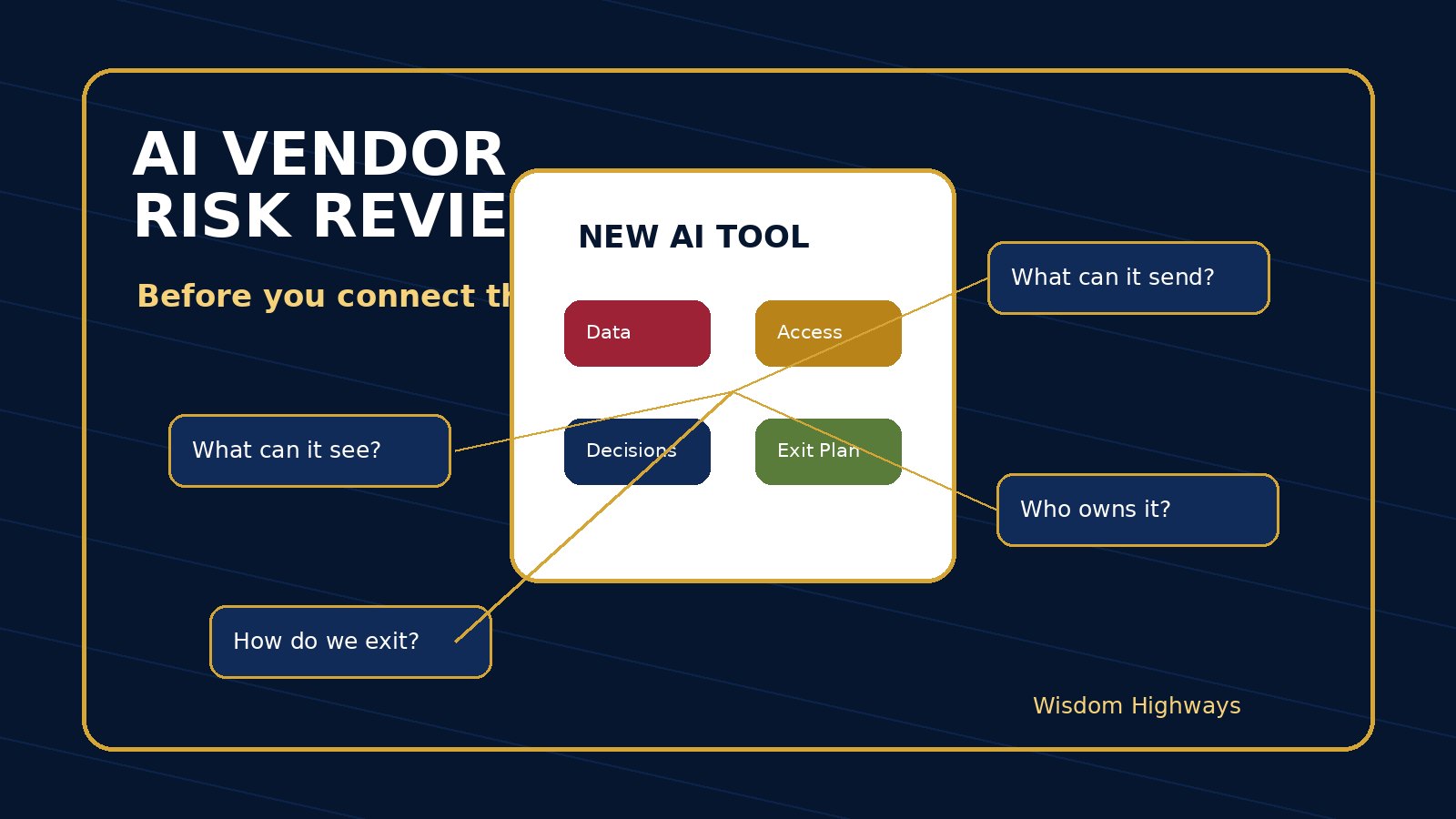
For a pastor, nonprofit director or SME owner, the question is not simply, “Does this tool save time?” The wiser question is, “What will this tool be allowed to see, influence, change, send, remember and depend on?” That is the purpose of an AI vendor risk review.
The problem: teams often evaluate AI tools by excitement, not exposure
Many organizations choose AI tools because a demo is impressive, a staff member recommends it, a competitor is using it, or the monthly price looks small. But the true cost of a tool is not only the subscription. The real exposure may sit in the access it receives, the data it stores, the workflow it changes, the decisions it influences, the vendor it depends on, and the confusion it creates when nobody owns it.
A church may connect an AI writing assistant to ministry communication without deciding whether prayer requests or counselling notes may enter the tool. A nonprofit may upload beneficiary stories into a platform without reviewing consent and retention. A business may connect an AI sales assistant to client email before clarifying who approves promises, pricing or delivery commitments. In each case, the issue is not that AI is bad. The issue is that the tool entered the system faster than leadership reviewed the risk.
What an AI vendor risk review is
An AI vendor risk review is a practical checkpoint before adopting or connecting an AI tool. It helps leaders decide whether the vendor, product, data practices, integration level and human oversight are appropriate for the organization’s mission and risk tolerance.
This does not need to become a corporate bureaucracy. A small team can use a one-page review. The goal is to slow down enough to protect people, trust and continuity before speed becomes expensive.
Why this matters globally
Responsible AI and supply-chain guidance point in the same direction: leaders need visibility before dependency. The NIST AI Risk Management Framework encourages organizations to govern, map, measure and manage AI risks. NIST’s cybersecurity supply-chain risk management work highlights that technology risk includes external suppliers and dependencies. CISA’s ICT supply-chain risk management resources reinforce the need to consider supplier resilience and connected technology risk. The UK ICO’s AI and data protection guidance reminds organizations that AI use involving personal data requires accountability, lawful handling and careful assessment. The OECD AI Principles emphasize human-centred values, transparency, robustness and accountability.
Wisdom Highways translates those principles into a usable review for organizations that may not have a full procurement, legal or cybersecurity department but still carry responsibility for people and mission.
The WH AI vendor risk review: eight questions before connection
1. What problem is this tool solving?
Start with the work, not the feature list. Is the tool meant to save administrative time, improve communication, summarize documents, answer customer questions, generate proposals, support research, automate follow-up or manage internal knowledge? If the problem is vague, the risk review will also be vague.
A helpful test is this: if the tool disappeared tomorrow, what work would become slower or harder? If nobody can answer, the organization may be buying novelty instead of solving a priority problem.
2. What data will the tool receive?
List the data types before anyone connects accounts or uploads files. Will the tool see personal information, donor records, member details, pastoral notes, client contracts, financial data, HR information, children’s information, proprietary strategy, passwords, health-related details, or confidential correspondence?
Classify the data in plain language: public, internal, sensitive, confidential or restricted. If a tool needs restricted data to work, senior review should be required. If it does not need the data, do not give it access merely because the integration is convenient.
3. Where does the vendor store and process information?
Leaders do not need to become infrastructure engineers, but they should know whether the vendor explains data storage, retention, model training, subcontractors, security practices, deletion options and user controls. If the vendor’s answers are unclear, treat that as a risk signal, especially for sensitive church, nonprofit or client information.
Ask whether your data is used to train models by default, whether that can be disabled, who can access uploaded information, and how long the vendor keeps it after deletion or account closure.
4. What systems will it connect to?
The risk changes when an AI tool moves from drafting to acting. A writing tool with no integrations is different from a tool connected to email, CRM, payment systems, website forms, calendars, chat platforms, cloud storage or marketing automation.
For each connection, ask what the tool can read, create, edit, send, delete or trigger. A tool that can send public messages or alter records needs stronger controls than a tool that only drafts text for human review.
5. What decisions could it influence?
Some AI tools do not make decisions directly, but they influence the human who does. They rank leads, summarize people, recommend responses, score applicants, prioritize donors, suggest pastoral follow-up, draft advice or frame reports for leadership. That influence matters.
Identify whether the tool could affect money, access, employment, care, eligibility, reputation, vulnerable people, legal commitments or customer outcomes. If yes, the review should require human accountability and clear limits.
6. Who owns the tool internally?
Every AI vendor needs an internal owner. The owner is not necessarily the only user. The owner is the person accountable for fit, access, data boundaries, training, review, incidents, renewals and deactivation. Without an owner, a tool becomes an unmanaged dependency.
For a church, this may be an operations lead, administrator or ministry director. For an SME, it may be the process owner. For a nonprofit, it may be the programme, communications or data-responsibility lead. The title matters less than clear accountability.
7. What is the exit plan?
A wise vendor review asks how the organization will leave. Can you export data? Can you delete records? What happens to automations if the account closes? Does the vendor provide logs or documentation? Who knows how the workflow works if the staff member who set it up leaves?
If a tool becomes central to operations, the exit plan should be written before dependency grows. This protects continuity and bargaining power.
8. What proof of safety is enough for this use case?
Not every tool needs the same level of review. A low-risk brainstorming tool may need basic data rules and user training. A tool connected to donor records, customer communication or financial workflows needs stronger evidence: security documentation, admin controls, access logs, data-processing terms, human approval gates and incident response procedures.
The standard should match the exposure. Do not demand enterprise paperwork for a harmless experiment. Do not accept vague marketing claims for a mission-critical workflow.
A simple risk-level guide
- Low risk: no sensitive data, no external sending, no system integration, human uses output only as rough draft.
- Moderate risk: internal documents, limited team use, some workflow dependency, clear human review before external action.
- High risk: personal or confidential data, CRM/email/storage integration, client/member/donor impact, public messaging, financial or operational commitments.
- Critical risk: vulnerable-person data, legal/regulatory exposure, automated decisions, security-sensitive access, large-scale public communication, or inability to stop the tool quickly.
Examples for leaders
Church example: AI newsletter assistant
A church wants to connect an AI writing tool to its newsletter platform. The review shows that announcements are fine, but pastoral requests and counselling details must never be pasted into the tool. The team approves the tool for public event copy only, keeps human approval before sending, and names an administrator as owner.
Nonprofit example: grant-writing platform
A nonprofit wants to use AI to improve grant applications. The review separates organizational facts from beneficiary stories. Staff may use the tool for structure and clarity, but personal stories require consent, anonymization and source checking. The vendor is not allowed to store unrestricted sensitive case material.
SME example: AI sales assistant
An SME considers an AI assistant connected to email and CRM. The review identifies a high-risk area: the tool could draft commercial promises. The company approves it only for suggested replies, requires human approval before sending, restricts pricing language, and logs exceptions when staff override the rule.
A 30-minute review checklist
- Write the exact workflow the tool will support.
- List the data it will receive and classify sensitivity.
- Identify every system, account or integration it will connect to.
- Name the internal owner and backup owner.
- Decide what the tool may draft, recommend, automate or never touch.
- Check vendor documentation for data use, retention, deletion, security and training-on-your-data settings.
- Define the human approval point before external messages, commitments or decisions.
- Write the exit plan: export, delete, deactivate, replace and communicate.
Common mistakes to avoid
Mistake 1: Treating a free trial as risk-free. Free tools can still receive sensitive information, create habits and become embedded in workflows.
Mistake 2: Reviewing the vendor but not the use case. A reputable tool can be low risk in one workflow and high risk in another.
Mistake 3: Letting the most enthusiastic user become the only decision-maker. Enthusiasm is valuable, but accountability needs leadership visibility.
Mistake 4: Forgetting deactivation. A tool that cannot be paused, audited or removed safely should not be connected casually.
Internal links for a complete readiness system
Connect vendor review to your broader AI governance. Use an AI ownership register so every tool has a responsible human owner. Define boundaries with AI consent and data rules. Clarify authority through an AI decision-rights matrix. Prepare for failures with an AI incident response plan and track exceptions in an AI exception log.
Wisdom Highways perspective
Wisdom before automation means leaders do not reject tools because risk exists. They review tools because people matter. A wise organization can move quickly without being careless. It can experiment without exposing trust. It can benefit from AI while still asking who owns the system, what data enters it, what decisions it shapes, and how it will be corrected or removed.
The best AI vendor review is not a wall that blocks innovation. It is a gate that lets the right tools enter the right workflows with the right accountability.
Related resources
- AI Ownership Register
- AI Consent and Data Boundaries
- AI Decision-Rights Matrix
- AI Incident Response Plan
Freshness note: This article was prepared in October 2026. Review quarterly as AI vendor practices, privacy expectations, platform terms and organizational dependencies change.
Keep learning with Wisdom Highways. Follow our WhatsApp Channel for practical AI tips, time-saving ideas, product updates and selected offers.
Follow WH Premium AI Vault on WhatsApp